
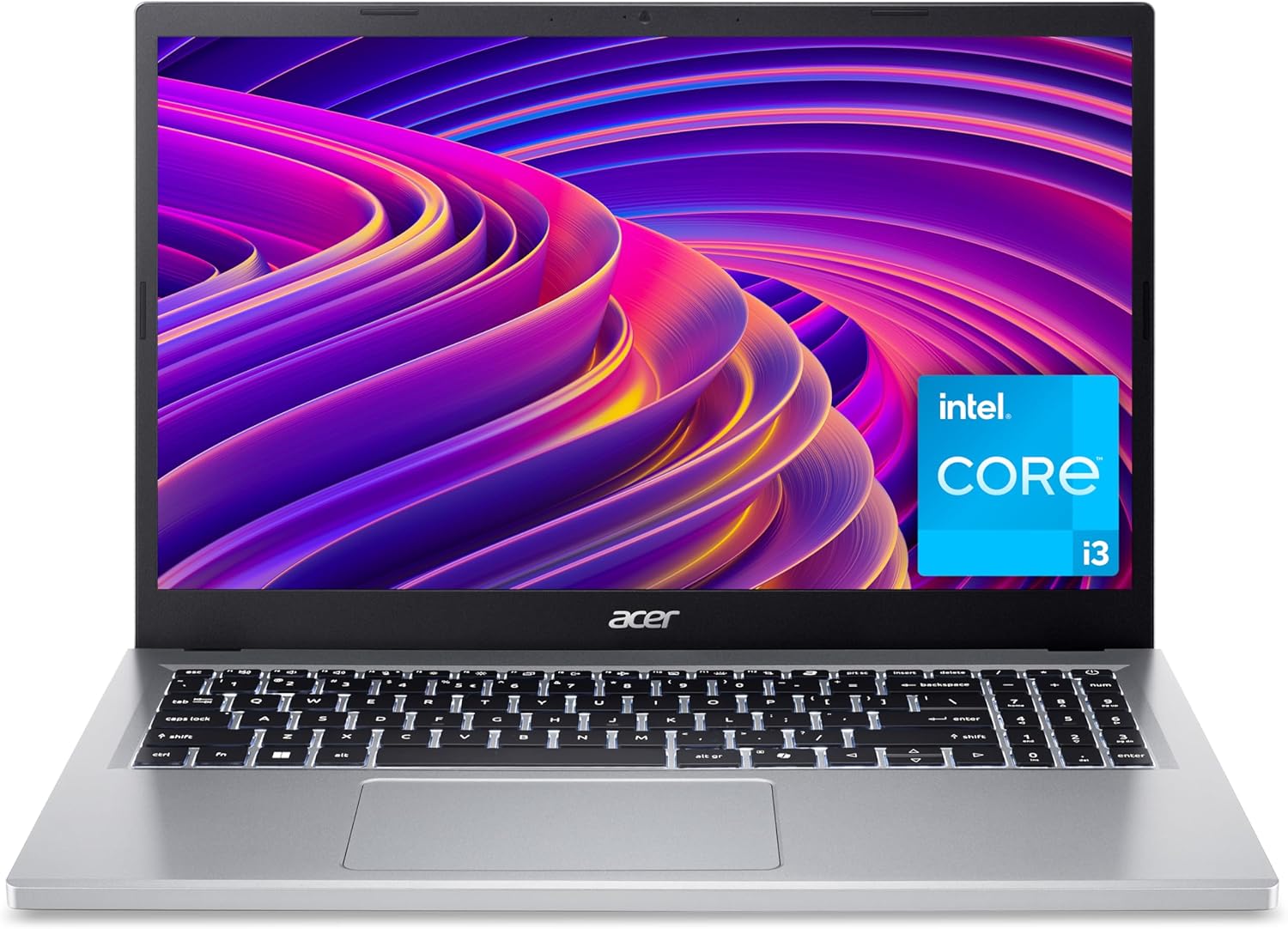
Acer Aspire Go 15 Review: Exceptional value for everyday tasks.
Quick Verdict
The Acer Aspire Go 15 is a compelling choice for buyers prioritising straightforward, everyday productivity on a budget, particularly those engaged in text-heavy work, web browsing, and media consumption. Its Intel Core i3-N305 processor paired with 8GB of RAM and a 256GB NVMe SSD offers a balanced package that keeps routine tasks feeling responsive without overextending. While not designed for intensive creative workloads or gaming, its Full HD IPS display with eye-care features ensures comfortable all-day use, from late-night essays to lengthy video calls. The inclusion of the dedicated Copilot key to launch Microsoft’s AI assistant is a practical touch for 2026 users seeking streamlined workflows. Overall, this laptop represents strong value for home office users or students needing dependable performance without unnecessary frills.

Overview and First Impressions
Acer’s Aspire series has long been a stalwart for affordable, no-nonsense laptops in the UK market, and the Aspire Go 15 continues that tradition with a fresh styling and sensible feature set aimed squarely at mainstream users. Positioned as an entry to mid-level contender, it fills the niche of users who want a reliable machine without the premium outlay seen in ultrabooks or gaming machines. Available with a clean silver chassis, the Aspire Go 15 sports an aluminium lid paired with a sturdy plastic base, balancing durability with manageable weight.
At 15.6 inches and weighing approximately 1.8 kilograms, it’s not the lightest portable laptop but remains comfortably manageable for students lugging it between lectures or professionals commuting daily. The chassis thickness is moderate, with Acer focusing on a slim bezel design that keeps the footprint fairly contained for the screen size, measuring roughly 360 x 240 mm. This means the laptop fits nicely into a standard backpack or messenger bag without dominating space.
Port selection is practical: a full-size HDMI 2.1 port stands out for easily connecting to external monitors or projectors—ideal for presentations or an extended desktop setup. The device features a USB Type-C port with full functionality, including charging and data transfer, plus USB 3.2 Gen1 Type-A ports, a headphone jack, and an SD card reader. This means users tapping into external storage or multiple peripherals won’t find themselves reaching for dongles. Built-in Wi-Fi 6 support adds future-proofing for connectivity, ensuring stable, fast wireless access in crowded environments.

For those who prioritise environmental impact, Acer’s approach using recycled plastics for the back cover and packaging materials is a commendable step towards sustainability, a factor increasingly important for conscious consumers. Taken altogether, the Aspire Go 15 makes a confident first impression by addressing the practical needs of everyday computing without courting unnecessary complexity or weight.
If interested in laptops with similar all-round practicality but different form factors, readers may find the review of the Asus VivoBook 15 informative as a complementary option.
Discover the Acer Aspire Go 15!
Performance and Hardware Explained
Diving into the heart of the Acer Aspire Go 15’s performance, the Intel Core i3-N305 processor deserves a detailed look. This chip belongs to Intel’s N-series lineup—it is a low-power dual-core hybrid CPU built on an efficient architecture designed for everyday tasks rather than heavy lifting. Operating with two performance cores and up to four threads, it excels at handling typical workloads like web browsing, office applications, and streaming media, all while running cool and quietly. The “N305” suffix indicates it’s part of the 13th generation Intel processors but tailored for efficiency, not raw computational speed.
For most students writing essays or professionals attending video calls, this processor will feel snappy and reliable. Multitasking with several browser tabs open, a Word document, and a Zoom call simultaneously remains fluid, but pushing it into demanding video editing or complex simulations will reveal its limitations. The integrated Intel UHD Graphics provides enough muscle for casual light gaming or content playback but won’t serve serious gaming sessions beyond older or less graphically demanding titles.
Memory-wise, 8GB of RAM strikes a sensible balance. The use of LPDDR5 technology indicates low-power, faster memory compared to older DDR4 variants —helping with quicker data access and better multitasking responsiveness. For 2026 standards, 8GB is the minimum comfortable capacity for smooth day-to-day operation in Windows 11, especially if you tend to run multiple apps at once. Switching to 16GB (available in other variants) benefits users routinely juggling heavier software but adds cost.
Storage comes via a 256GB PCIe NVMe SSD, which provides a significant speed advantage over traditional SATA drives or eMMC memory commonly found in budget laptops. This means your system boots swiftly, apps load almost instantaneously, and file transfers feel agile. While the 256GB capacity is a moderate starting point, it’s ideal for users who primarily store documents, photos, and media locally but may need to invest in external storage or cloud solutions for large media libraries. This PCIe Gen3 SSD is competitive in the Aspire’s segment, delivering solid overall responsiveness.
Display quality significantly impacts daily usability. The Aspire Go 15’s 15.6-inch panel offers a Full HD resolution of 1920×1080 pixels—standard for this class, striking the right balance between screen real estate and text clarity. The panel uses IPS technology, known for wide viewing angles and decent colour accuracy, important for long hours of content consumption or document editing without colour shift when viewed off-centre. Acer’s BlueLightShield technology integrates screen filters to reduce blue light emission, which is beneficial for reducing eye strain during extended sessions, particularly under artificial lighting.
Brightness levels here typically hover around 250 to 300 nits, sufficient for most indoor environments but not enough to combat strong outdoor sunlight — expect reflections or washed-out images if working outside on a bright day. The 16:10 aspect ratio, slightly taller than the more common 16:9, provides extra vertical pixels conducive to reading long web pages or documents without constant scrolling.
Audio hardware benefits from Acer’s PurifiedVoice technology and AI noise reduction, making calls clearer and background distractions less intrusive—an excellent feature for frequent video conferencing. Plus, with HDMI 2.1 and USB-C ports, extending displays or connecting peripherals for greater productivity is straightforward.
Compared with other laptops in the budget 15-inch category, the Aspire Go 15 holds its own by pairing a new generation Intel CPU with LPDDR5 RAM and a fast SSD, while many competitors still feature older DDR4 memory or HDD storage, which dampen performance and responsiveness. Users replacing older devices that struggle with Windows 11 will especially appreciate this modern hardware mix.
Real-World Performance
In typical usage scenarios such as writing reports, browsing the web, or streaming online lectures, the Aspire Go 15 delivers a competent and reassuringly smooth experience. Web pages load quickly, and switching between apps is generally lag-free thanks to the responsive PCIe SSD. The dual-core i3 does not feel overtaxed by video conferencing software like Microsoft Teams or Zoom, and the laptop’s built-in AI noise cancellation helps preserve voice clarity even in moderately noisy surroundings.
The keyboard is a critical interface for extended typing sessions. Acer offers a well-spaced, comfortable chiclet keyboard with decent key travel and tactile feedback—suitable for students pounding out essays or professionals drafting emails for sustained hours without excessive fatigue. The presence of a dedicated Copilot key provides quick access to Microsoft’s AI assistant, streamlining workflows for tasks like summarising texts, setting reminders, or searching, which although a niche feature, can subtly boost productivity for habitual users.
Touchpad responsiveness is fluid and precise, supporting Windows 11’s multitouch gestures accurately, enhancing navigation without resorting to an external mouse in most cases. Build quality here is solid though utilitarian; flex is minimal but the chassis creaks slightly under firm pressure, a minor quibble but worth noting for durability-conscious buyers.
Thermal performance stays within a cool envelope during everyday work, thanks to the efficient processor and modest power draw. It does not produce intrusive fan noise, which adds to a distraction-free environment. However, pushing the device with resource-heavy Excel models or multiple browser tabs overloaded with multimedia content may cause the system to throttle occasionally, restricting performance temporarily.
Battery life impresses within this spectrum—Acer claims extended endurance, and realistically, users can expect approximately 7 to 9 hours of mixed usage including document editing, video calls, and web surfing. The battery supports USB-C charging, allowing flexible use of third-party power banks or universal adapters, and charges at a moderate speed suitable for overnight top-ups but not rapid charging in short breaks.
The Full HD IPS display’s anti-glare coating minimises reflections indoors, and Acer’s BlueLightShield makes it easier to work for extended periods without discomfort, a significant plus for anyone frequently on screen. However, outdoor usability is limited due to modest brightness.
This laptop shines most when used in quiet environments, such as home offices, libraries, or classrooms, where its combination of silent operation, comfortable typing, and crisp visuals facilitate productive sessions. Those who require heavy video editing or gaming will find it underpowered, but for day-to-day tasks, it meets expectations well.
Battery Life and Portability
Portability weighs heavily in purchase decisions, especially for students or professionals who need to carry their laptops through train stations or airports regularly. The Acer Aspire Go 15 offers a respectable 1.8kg weight—solidly portable but heavier than light ultrabooks like the Dell XPS 13 or Lenovo Yoga Slim 7 Carbon, which tip the scales closer to 1.2kg. This means it’s best suited for everyday commutes rather than long-haul travel where every gram counts.
Its 15.6-inch screen size is comfortable for on-the-go productivity but doesn’t compete with ultra-compact 13-inch models in cramped spaces such as aeroplane trays or tight café tables. The slightly thicker chassis allows for a full set of I/O ports, a practical sacrifice many find worthwhile.
Battery life expectations align with the current generation Core i3 and 8GB LPDDR5 combo. In balanced mixed workloads—combining document editing, streaming at moderate brightness, and video calls—users should expect around 7 to 9 hours under normal conditions. This comfortably supports a full work or study day unplugged, a key factor for those moving between classrooms or meetings with limited charging access.
Charging is handled through a single USB Type-C port, which supports power input and data transfer. While this universality is convenient and aligns with contemporary standards, the lack of dedicated fast charging means topping up to full is not especially rapid, with a typical full charge requiring two hours or more from empty. The ability to use third-party USB-C chargers or portable battery packs is a definite advantage for users prioritising flexibility.
In summary, the Aspire Go 15 is portable enough for daily commuting and light travel, with battery capacity and power delivery fitting well into the routines of most home office users, distance learners, or small business professionals.
For those seeking a detailed comparison on battery and portability aspects for laptops around this screen size, the Acer Swift 3 review on this site offers useful insights into the trade-offs involved.
Get All the Specs and Pricing!
Who Should Buy This
The Acer Aspire Go 15 fits squarely into the lifestyle of users prioritising reliable, day-to-day performance without the need for specialist features or high-end graphics. It is ideal for students writing reports, researching projects, or attending online classes, providing a crisp, eye-friendly display and solid productivity capabilities. Professionals who focus on office applications, spreadsheet work, video conferencing, and light multitasking will find it a solid workhorse that blends modern connectivity options like Wi-Fi 6 and a full HDMI port.
Users who travel frequently but do not require the lightest or most compact devices will appreciate its balanced approach—offering enough screen size to be comfortable without excessive bulk. The environmentally mindful buyer will also recognise Acer’s use of recycled plastics and packaging as a positive step.
Nevertheless, those needing more robust photo and video editing capabilities should consider laptops with more powerful processors (quad-core Intel i5 or Ryzen 5 and upwards) and discrete GPUs. Similarly, avid gamers or creative professionals should look to devices prioritising higher-end graphics and faster CPUs. If cloud storage isn’t an option and you require extensive local storage, be aware the 256GB SSD might require supplementing with external drives.
In the broader market, if your priority is a slightly more lightweight but price-comparable device, options like the HP Pavilion 15 or Lenovo IdeaPad 3 range offer similar specs but with differing build or display choices. However, Acer’s inclusion of the Copilot key and a full HDMI 2.1 port provides extra utility that makes the Aspire Go 15 stand out in the crowded entry-level laptop field.
Pros and Cons
Pros:
- Practical Intel Core i3-N305 processor and 8GB LPDDR5 RAM combo ensures smooth handling of everyday multitasking and video calls without struggle.
- 256GB PCIe Gen3 NVMe SSD delivers quick boot times and fast file access, markedly better than budget laptops using slower eMMC storage.
- Full HD 15.6" IPS display with Acer BlueLightShield reduces eye fatigue during long study or work sessions.
- Comprehensive port selection, including USB-C with data and charging, plus full HDMI 2.1, supports a flexible multi-monitor setup and peripheral connectivity.
Cons:
- Modest 7 to 9-hour battery life is solid yet not outstanding compared to ultrabooks with higher capacity or more efficient CPUs.
- At 1.8kg, it’s less suitable for users prioritising ultra-lightweight, highly portable devices for frequent travel.
- Integrated graphics limit gaming and demanding creative application capabilities, confining it largely to productivity and media tasks.
- The 256GB SSD offers decent space but may feel limiting for users storing large video or photo files locally, requiring supplementary storage solutions.
Final Verdict and Recommendation
The Acer Aspire Go 15 AG15-31P strikes a fine balance between everyday usability, modern hardware, and sensible design decisions in 2026. It suits students, home office users, and professionals whose workload centres on document creation, video calls, and general web use rather than content creation or gaming. Its efficient Intel 13th generation N-series processor teamed with speedy LPDDR5 RAM and PCIe SSD pave the way for a smooth, responsive experience that won’t easily feel outdated in the near term.
The laptop’s Full HD IPS display equipped with eye comfort technology and the practical port array—including a valuable HDMI 2.1 interface—add to its appeal for those seeking both comfort and connectivity. Although not the lightest or longest-lasting device on the market, it offers a thoughtful balance of features for daily work and learning scenarios without overcomplicating matters.
If your requirements centre on straightforward, reliable computing with some modern extras like the AI Copilot integration, this Acer model merits serious consideration. Check availability on Amazon to see if the Acer Aspire Go 15 fits your needs.
Unlock Your Next Laptop Adventure!
As an Amazon Associate, I earn from qualifying purchases.