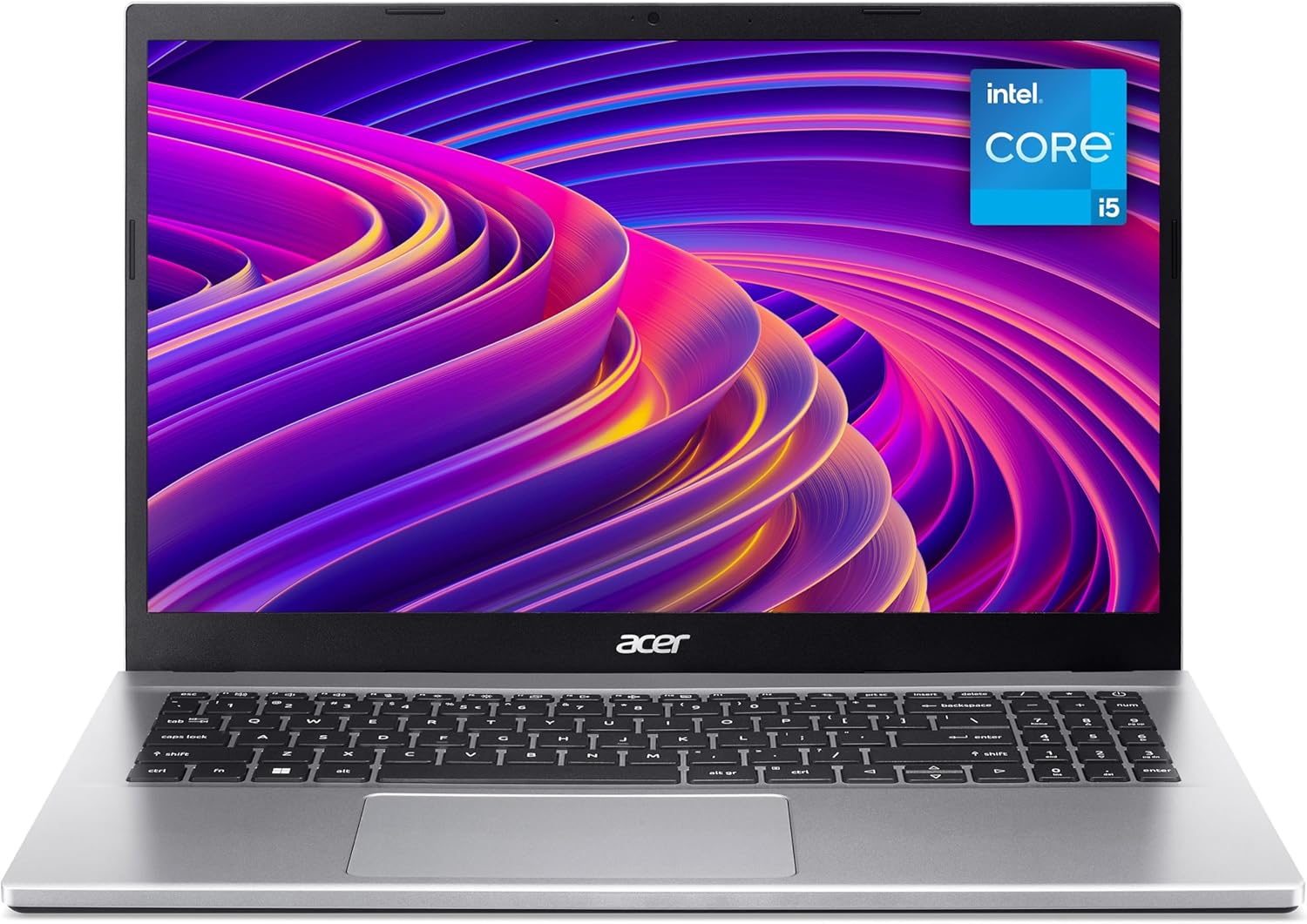
Acer Aspire 3 A315-59 Analysis: Display Lets It Down
The Blunt Verdict
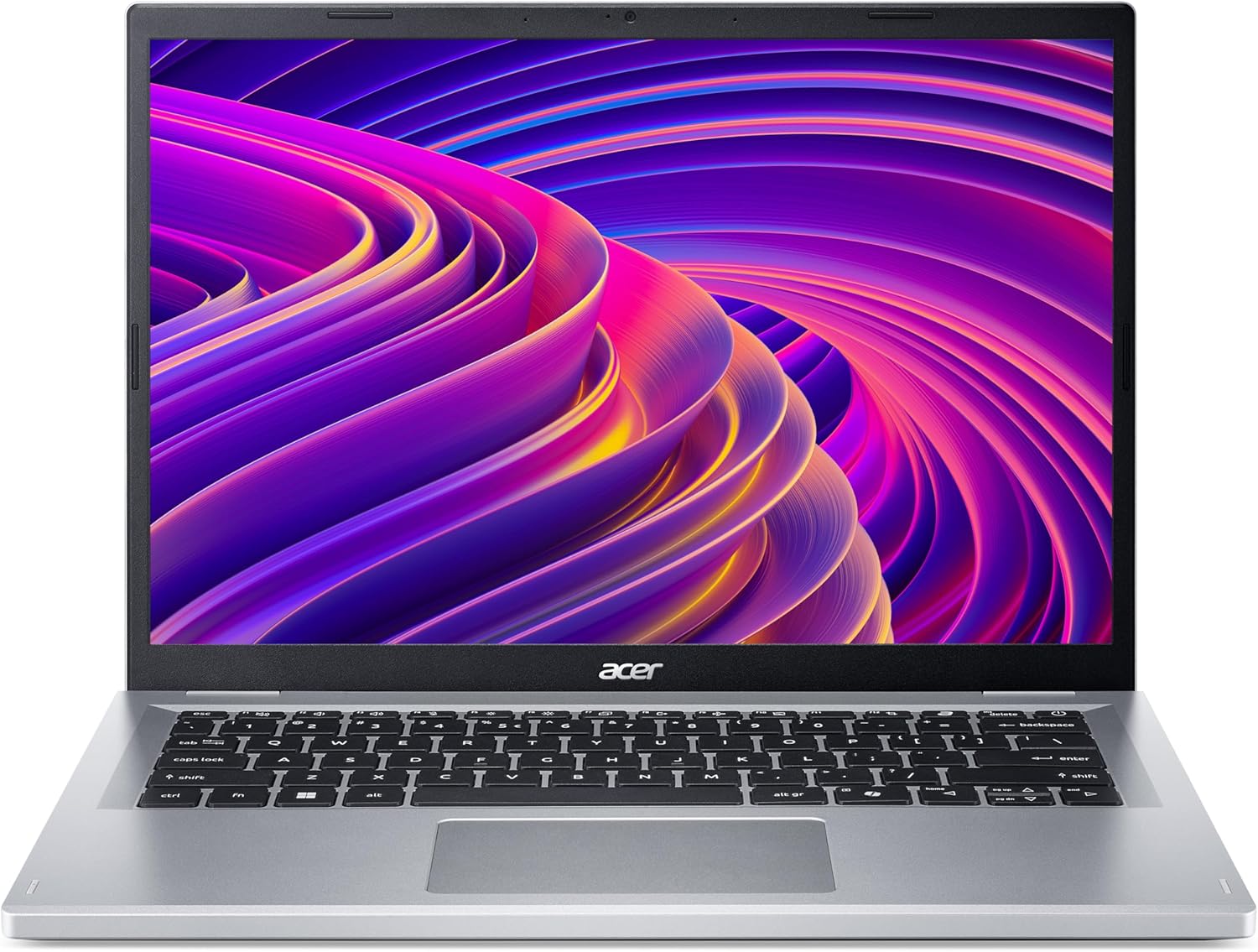
The Acer Aspire 3 A315-59 is a straightforward budget laptop that does exactly what the spec sheet promises — and not much more. It’s aimed squarely at students, home users, and anyone who needs a machine for browsing, documents, and video calls without spending a fortune. The Intel Core i5-1235U is a capable 12th-gen chip, and paired with 8GB of DDR4 RAM and a 512GB SSD, daily computing tasks are handled without drama. That said, this is a machine with real limits, and pretending otherwise would be doing you a disservice.
The 15.6-inch Full HD display at 1920×1080 resolution looks decent on paper, but buyer feedback suggests the panel doesn’t impress everyone — particularly those who need accurate colour for professional work. Battery life is quoted at 5.5 hours from a 48Wh cell, which is a marketing claim that rarely survives actual use. RAM is listed as upgradeable up to 32GB, which is one genuine tick in this machine’s favour at the budget end. If you want to understand what these specs actually mean in practice, the specs explained guide is worth a look before you commit.
Buy this if you want a no-fuss, light-use laptop for home or study and don’t need anything demanding. Avoid it if display quality matters for your work, you do anything graphically intensive, or you expect genuinely all-day battery life on a single charge.
See the Acer Aspire 3 A315-59 listing and current availability on Amazon.

Pros and Cons
Pros
- 12th-gen Intel Core i5-1235U delivers genuinely capable performance for everyday tasks — browsers, documents, video calls, light multitasking
- 512GB SSD is a decent amount of storage for a budget machine and keeps boot and load times brisk
- RAM is upgradeable up to 32GB, which is rare at this price point and extends the machine’s useful life
- Full HD 1920×1080 display is the right resolution for a 15.6-inch screen — no excuse for fuzzy text
- Numeric keypad included, which home users and anyone doing data entry will appreciate
- Ships with Windows 11 Home pre-installed — no immediate OS outlay
Cons
- Display panel quality is a genuine complaint from buyers — the LCD screen lacks the colour accuracy and brightness that professional or creative work demands
- 5.5-hour battery claim is optimistic; expect less under real-world usage with Wi-Fi and apps running
- Only 2 USB ports listed, which is thin for a 15.6-inch machine — a hub may be needed fairly quickly
Spec Breakdown
- Model: Acer Aspire 3 A315-59 (NX.K6SEK.00J)
- CPU: Intel Core i5-1235U (12th Gen, 10-core)
- RAM: 8GB DDR4 (upgradeable to 32GB)
- Storage: 512GB SSD
- GPU: Intel Integrated Graphics (shared memory)
- Display: 15.6-inch LCD, 1920×1080 Full HD
- Battery: 48Wh Lithium Ion, up to 5.5 hours quoted
- OS: Windows 11 Home
- Connectivity: Wi-Fi 5 (802.11ac), Bluetooth
- Ports: 2x USB, HDMI video output
- Keyboard: Full-size with numeric keypad
- Camera: 720p HD webcam with Acer TNR
- Colour: Silver
Hardware & Performance Reality Check
The Core i5-1235U is a 10-core hybrid chip — two performance cores backed by eight efficiency cores. That architecture handles the kind of juggling most home users and students actually do: a dozen browser tabs, a video playing, a document open in the background. It’s not going to leave you staring at loading screens for basic tasks. The 8GB DDR4 RAM is the minimum I’d accept for Windows 11 in 2024, and it’s fine for the target use case. Crucially, the spec sheet confirms the maximum RAM capacity is 32GB, which means there’s likely an accessible SO-DIMM slot — a meaningful advantage over budget machines that solder RAM at the factory and leave you stuck. If you’re unsure how much RAM actually matters for your use, this RAM guide breaks it down properly. Worth upgrading to 16GB eventually if you keep this machine long-term.
The 512GB SSD is a solid allocation — enough for Windows, your applications, and a decent library of documents and media without immediately running out of space. SSD storage also means snappy boot times and responsive file access, which makes a real difference day-to-day. The GPU situation is what you’d expect from a machine in this category: Intel Integrated Graphics running on shared system memory. That means no dedicated VRAM, no hardware acceleration for anything graphically demanding, and no discrete GPU at all. For YouTube, Netflix, Zoom, and Office — absolutely fine. For anything more, look elsewhere. If you want to understand the CPU performance picture more broadly before deciding, that’s worth reading first.
For 2026 use cases: student coursework, spreadsheets, essay writing, light coding, and video calls — yes, this handles all of it without complaint. Office tasks and web browsing — comfortably. Video editing — no. Gaming beyond light browser titles or very old games — no. Programming with heavier IDEs like Visual Studio will be sluggish, though basic Python or web development work is manageable. This is a capable machine within its lane, and a frustrating one the moment you push outside it. Check the performance benchmarks page if you want a wider picture of where the i5-1235U sits against the field.
One thing worth flagging on connectivity: the spec sheet lists only 2 USB ports total, plus HDMI output. There’s no mention of USB-C or Thunderbolt in the data. For a 15.6-inch machine, that port count is lean. You’ll want to factor in a USB hub if you use more than one peripheral regularly. The ports guide explains what to look for if connectivity is a priority in your decision.
Browse the full spec sheet and buyer Q&As for the Acer Aspire 3 A315-59 on Amazon.
Everyday Usability: Battery, Build & More
Acer’s marketing calls this an “all-day battery” based on the 5.5-hour quoted figure from the 48Wh cell. That’s not all-day. A real working day is seven to eight hours minimum, and real-world battery life with Wi-Fi active, a browser open, and screen brightness at a usable level will land below what’s quoted. Plan to have the charger accessible. The machine is described as ultra-portable in the form factor field, though at 36.3cm by 24.1cm it’s a standard 15.6-inch chassis — the label is generous. It’s perfectly manageable in a bag, but it’s not light in the way a 13 or 14-inch machine is. The silver finish is unremarkable, which for some buyers is exactly what they want — low-profile, inoffensive, and not drawing attention in a lecture hall or office.

The 1920×1080 LCD display is where the Acer Aspire 3 A315-59 gets its clearest negative feedback. One buyer specifically returned the machine because the picture quality wasn’t acceptable for online meetings — they found it poor enough to be a dealbreaker. LCD panels at this price tier are typically low-brightness TN or basic IPS, and they tend to look washed out compared to what you see in product photos. If screen quality is important to you — for design work, colour-critical tasks, or just extended hours of comfortable viewing — this is a real concern. There’s a useful breakdown of display panel types if you want to understand what that means before deciding. The 720p webcam with Acer’s TNR noise reduction is a step above basic, and the dual speaker setup should handle video calls adequately. No touchscreen — this is a standard clamshell with a touchpad only. No Ethernet port is listed, and there’s no mention of a fingerprint reader in the spec data.
Lifespan & Future-Proofing
Build quality on Acer’s Aspire 3 line has historically been functional rather than durable. The chassis is plastic throughout — it’ll do the job, but it won’t shrug off drops, sustained pressure on the lid, or rough daily handling the way a ThinkPad or even a mid-range Dell would. Realistically, expect three to four years of physical life with careful use. Hinges and keyboard decks on budget Acer machines are the typical failure points over time. For a machine in this category, that’s not unusual — but it’s worth knowing before you buy for a child or hand it off to someone who’s less careful with their kit.
On spec longevity: the 12th-gen i5-1235U will handle everyday computing tasks through to at least 2026 and likely beyond for light use. The upgradeable RAM cap of 32GB means you’re not hard-stuck at 8GB, which genuinely extends the useful life. The 512GB SSD is adequate but not generous — if you accumulate files or install a lot of applications, you’ll feel the squeeze eventually. Windows 11 support will run until at least 2025 officially, with extended support into the back half of the decade. The integrated graphics are the ceiling — there’s no upgrade path there, and as web content and applications lean further into GPU acceleration, that will become more noticeable over time. This is a machine you replace in three to five years, not one you upgrade into something else. For those weighing this against budget options more broadly, the comparison is worth doing.
Check current stock and availability for the Acer Aspire 3 A315-59 on Amazon.
What Buyers Are Saying (And Potential Dealbreakers)
The Acer Aspire 3 A315-59 sits at 4.2 out of 5 stars from 27 reviews. That’s a relatively small sample — treat it as directional rather than definitive. The overall skew is positive, with the majority of reviewers rating it 5 stars, but there are two outlier reviews — a 1-star and a 2-star — that carry specific complaints worth taking seriously.
The positive majority centres on simplicity: easy setup, responsive enough for daily use, good size, delivered promptly. None of the praise gets into detail about demanding workloads, which tells you something about who’s actually buying this machine. These are people who needed something functional and found it worked. One repeat buyer came back after a previous laptop failed within 12 months — which is fair context, though they’re hedging on whether this one will do better.
The negative reviews are harder to dismiss. One buyer used the word “worthless” without elaborating further — frustrating, but worth noting the strength of the reaction. More useful is the 2-star review from someone who returned it specifically because the display wasn’t good enough for work video calls. That’s a concrete, actionable data point. If screen quality matters to you, this feedback is a warning signal. For a more detailed look at how the i5-1235U compares to alternatives in the mid-range, it may be worth checking what extra spend gets you.
Buyer Highlights
“Functional, great size, easy to use, looks good — speed is good.” — Typical of the majority response: no drama, does what it’s supposed to do.
“Next day delivery, easy setup.” — Multiple buyers noted how straightforward the out-of-box experience was, which matters if you’re buying for someone less technical.
“The picture quality was very poor — I needed it for work online meetings and had to return it.” — A direct dealbreaker flag; display quality is the clearest recurring concern in this feedback set.
“So far so good — the previous one failed just after 12 months, I hope this one does better.” — A return buyer hedging their expectations; Acer Aspire 3 build longevity is genuinely worth keeping in mind.
Who Should Buy It (And Who Shouldn’t)
Buy If
- You need a straightforward home or student laptop for browsing, documents, email, and video calls — this covers all of it without complaint
- You want the option to upgrade RAM later without being locked out — the 32GB ceiling and accessible slot gives you room to grow
- You’re buying a first laptop for a teenager or older relative who needs something simple, easy to set up, and running Windows 11 out of the box
- You want a numeric keypad for data entry or home accounting work on a 15.6-inch footprint
Avoid If
- Display quality is critical for your work — whether that’s colour accuracy, brightness for outdoor use, or simply a screen you’ll stare at for eight hours a day, this panel has received specific complaints and you should look at alternatives; the buying guide covers what to prioritise on display specs
- You need all-day untethered battery life — 5.5 hours quoted means probably 3.5 to 4 in practice, and that’s a problem if you’re away from a socket for long stretches
- You want to do anything beyond light computing — gaming, video editing, or heavier programming workloads will hit the ceiling of this hardware fairly quickly; for those needs, consider budget gaming options or step up to a dedicated GPU machine
The Bottom Line
The Acer Aspire 3 A315-59 is a competent, no-frills machine that delivers on the basics: a solid 12th-gen CPU, enough storage, and upgradeable RAM in a category where most machines solder it shut. It’s a fair choice for students and home users who need something functional and uncomplicated. The display is its weakest link and a genuine concern for anyone who spends serious time in front of it. Battery life won’t match the marketing. Ports are thin. But if your expectations are calibrated to what a budget laptop actually is — rather than what its box claims — this does the job. Don’t buy it for demanding work. Do consider it if everyday computing is genuinely all you need.
The Acer Aspire 3 A315-59 is listed on Amazon with full specs, buyer questions, and reviews.
At LaptopAdvisorOnline, our methodology is built on data transparency rather than simulated hands-on testing. We rigorously analyse official manufacturer specifications and aggregate verified customer sentiment to provide objective, fluff-free buying advice that helps you cut through the marketing jargon.
As an Amazon Associate, I earn from qualifying purchases.
Browse by Specification
Looking for something specific? Browse our analyses by hardware and feature, or check all laptop analyses in the Best Budget Laptops category archive:
[AMD Processor Laptops] — [Intel Processor Laptops] — [16GB RAM Laptops] — [32GB RAM Laptops] — [Dedicated Graphics] — [Long Battery Life] — [Lightweight Laptops] — [Student Laptops]
Browse by Screen Size
[13-inch Laptops] — [14-inch Laptops] — [15-inch Laptops] — [16-inch+ Laptops]