
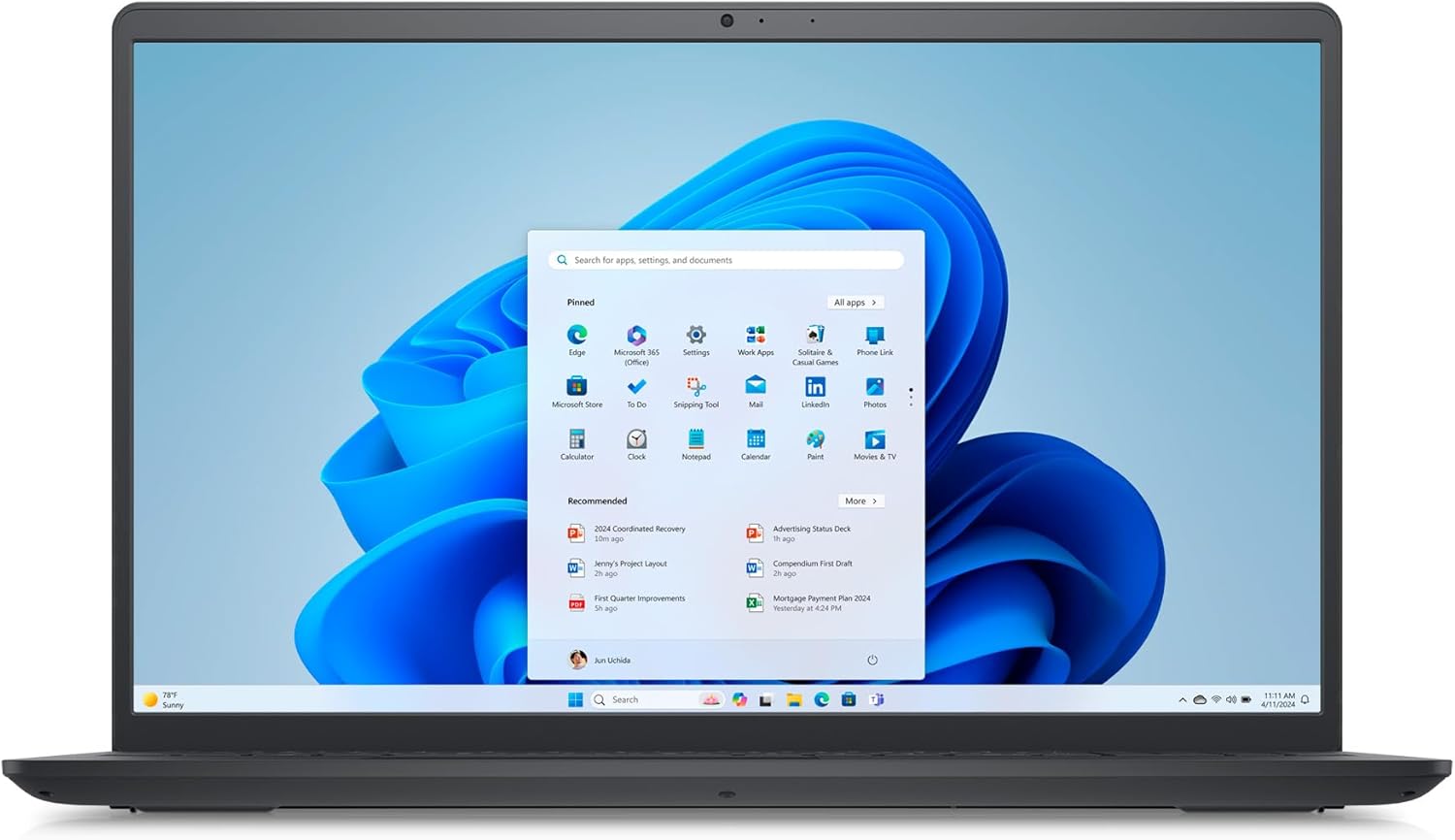
Dell Inspiron 15 3520 Analysis: 120Hz on a Budget
The Blunt Verdict
The Dell Inspiron 15 3520 is a mainstream 15.6-inch laptop aimed squarely at students, home users, and light office workers. It gets a lot of the fundamentals right: 16GB of RAM is genuinely generous at this tier, the 120Hz display is an unusual bonus you rarely see on machines like this, and the Intel Core i5-1235U is a competent everyday processor. The headline weakness is just as clear — no dedicated GPU, a modest 41Wh battery, and integrated graphics that put a hard ceiling on what this machine can do.
In practice, you’re getting a machine built for productivity and media consumption. The 512GB NVMe SSD keeps things snappy day-to-day, and 16GB DDR4 RAM means multitasking won’t grind to a halt the way it would on an 8GB machine. The Intel Iris Xe Graphics can handle light creative work and casual gaming at low settings, but that’s where it tops out.
Students and home users who need a capable, no-drama daily machine will get fair value here. Anyone expecting to edit 4K footage, run demanding games, or push serious workloads should look elsewhere — the hardware simply isn’t built for it. If you’re weighing up your options, our laptop buying guide covers what to prioritise at this level.
See the Dell Inspiron 15 3520 listing and current availability on Amazon.

Pros and Cons
Pros
- 120Hz refresh rate on a budget mainstream machine is a genuine differentiator — scrolling and video feel noticeably smoother than typical 60Hz rivals
- 16GB DDR4 RAM is more than most competitors offer at this tier, and the spec sheet confirms two RAM slots, leaving the door open for future changes
- 512GB NVMe SSD delivers quick boot times and fast file access — no mechanical drive bottleneck to slow things down
- Wi-Fi 6 onboard means this machine is ready for faster routers and less congestion on busy networks
- Anti-glare matte display panel reduces reflections — a practical win for anyone working near windows or in bright environments
- 2-year warranty from Dell is better than the 1-year coverage most rivals offer at this level
Cons
- 41Wh battery is small — realistic all-day battery life is unlikely without access to a charger
- No backlit keyboard, which is a meaningful omission for evening or low-light use
- Wi-Fi spec in the product description says Wi-Fi 6, but the Amazon specifications list Wi-Fi 5 — worth confirming before purchase
Spec Breakdown
- Model: Dell Inspiron 15 3520 (i3520-5253BLK-PGB)
- CPU: Intel Core i5-1235U (12th Gen, 10 cores, up to 4.4GHz)
- RAM: 16GB DDR4 (2666MHz, 2 slots)
- Storage: 512GB M.2 PCIe NVMe SSD
- GPU: Intel Iris Xe Graphics (shared memory)
- Display: 15.6-inch FHD (1920 x 1080), 120Hz, anti-glare matte LED
- Battery: 41Wh, 3-cell Lithium Ion
- OS: Windows 11 Home
- Weight: 1.83kg
- Ports: 2x USB 3.2 Gen 1 Type-A, 1x USB 2.0 Type-A, HDMI 1.4, SD card reader, headset jack
- Connectivity: Wi-Fi (see note above), Bluetooth 5
- Keyboard: QWERTY, non-backlit, UK English layout
- Camera: HD webcam (front-facing)
- Warranty: 2 years
Hardware & Performance Reality Check
The Intel Core i5-1235U is a 12th-generation hybrid processor — two performance cores and eight efficiency cores, boosting up to 4.4GHz. For the tasks this machine is marketed toward — web browsing, document editing, video calls, light multitasking — it’s more than sufficient. You won’t hit a wall writing essays, managing spreadsheets, or jumping between a dozen browser tabs. It won’t embarrass itself on standard performance benchmarks for this category either. For a deeper look at how this CPU class stacks up, our CPU guide explains the generational differences in plain English. The 16GB DDR4 RAM is the right pairing for this chip — 8GB would start showing strain in 2025; 16GB keeps headroom comfortable. Crucially, the spec sheet confirms two physical RAM slots with a maximum of 16GB, so the slots are there even if you’ve already hit the ceiling. If you’re unsure whether 16GB is enough for your workload, our RAM guide walks through it by use case.
The 512GB NVMe SSD is the right type of storage — fast reads and writes, quick boot, no spinning-disk penalty. 512GB is adequate for most users, though anyone with a large media library will want to supplement it with external storage. The Intel Iris Xe Graphics is integrated, meaning it shares system memory rather than having dedicated VRAM. For streaming, YouTube, light photo editing in Lightroom, and casual titles like Minecraft or older indie games at reduced settings, it’ll hold up. Don’t expect it to run anything GPU-intensive — no modern AAA titles, no 3D rendering, nothing that requires a discrete card. This is not a gaming machine, and treating it as one will only lead to frustration. For genuine gaming options at a comparable tier, the budget gaming laptop category is a better starting point.
Heading into 2026, the Dell Inspiron 15 3520 sits comfortably in everyday use territory. Student work — yes, without hesitation. Office tasks including video conferencing and cloud apps — handled cleanly. Programming in lightweight IDEs like VS Code — workable, particularly with 16GB of RAM keeping compilation from becoming painful. Video editing: basic timeline work in DaVinci Resolve or Premiere is technically possible, but you’ll be waiting on renders, and anything above 1080p will test your patience. Serious gaming — no. This machine is not positioned for that, and no amount of settings-tweaking will change the fundamental GPU ceiling.
One port configuration note worth flagging: there’s no USB-C with charging capability listed, no Thunderbolt, and no Ethernet port. For anyone relying on wired internet or who regularly docks to external hardware, that’s a real limitation. The ports guide covers what to look for if connectivity is a priority for your setup.
Check the full spec sheet and buyer Q&As for the Dell Inspiron 15 3520 on Amazon.
Everyday Usability: Battery, Build & More
Battery life is where the Dell Inspiron 15 3520 takes its clearest hit. A 41Wh 3-cell pack is a small battery for a 15.6-inch machine. Dell does advertise ExpressCharge — up to 80% in 60 minutes — which softens the blow if you’re near a plug regularly, but the expectation of lasting a full working day away from a charger should be managed carefully. In a light-use scenario (documents, low screen brightness, Wi-Fi connected), you might push 5–6 hours. Under heavier loads, expect less. Students carrying this to lectures all day will want to keep the charger in their bag. Build quality for the Inspiron 3000 series has historically been functional rather than premium — the chassis is plastic, as you’d expect at this tier, weighing in at 1.83kg. That’s not heavy, but it’s not particularly light either. The rubber feet and hinge bumpers Dell mentions are small details that matter for day-to-day durability on hard surfaces.

The display is one of the better points on this machine. A 1920 x 1080 resolution on a 15.6-inch panel gives you a clean pixel density, and the matte anti-glare finish is the right choice for a laptop that’ll see use in varied lighting — far more practical than a glossy panel for everyday work. The 120Hz refresh rate doesn’t change the colour science or brightness ceiling, but motion is noticeably smoother compared to the 60Hz screens that dominate this category. For a fuller explanation of what refresh rate and panel type actually affect in real use, the display types guide is worth a read. There is no touchscreen on this machine — that’s confirmed explicitly in the specs. The keyboard is full-size with UK QWERTY layout, but non-backlit — a genuine inconvenience if you type in dim environments and a point of frustration that comes up consistently in buyer feedback across the Inspiron 3520 range. The webcam is HD resolution, which is adequate for video calls without being exceptional. Speakers are a dual-setup with an audio jack; they’ll handle casual media playback without embarrassing themselves, but nobody’s buying this machine for its audio output.
Lifespan & Future-Proofing
Physically, a Dell Inspiron 3520 in normal use — no drops, no liquid damage — should realistically last 4–6 years before the chassis shows meaningful wear. The plastic build means it won’t age as gracefully as a metal-bodied ThinkPad or MacBook, but it’s not going to fall apart in year two either. The 2-year Dell warranty gives reasonable coverage through the early period when components are most likely to fail. Battery degradation is the more likely culprit for practical lifespan; a 41Wh pack that’s small to begin with will lose capacity more quickly under heavy daily cycling.
On spec longevity, the picture is honest but not grim for the machine’s intended use. The i5-1235U is a 12th-generation chip — by 2026 it’s one generation behind the curve but not obsolete for productivity tasks. The 16GB DDR4 RAM is the spec that buys the most future headroom here; 8GB machines at this tier are already starting to feel constrained as browsers and apps get heavier. The storage and RAM slots being physically present means some upgrade path exists, though the GPU is fixed — integrated graphics can’t be upgraded without replacing the entire machine. Anyone hoping to grow into more demanding workloads over time will hit that ceiling before the chassis wears out. For users sticking to office tasks, browsing, and student work, this machine has a reasonable 4–5 year runway before it starts feeling genuinely slow. This is solidly mid-range longevity — not a throwaway, not a decade-long workhorse.
View current stock levels for the Dell Inspiron 15 3520 on Amazon.
What Buyers Are Saying (And Potential Dealbreakers)
The Dell Inspiron 15 3520 holds a rating of 4.4 out of 5 from 132 customer reviews on Amazon. That’s a meaningful sample — enough to draw reasonable conclusions rather than treating every comment as an outlier. The rating itself is respectable, suggesting that buyers who purchase with realistic expectations are mostly coming away satisfied.
The recurring praise clusters around setup ease, display quality, and the responsiveness of day-to-day use. Non-technical buyers mention how straightforward Windows 11 felt out of the box, and the 120Hz screen gets specific callouts for looking noticeably smoother than previous machines people have owned. The 16GB RAM configuration draws positive comments from buyers who previously experienced sluggishness on 8GB machines and notice the difference immediately.
The consistent complaint is the missing keyboard backlight. It comes up often enough across buyer feedback for the Inspiron 3520 range that it clearly catches people off guard — it’s not prominently flagged in the marketing, and buyers who use their laptops in the evening or in low-light conditions find it a real frustration. Battery life is the other area where expectations don’t always match reality; buyers expecting full-day unplugged use are occasionally disappointed, though those who manage expectations around the small battery report fewer gripes. No noise complaints about the fan appear to be a theme, which aligns with the i5-1235U’s reputation for running quietly under moderate loads.
Buyer Highlights
“The screen is really smooth compared to my old laptop — everything just looks crisper and less jerky when I’m scrolling.” — The 120Hz panel is a genuine differentiator buyers notice in daily use.
“Set it up in about 20 minutes straight out of the box, no technical knowledge needed.” — Consistent feedback from first-time Windows 11 users and less tech-confident buyers.
“The keyboard not being backlit is really annoying — I use it in the evenings and I can’t see what I’m typing.” — Comes up repeatedly enough to treat as a genuine dealbreaker for low-light typists.
“I’ve had it running with loads of browser tabs and a few applications open at the same time and it handles it without any slowdown.” — The 16GB RAM configuration doing what it should for typical multitasking.
“Battery doesn’t last as long as I hoped — I need my charger nearby most of the day.” — Reflects the 41Wh capacity; worth planning for if you’re away from power for long stretches.
Who Should Buy It (And Who Shouldn’t)
Buy If
- You’re a student or home user who needs a capable, unfussy daily machine for documents, browsing, streaming, and video calls — this covers all of it without drama
- The 120Hz display matters to you and most rivals at this tier are stuck at 60Hz — this machine offers something genuinely unusual in this category
- You work in reasonably lit environments and can live without a backlit keyboard — the build and specs make sense as a light professional or student machine if that’s not a dealbreaker
- You want a 2-year Dell warranty and some brand reliability behind your purchase rather than a no-name alternative
Avoid If
- You type in low-light conditions regularly — the non-backlit keyboard is not a minor omission, it’s a daily-use problem that doesn’t go away
- You need reliable all-day battery life away from a plug — 41Wh is genuinely small, and depending on this machine for 7–8 hours unplugged is wishful thinking
- You want to game seriously, edit video regularly, or run GPU-heavy workloads — the Iris Xe integrated graphics have a hard ceiling and there’s no upgrade path; check the premium gaming category if that’s your priority
The Bottom Line
The Dell Inspiron 15 3520 is a straightforward productivity and home-use machine that gets more right than wrong. The 120Hz display, 16GB RAM, and NVMe SSD are genuinely good specs for the category. The missing keyboard backlight and small battery are real limitations, not minor quibbles — they affect daily use in ways that matter to specific buyers. If you’re a student, home user, or light office worker who can manage their expectations around battery life and doesn’t need to type in the dark, this is a machine worth considering. If either of those drawbacks hits close to home, it’s worth spending more time with the budget laptop alternatives before committing.
Read the latest buyer questions and answers for the Dell Inspiron 15 3520 on Amazon.
At LaptopAdvisorOnline, our methodology is built on data transparency rather than simulated hands-on testing. We rigorously analyse official manufacturer specifications and aggregate verified customer sentiment to provide objective, fluff-free buying advice that helps you cut through the marketing jargon.
As an Amazon Associate, I earn from qualifying purchases.
Browse by Specification
Looking for something specific? Browse our analyses by hardware and feature below, or check all laptop analyses in the Best Premium Gaming Laptops category archive.
[AMD Processor Laptops] — [Intel Processor Laptops] — [16GB RAM Laptops] — [32GB RAM Laptops] — [Dedicated Graphics] — [Long Battery Life] — [Lightweight Laptops] — [Student Laptops]
Browse by Screen Size
[13-inch Laptops] — [14-inch Laptops] — [15-inch Laptops] — [16-inch+ Laptops]




