
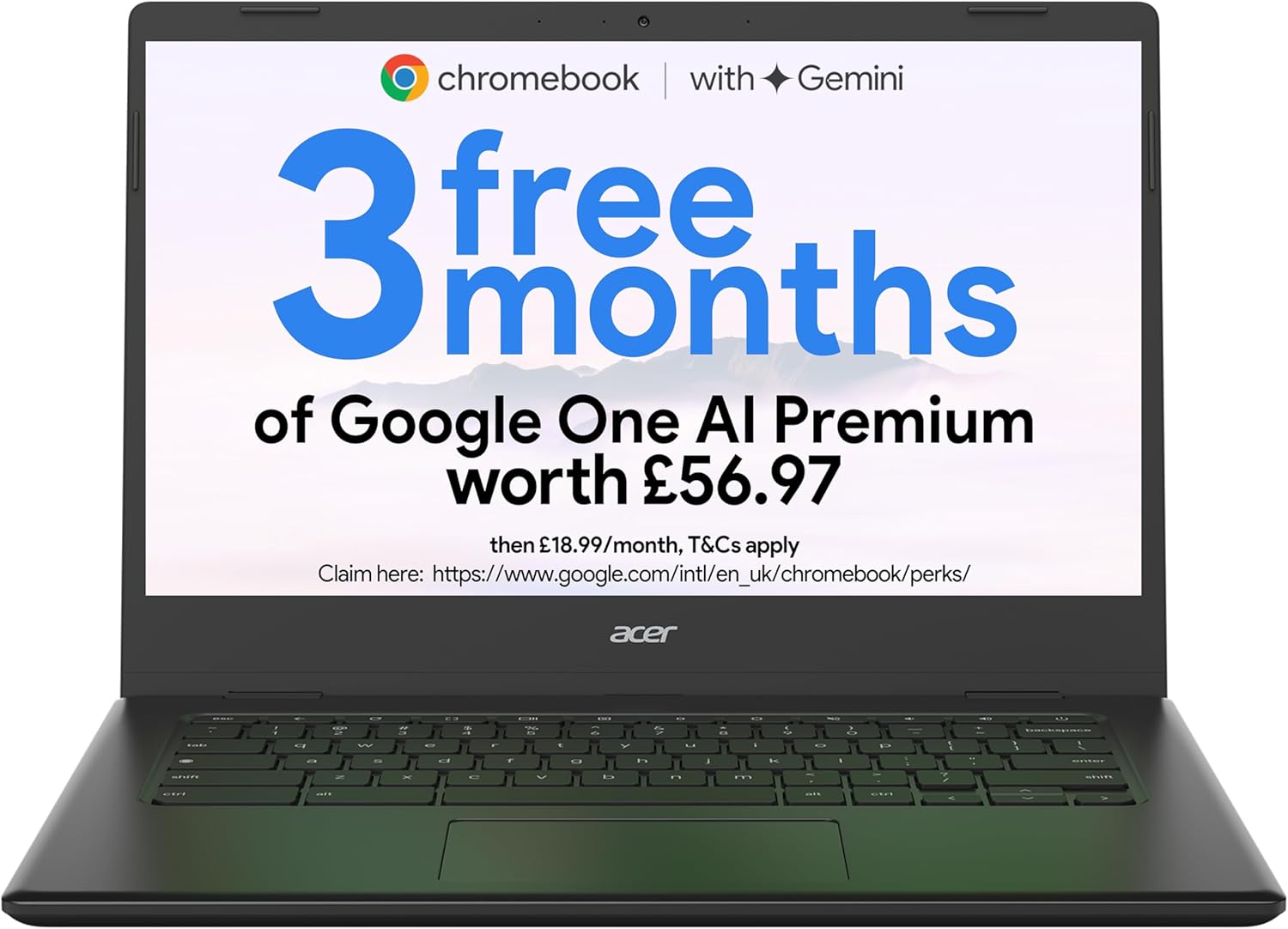
Acer Chromebook 314 CBOA314-1H – Affordable 14″ Full HD Experience
The Blunt Verdict
This analysis of the Acer Chromebook 314 CBOA314-1H is based purely on manufacturer specs and what buyers are saying, not hands-on testing. You’re looking at a cheap but decent 14-inch Chromebook that delivers the basics without fuss. It doesn’t moan under simple tasks like browsing, emails, and streaming, but it won’t keep up with anything demanding. The Intel Celeron N4500 and 4GB RAM keep it honest: day-to-day use is smooth enough, but don’t expect to throw heavy multitasking or editing at it. For what it is—a straightforward, affordable Chromebook—it ticks the right boxes.

Pros and Cons
Pros:
- Affordable 14-inch Full HD display, clear enough for daily use and media.
- Quiet operation and generally solid build quality for the price.
- Chrome OS keeps the software experience straightforward and secure.
- Lightweight and portable, good for students or basic remote work.
Cons:
- Only 4GB of RAM, which is soldered and means limits on multitasking.
- 64GB eMMC storage is tight and much slower than SSDs.
- Intel Celeron N4500 is fine for basics but not for anything intensive.
Spec Breakdown
- Model: Acer Chromebook 314 CBOA314-1H
- CPU: Intel Celeron N4500
- RAM: 4GB (likely soldered)
- Storage: 64GB eMMC
- GPU: Integrated (Intel UHD Graphics)
- Display: 14-inch Full HD (1920×1080)
- Battery: Not explicitly stated
- OS: Chrome OS
- Weight: Not detailed
- Ports: Not specified in detail
- Connectivity: Presumed Wi-Fi and Bluetooth (standard for Chromebooks)
- Keyboard: Standard Chromebook layout likely, no mention of backlight
- Camera: Not detailed
Hardware & Performance Reality Check
The Intel Celeron N4500 paired with 4GB of RAM makes for a laptop that’s built strictly for light work. Everyday tasks like putting together word documents, running a few tabs on Chrome, or video calls on Google Meet are in its comfort zone. The 4GB RAM, almost certainly soldered onto the motherboard, means you can’t upgrade later, so you’ll hit a bottleneck if you try to push it beyond light multitasking. For casual use like this in 2026, it’s adequate but not generous.
Storage is a rather limited 64GB eMMC. This means space is tight, and file transfers won’t be blazing fast. It’s fine if you rely mostly on cloud storage or streaming media, but local storage-heavy workflows will feel cramped. The laptop’s integrated Intel UHD Graphics share the CPU’s resources and aren’t suited for gaming or video editing. The Acer Chromebook 314 CBOA314-1H is purely for lightweight content consumption and general browsing.
Come 2026, this Chromebook is best for students with straightforward needs, writers, or those who primarily use cloud apps and web-based platforms. It’s not fit for programming heavy IDEs, intense multitasking, or video editing beyond simple clips. Casual gaming is also out of the question. In short, it’s a sensible, no-frills machine for basic tasks.
Everyday Usability: Battery, Build & More
Unfortunately, battery life isn’t specified clearly, but Chromebooks generally last through a working day, so you can expect at least six hours of typical use on the Acer Chromebook 314 CBOA314-1H, likely more if you’re careful. Its compact 14-inch body will make it easy to slip into most bags without much hassle, which suits remote workers and students on the go. The Full HD display will deliver pleasing clarity and brightness for classroom or lounge use, though the colour depth and vibrance probably won’t impress photographers or creatives.

Given the price range, expect the keyboard to be functional but basic—adequate for emails and essays but not designed for marathon typing sessions. There’s no mention of a touchscreen or fingerprint reader, so security and interaction remain simple. Ports aren’t detailed, but most Chromebooks in this bracket offer USB-C and USB-A slots, sometimes HDMI. Noise should be minimal thanks to low-powered hardware running cool without a noisy fan.
Lifespan & Future-Proofing
The chassis quality, while decent for budget builds, won’t stand up to heavy abuse indefinitely—think three to four years of careful day-to-day use before wear shows. On the spec front, the Intel Celeron N4500 and limited RAM are already edging into entry-level territory even in early 2026, so expect these specs to feel outdated within two to three years if software demands rise or multitasking needs increase. The non-upgradable RAM means you’re locked into this baseline, so plan to replace rather than upgrade when the time comes.
What Buyers Are Saying (And Potential Dealbreakers)
With 143 reviews and a 4.3-star rating, customers generally agree the Acer Chromebook 314 CBOA314-1H offers good value, especially as a no-nonsense device that gets through simple tasks reliably. Buyers praise its build quality relative to price and highlight its suitability for basic browsing, streaming, and schoolwork. A common theme is satisfaction with how well it functions "out of the box" for everyday needs.
Discover More About the Acer Chromebook 314!
However, some buyers point out the limits imposed by 4GB RAM and 64GB storage, warning that users wanting more apps or offline files may hit walls quickly. The Intel Celeron N4500 is not a speed demon, so users expecting fluid responsiveness with multiple tabs or apps running at once will need to manage expectations. For folks looking for a simple, budget Chromebook, these drawbacks might not be dealbreakers, but anyone wanting a bit more headroom should consider the limits.
Who Should Buy It (And Who Shouldn’t)
Buy If:
Grab Your Acer Chromebook 314 Today!
- You want a budget-friendly Chromebook for everyday web browsing, emails, and streaming.
- Portability and a 14-inch Full HD screen in a lightweight device are priorities.
- Your workflow is cloud-based with minimal local storage needs.
- You’re after a Chromebook that keeps things simple and reliable.
Avoid If:
- You need to run multiple apps or browser tabs simultaneously without slowdown.
- You require fast storage or significant offline file storage for work or study.
- You want to do gaming, video editing, or programming beyond simple scripts.
The Bottom Line
The Acer Chromebook 314 CBOA314-1H is a straightforward budget Chromebook that delivers a 14-inch Full HD display and enough grunt for basic daily tasks in 2026. It’s well suited for students and anyone just needing the essentials from a laptop, but its 4GB RAM and 64GB eMMC storage set clear boundaries. If you fit its use case, this machine keeps things simple, light, and reliable. Check current pricing on Amazon UK to see if it’s the right fit for your needs.
Explore the Acer Chromebook 314 Now!
LaptopAdvisorOnline.co.uk is a participant in the Amazon EU Associates Programme, an affiliate advertising programme designed to provide a means for sites to earn advertising fees by advertising and linking to Amazon.co.uk. As an Amazon Associate, we earn from qualifying purchases. This relationship does not influence our hardware analysis or sentiment aggregation in any way.
Zsolt ‘George’ Szabo is a laptop hardware analyst with years of experience evaluating IT infrastructure and consumer tech for the UK market. At LaptopAdvisorOnline, our methodology is built on data transparency rather than simulated hands-on testing. We rigorously analyse official manufacturer specifications and aggregate verified customer sentiment to provide objective, fluff-free buying advice that helps you cut through the marketing jargon.