
Lenovo IdeaPad Slim 3 Review: A Stylish Yet Powerful Companion
Quick Verdict
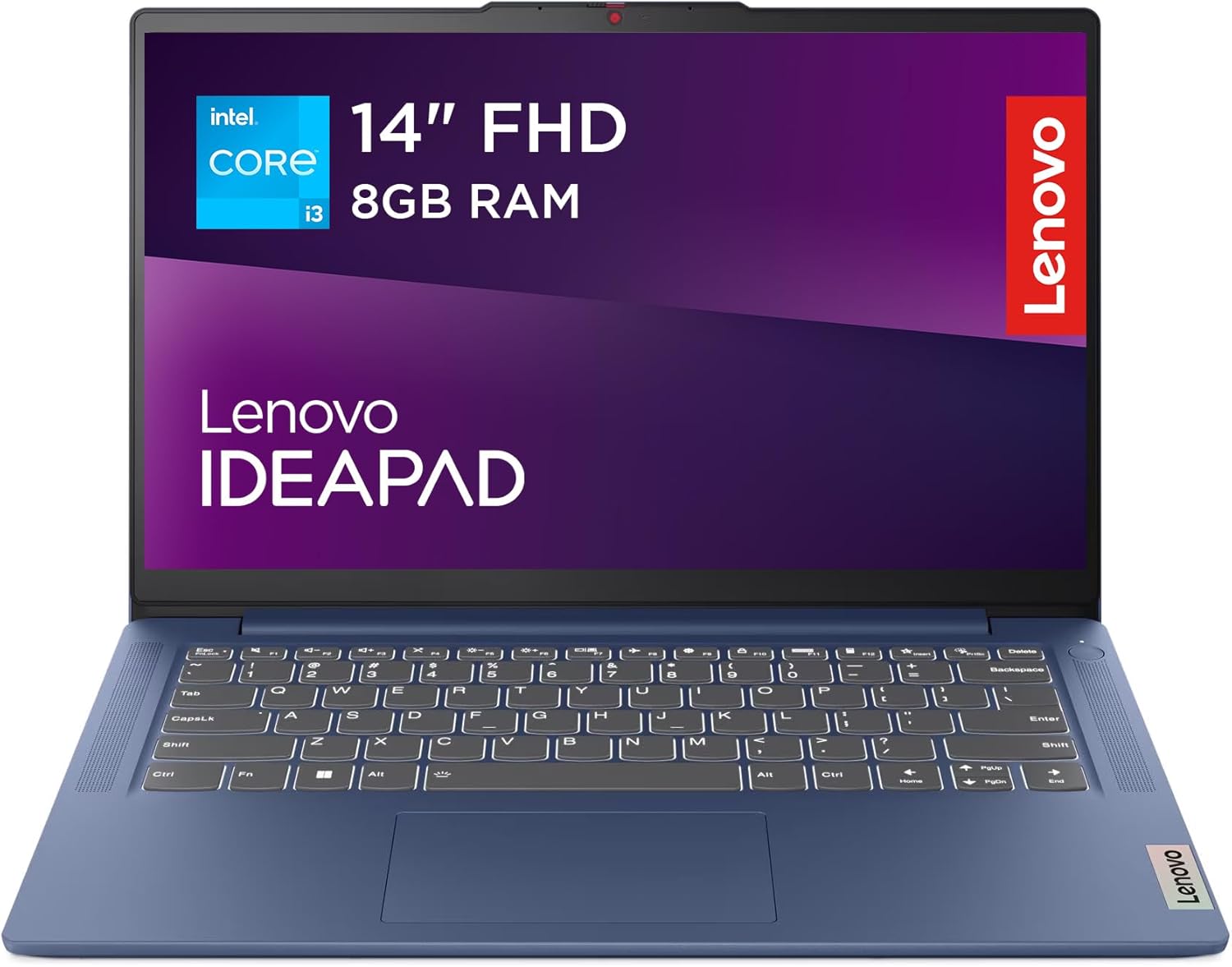
The Lenovo IdeaPad Slim 3 strikes a fine balance between portability and performance for everyday tasks, making it a solid choice for students and home office users who need a reliable, lightweight machine without specialist demands. Its 8GB RAM combined with a 13th Gen Intel Core i3 processor and a spacious 512GB SSD delivers efficient multitasking and rapid storage responsiveness. While it might not satisfy power-hungry professionals or creative users, it presents convincing value and a durable build, though some variability in screen quality and keyboard feedback means buyers should be discerning.
Overview and First Impressions
Lenovo’s IdeaPad range has long been a staple in the UK market for users prioritising budget-friendly yet versatile laptops. The Slim 3 Gen 8 continues this legacy, targeting buyers who want a blend of portability, respectable specs, and decent build without premium-level costs. At 14 inches, the device presents a clear sweet spot—large enough for comfortable viewing yet compact enough to easily slip into a backpack or briefcase.
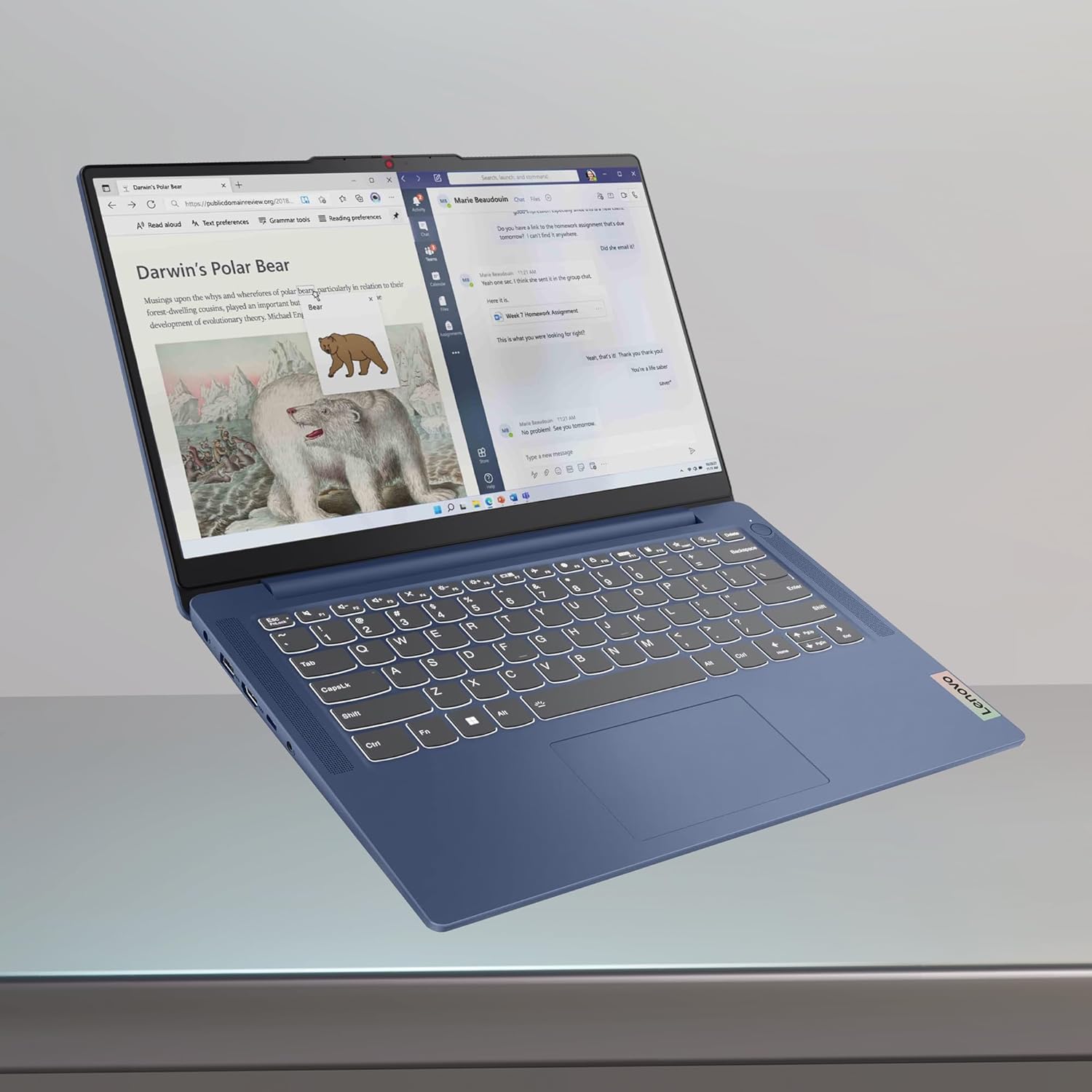
The chassis is crafted from a combination of sturdy plastic and metal accents, engineered to meet military-grade durability standards, so it feels reassuringly solid for daily use. Its “Abyss Blue” finish offers a touch of style without being flashy, appealing to younger users and professionals alike. The laptop weighs in at roughly 1.41 kilograms (about 3.1 pounds) and maintains a slender profile that makes it easy to carry around campus or commuting.

Port selection is reasonably generous for this class: two USB 3.2 Gen 1 Type-A ports, a USB-C 3.2 Gen 1 port, HDMI 1.4 output, a 3.5mm audio jack, a card reader, and a dedicated power connector. This variety means you’re well covered for connecting peripherals such as external displays, headphones, USB drives, or SD cards without juggling adapters—a practical edge as many modern thin-and-lights skimp on ports. The presence of a full-sized HDMI port is a nice touch, ideal for anyone wanting to connect to larger screens for presentations or streaming.
Grab Your Abyss Blue Laptop Today!
Performance and Hardware Explained
Performance-wise, the Lenovo IdeaPad Slim 3 Gen 8 is powered by the latest 13th Gen Intel Core i3-N305 processor. This dual-core CPU belongs to Intel’s efficient low-power lineup, well suited for everyday productivity rather than heavy multitasking or demanding creative applications. It comfortably manages web browsing with multiple tabs open, streaming 4K video, and standard office software like Microsoft Word, Excel, and Zoom calls. However, this processor will show its limits under prolonged multitasking involving intensive software such as video editing suites or large datasets in Excel. The i3-N305’s efficiency-focused architecture also keeps heat manageable, contributing to overall system stability.
Paired with 8GB of RAM — which is soldered and non-expandable — the laptop offers enough memory headroom for typical multitasking scenarios across browser tabs, video conferencing, and document editing. In practical terms, this means you won’t face major slowdowns switching between apps or having several programmes open simultaneously, which is often the bare minimum for students and home workers. Still, for users running virtual machines or large creative projects, 8GB can start feeling restrictive.
Storage-wise, the 512GB SSD is a substantial step up from budget models relying on eMMC or smaller SSDs. This is a fast NVMe drive, which drastically reduces boot times and speeds up file transfers, app launches, and software installations. In real-world use, the snappy storage means everything from powering on the device to loading large documents or media files happens without frustrating delays. The sizeable capacity also lets you keep a sizeable multimedia library or large school projects locally, avoiding reliance on external drives or cloud services.
The 14-inch display features a Full HD (1920×1080) resolution on an IPS panel, delivering crisp visuals and wide viewing angles that are excellent for group work or watching films. Although Lenovo’s promotional material mentions TÜV-certified Low Blue Light technology to reduce eye strain, reported brightness levels average around 300 nits, which is respectable but not outstanding when working near bright windows or outdoors on sunny days. Colour reproduction is decent for general content consumption and assignments, but not quite accurate enough for professional photo or video editing.
The inclusion of Dolby Audio and front-facing speakers enhances the multimedia experience with clearer dialogue and fuller sound, an appreciated touch for online learning, video calls, and streaming entertainment. The webcam benefits from a privacy shutter, offering peace of mind in an era of frequent video meetings and online classes.
While there is no dedicated GPU, integrated graphics on the i3-N305 suffice for casual gaming, streaming, and media tasks. This GPU handles YouTube, Netflix, and standard-definition video playback effortlessly, but won’t support any graphically demanding games or sophisticated 3D applications.
In sum, this hardware configuration fits neatly into Lenovo’s vision of a productive, reliable daily driver. It’s a package that supports common tasks fluidly, though its balance of performance and efficiency hints it’s not designed for heavy lifting or specialised workloads.
Real-World Performance — What Customers Say
Looking through customer feedback from the UK market, the Lenovo IdeaPad Slim 3 is generally praised for its straightforward setup and user-friendly interface, which appeals to those who want a laptop ready out of the box. Users highlight its lightweight design as a boon, especially for carrying between lectures or working remotely. Many find the system responsive during typical web browsing, document editing, and video calls, matching what the specifications promise.
That said, reports on screen and keyboard quality are more mixed. While some reviews praise the panel’s clarity and brightness, others notice inconsistencies such as duller colours or uneven backlighting. There are occasional mentions of frustrating keyboard issues, including keys becoming unresponsive or overly soft feedback, which could hinder long typing sessions for students or writers.
Speed-wise, the SSD-backed storage seems to deliver snappy boot and app times consistently. However, a minority of users point out the device occasionally feels sluggish, especially when running several browser tabs or background apps simultaneously, which potentially ties back to the dual-core CPU’s limits. Thermal performance is generally adequate; the laptop remains relatively cool during standard workloads but can become warm under sustained use—typical of thin designs with no dedicated cooling vents.
Battery life in daily use aligns reasonably well with Lenovo’s claims. Many report getting about 6 to 8 hours from a full charge when doing light tasks such as word processing and video streaming, which is decent for a 14-inch device in this segment. Rapid charging works as promised, with the laptop replenishing about two hours of use from a 15-minute charge—a helpful feature for users constantly on the move. Charger type is proprietary rather than USB-C, which limits accessory flexibility but ensures adequate power delivery.
Battery Life and Portability
The IdeaPad Slim 3’s battery capacity delivers balanced endurance, enough to support a school or workday if you avoid heavy multitasking or gaming. Around 6 to 8 hours of use in real-world scenarios is solid, though not leading in its class. This makes it suitable for days spent moving between lectures or handling meetings without hunting for a power outlet.
At 1.41kg and with dimensions roughly around 320 x 215 x 19.9 mm, the laptop is lightweight and slim, easing the burden on commuters or students juggling backpacks and accessories. It’s slim enough to not feel cumbersome but thick enough to house a decent port array without compromises. The trade-off comes in the use of a proprietary charger, so bringing a universal USB-C charger for multiple devices isn’t an option here.
In terms of portability, the slim profile combined with the relatively modest weight means it ticks all the boxes for a secondary or primary laptop carried on buses, trains, or flights, fitting easily on desks and in cafes without hogging space.
Who Should Buy This
This laptop is most suitable for UK students, remote workers, and general home users who want a capable, all-around system without splashing out on high-end specs or premium materials. If the bulk of your daily tasks involve writing essays, online classes, browsing the web, streaming media, and light multitasking, this is an appealing choice that balances performance, portability, and value.
Creative professionals or power users dealing with graphic design, video editing, or extensive multitasking with demanding applications may find the dual-core i3 processor and 8GB RAM limiting over time. Gamers should also look elsewhere, as integrated graphics and modest processing power won’t deliver a satisfying experience on newer titles.
Those prioritising display accuracy or needing a brighter screen for outdoor work might want to consider alternatives with higher nit counts or higher resolution panels. On this front, some rivals offer slightly better colour accuracy or touchscreen options.
Overall, the IdeaPad Slim 3 is a dependable, stylish companion for daily productivity and entertainment in 2026, suitable for those who value a thin form factor and solid core features.
Pros and Cons
Pros:
- 13th Gen Intel Core i3 Processor: Efficient and capable for everyday productivity, providing solid performance for office tasks, web browsing, and streaming.
- 8GB RAM: Sufficient for multitasking typical in education or home settings, enabling smooth operation of multiple apps and browser tabs without stalling.
- 512GB NVMe SSD: Large and fast storage drastically speeds boot and file operations compared with eMMC counterparts, supporting ample local file storage.
- Wide Port Selection: Includes USB Type-A, Type-C, full-sized HDMI, and card reader, offering real-world connectivity flexibility without relying on adapters.
- Lightweight and Slim: Easily portable at around 1.41kg, ideal for commuters, students, and remote workers carrying their laptop daily.
- Privacy Shutter on Webcam: An excellent security feature providing peace of mind during video calls.
- Rapid Charging Technology: Adds two hours of battery life in 15 minutes, great for users with a busy schedule.
Cons:
- Inconsistent Keyboard Quality: Some users report unresponsive or mushy keys, which can impact typing comfort and productivity.
- Display Brightness and Colour Variance: While Full HD IPS is positive, brightness levels are modest and colour accuracy is average, limiting outdoor usability and content creation.
- Dual-Core Processor Limits Heavy Use: The Intel i3-N305 CPU handles basic tasks well but struggles with demanding software and extensive multitasking.
- Proprietary Charger: Lack of USB-C charging reduces convenience for users who prefer a single charger for multiple devices.
- Mixed Speed Feedback: Some reports of occasional sluggishness hint at performance limitations under heavier loads.
- Non-upgradable RAM: 8GB is fixed, restricting future-proofing or upgrades for more demanding workflows.
Final Verdict and Recommendation
Lenovo’s IdeaPad Slim 3 Gen 8 offers a well-rounded mix of performance, portability, and build quality tailored for most everyday computing experiences in 2026. Its modern Intel processor and generous SSD meet the expectations for students and remote workers handling typical workloads, while the ample port selection and privacy features add thoughtful value. The lightweight build makes carried use practical and comfortable, though the occasional keyboard and screen inconsistency may be a sticking point for some.
In short, the Slim 3 is an attractive, dependable choice for home, study, and casual use without venturing into premium territory or specialist performance categories. For those whose computing needs stay within general productivity and media consumption, this is a smart buy.
Check current availability on Amazon to discover if the Lenovo IdeaPad Slim 3 is the right fit for your daily computing needs.
Discover the Lenovo IdeaPad Slim 3 Now!
As an Amazon Associate, I earn from qualifying purchases.