
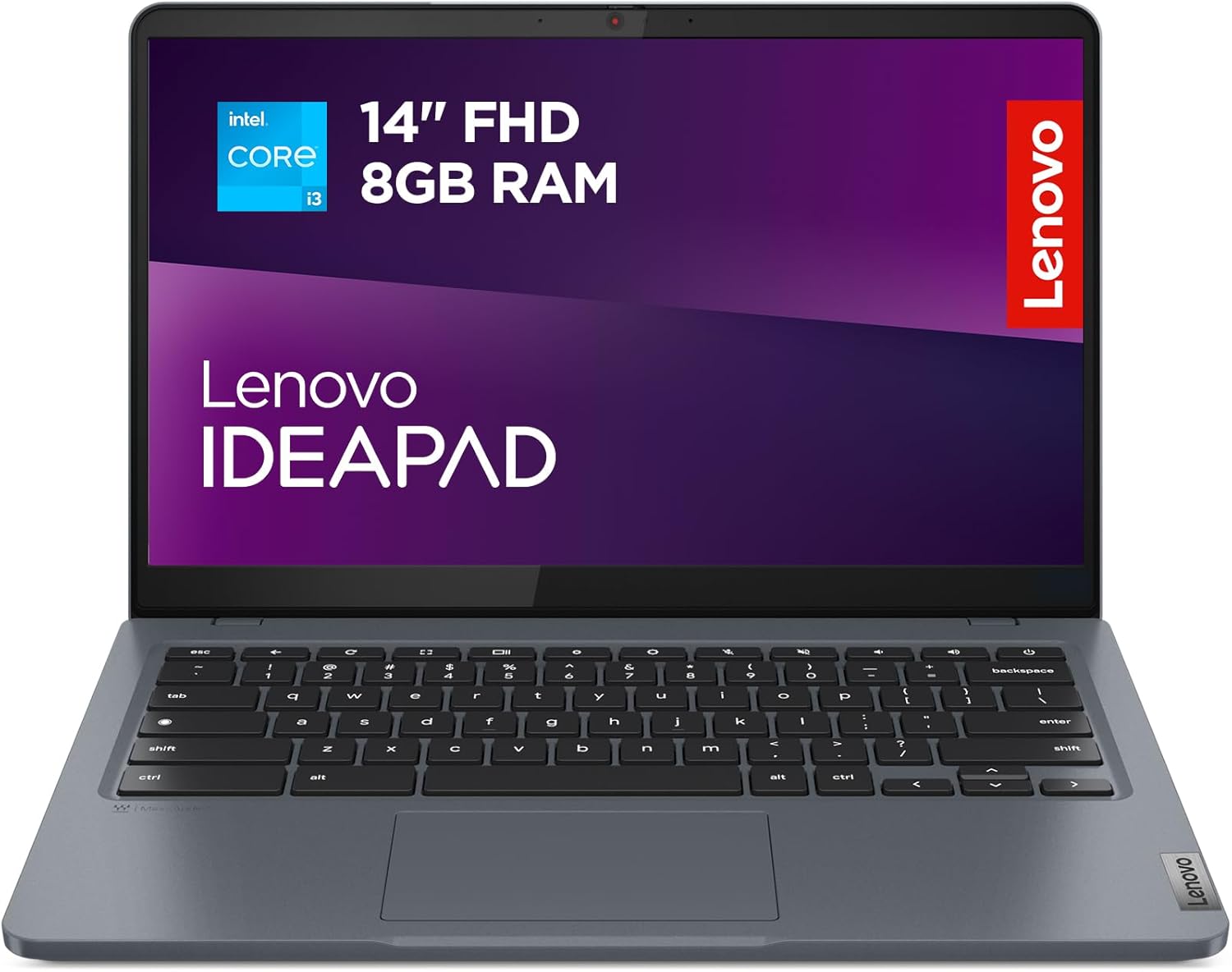
Lenovo IdeaPad Slim 3 Chromebook Plus Review: Sleek Performance Awaits
Quick Verdict
The Lenovo IdeaPad Slim 3 Chromebook Plus brings a solid balance of portability, build quality, and performance tailored for users prioritising everyday productivity with the simplicity of Chrome OS. With its 12th Gen Intel Core i3-N305 processor paired with 8GB of LPDDR5 RAM and a 256GB eMMC storage, it comfortably handles multitasking like multiple browser tabs, video calls, and document work, though it falls short for power users or intensive creative tasks. Its military-grade durability and lightweight metal chassis make it a compelling choice for students and mobile professionals seeking a reliable, stylish laptop that won’t weigh them down during a day of classes or remote meetings.

Overview and First Impressions
Lenovo’s IdeaPad Slim 3 Chromebook Plus positions itself in the UK market as a mid-tier Chromebook that appeals to users wanting more power and build quality than entry-level Chromebooks, without stepping into pricier Windows or macOS territories. The model under review features a robust metal cover, finished in Storm Grey, signalling a premium feel among Chromebooks typically clad in plastic. Despite its metal build, it weighs roughly 1.5kg (3.3 pounds), striking an admirable compromise between sturdiness and portability. This makes it practical for daily commuting or carrying in a backpack through busy campuses or offices.
Lenovo has thoughtfully engineered this Chromebook for durability, boasting military-grade certifications for spill, drop, and physical tampering resistance—important if you’re prone to travel mishaps or want peace of mind in crowded environments. The chassis measures around 14 inches by 9.5 inches and stays slim, ensuring it slips effortlessly into most laptop bags.
Port selection is moderate but effective: you get multiple USB-C ports that support charging and data, a USB-A port for legacy accessories, a microSD card reader to expand storage, and a headphone jack. This range covers everyday needs without forcing you to juggle dongles constantly, although power users wanting HDMI or full-sized Ethernet might find limitations here. It’s a thoughtful set-up that caters well to students and professionals who rely largely on wireless connectivity.

Performance and Hardware Explained
At the heart of the IdeaPad Slim 3 Chromebook Plus is the Intel Core i3-N305 processor—a dual-core chip from Intel’s 12th generation Alder Lake line designed for efficiency and everyday responsiveness. Unlike the high-end Intel Core i5 or i7 CPUs, the i3 in this Chromebook offers sufficient but modest punch. It excels in browsing multiple tabs, handling Google Workspace apps such as Docs or Sheets, running Zoom meetings, and streaming videos without breaking a sweat. However, users hoping to run demanding applications like large-scale photo editing or Linux-based development tools extensively might find the CPU falling short under sustained load.
Complementing the processor is 8GB of LPDDR5 RAM running at 4800MHz, a relatively high-speed memory specification for a Chromebook. This amount of memory comfortably supports multitasking, allowing you to juggle numerous browser tabs, music streaming, video calls, and email clients simultaneously while keeping system responsiveness intact. Chromebooks benefit from Chrome OS’s light memory demands and efficient tab management, and this RAM size strikes a nice middle ground without excess cost.
The storage is 256GB eMMC, a flash-based memory solution that sits between the speedy NVMe SSDs found in premium laptops and slower HDDs or traditional eMMC chips commonly in budget devices. While eMMC is not as fast as NVMe SSDs, the 256GB size is generous for Chrome OS users who predominantly rely on cloud storage, offline file caching, and Android apps. You can expect decent boot times and app loading, though heavy local file transfers or large game installations would feel sluggish in comparison.
Discover the Lenovo IdeaPad Slim 3 Chromebook!
The 14-inch Full HD (1920×1080) IPS display is one of the standout features in this laptop’s spec sheet. Its IPS panel ensures wide viewing angles and better colour accuracy compared to standard TN panels, ideal for web content creation, media consumption, or video calls. Lenovo claims 100% sRGB coverage, indicating vibrant, true-to-life colour reproduction—a boon for casual photo editing and streaming films. At around 300 nits of brightness, the screen should perform adequately in well-lit rooms but may struggle against direct sunlight or very bright outdoor environments. The anti-reflective coating helps minimise glare, smoothing viewing in cafés or libraries.
Audio is courtesy of front-facing speakers tuned by MaxxAudio technology, which enhances bass and clarity. Though this won’t replace a dedicated sound system, it elevates everyday media consumption and video calls above the often tinny sound typical of budget laptops.
Connectivity boosts include Wi-Fi 6E support, offering faster, more stable internet connections on compatible networks, which future-proofs the device as UK homes and offices upgrade Wi-Fi infrastructure. The full HD webcam comes with a manual privacy shutter—a welcome feature for security-conscious users, avoiding reliance on software toggles to guard against webcam hacking. A Kensington NanoSaver lock slot rounds out the security credentials, useful in classroom or co-working setups.
Altogether, the hardware represents a well-rounded, competent Chromebook package, especially at this mid-level market segment. It thrives in typical daily workflows but doesn’t pretend to be a powerhouse for specialised workloads.
Real-World Performance — What Customers Say
Owners of the Lenovo IdeaPad Slim 3 Chromebook Plus generally report smooth day-to-day operation aligning closely with the specifications. Tasks such as web browsing, streaming, Google Workspace productivity, and light app use consistently perform without hiccups. Battery life in real use tends to hover around 8-9 hours with mixed usage scenarios, which closely matches Lenovo’s claims and common expectations for Chromebooks with this screen size and hardware.
Thermal management is efficient; the Chromebook remains cool and quiet, even during extended web meetings or video playback, without the fans becoming intrusive—a notable point for users sensitive to noise. The keyboard receives positive feedback for its comfortable key travel and tactile feedback, good for long typing sessions whether writing essays or preparing reports. The trackpad is responsive and supports multi-touch gestures smoothly, enhancing the overall navigation experience.
Some users note occasional slowdowns if pushing many tabs or heavier Chrome OS apps simultaneously, a reminder that the dual-core i3 has its limits. Storage speed, while adequate, is flagged by knowledgeable users accustomed to NVMe SSDs as a bottleneck in file transfers and app installations, though this is a minor issue for typical Chromebook workloads.
The built quality and chassis material earn praise for withstanding day-to-day knocks, with the military-grade rating proving to be more than marketing fluff according to some reports of accidental drops showing no ill effects. Wi-Fi 6E connectivity is also highlighted as a boon for users with compatible routers, delivering a noticeable improvement in wireless reliability.
Battery Life and Portability
The IdeaPad Slim 3 Chromebook Plus lives up to its portable promise. Its roughly 1.5kg frame and slim profile make it highly manageable for students or professionals frequently carrying their device between home, classrooms, libraries, or meetings. The metal chassis feels premium yet does not add undue weight.
Battery performance in real-world use is comfortably enough to last through a full school or workday on moderate to heavy use—think web research, note-taking, and video conferencing—before requiring a recharge. Lenovo’s advertised 8-10 hours aligns with user reports, although heavier use like continuous video streaming or gaming pulls that figure down.
Charging is handled via USB-C ports, allowing flexibility with chargers and power banks. Fast charging is supported to a degree, but it will not match the rapid top-ups of flagship Windows or Apple ultrabooks. Still, you can replenish the battery to a reasonable level within an hour or so, which is apt for the typical breaks students or professionals take during their day.
Explore the features of this sleek Chromebook!
Who Should Buy This
The Lenovo IdeaPad Slim 3 Chromebook Plus is a strong contender for students, remote workers, and casual home users who value portability, decent performance, and Chrome OS’s simplicity and security. Its tough build and balanced hardware suit those needing a durable device for everyday productivity tasks—think writing essays, participating in video calls, streaming media, or handling light creative projects.
It’s less fitting for creative professionals, developers, or power users seeking to run heavy software, local virtual machines, or complex video editing. The limitations of the dual-core i3 and eMMC storage become apparent in those scenarios. Also, purely media-focused users craving an ultra-bright, colour-accurate panel for professional-level photo or video editing might find the display falls somewhat short.
UK buyers should consider this laptop when looking for a solid middle-ground Chromebook that stands apart with its metal chassis and Wi-Fi 6E support. Those exploring similar price points might also look at other Lenovo Chromebooks or HP’s Chromebook offerings, but the Slim 3 Plus’s military-grade certification and LPDDR5 RAM speed offer noteworthy benefits.
Pros and Cons
Pros:
- Metal chassis with military-grade durability offers excellent build quality unusual at this tier
- 12th Gen Intel Core i3-N305 and 8GB LPDDR5 RAM provide smooth multitasking for everyday Chrome OS tasks
- Full HD IPS display with 100% sRGB coverage produces vivid images and wide viewing angles
- Wi-Fi 6E support enhances connectivity on modern networks, future-proofing the device
- Privacy shutter on the webcam and Kensington NanoSaver lock provide strong security features
Cons:
- 256GB eMMC storage is slower than NVMe SSDs, potentially impacting file handling speed
- Dual-core processor limits suitability for demanding workloads or multitasking beyond typical office use
- Display brightness of ~300 nits may struggle in very bright or direct sunlight environments
- Modest port selection lacks HDMI or Ethernet for users needing extensive connectivity options
Final Verdict and Recommendation
The Lenovo IdeaPad Slim 3 Chromebook Plus turns out to be a well-rounded, durable Chromebook that delivers dependable performance for users prioritising portability, security, and balanced specifications for everyday productivity tasks. Its 12th Gen Intel processor and fast LPDDR5 memory make multitasking crisp and responsive, while the vibrant IPS screen makes it a pleasant companion whether working or streaming. Though the slower eMMC storage and modest port array present minor compromises, they don’t significantly hinder the core user experience in 2026. This Chromebook is well suited for students, remote workers, and general users who want a stylish, sturdy laptop that just works, without the complexity or expense of Windows or MacBook alternatives. For those after a reliable, capable Chromebook with a premium feel and future-ready features like Wi-Fi 6E, the IdeaPad Slim 3 Chromebook Plus is worth serious consideration. Check current availability on Amazon to see how it fits your needs.
Grab your Lenovo IdeaPad Slim 3 today!
As an Amazon Associate, I earn from qualifying purchases.