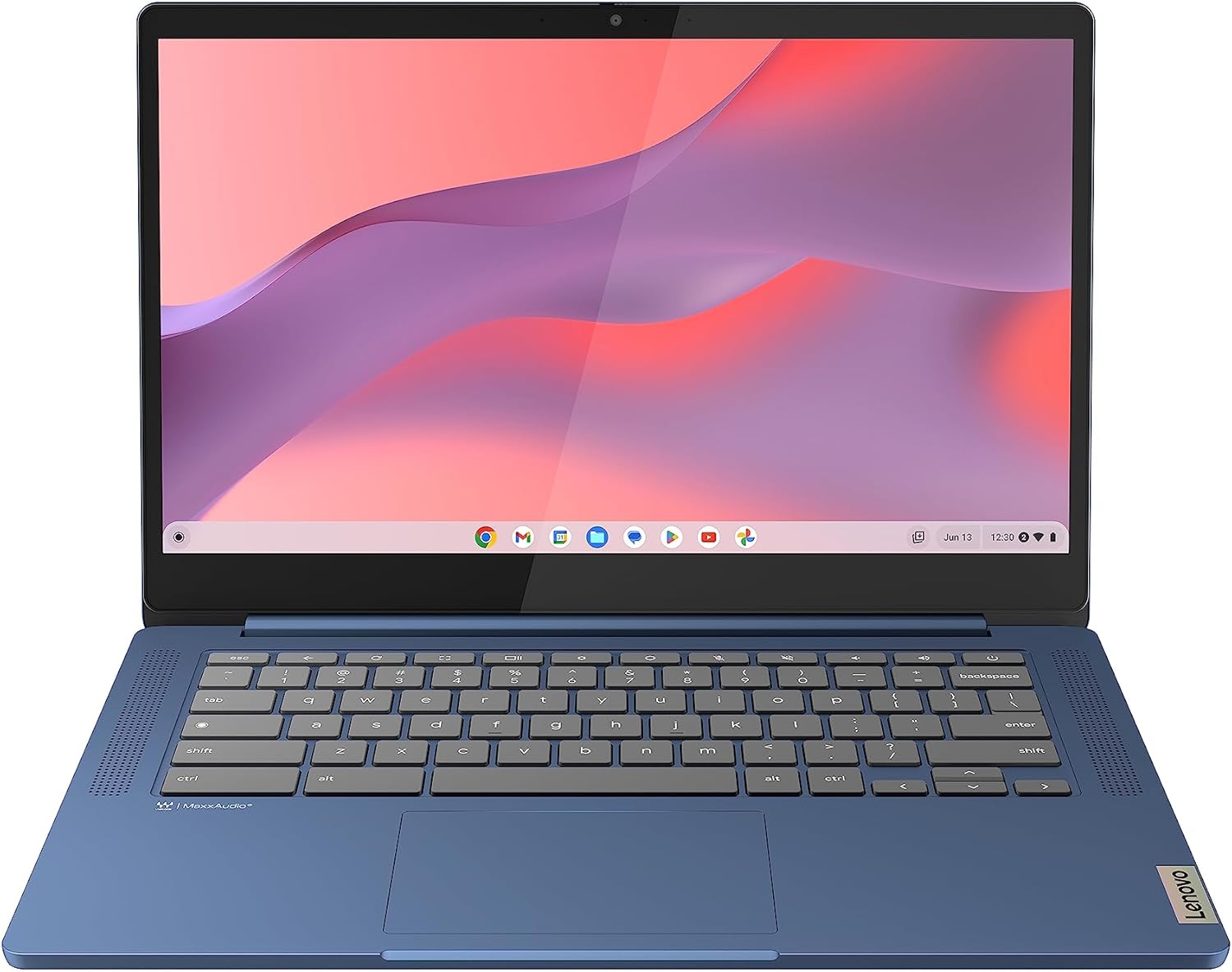
Lenovo IdeaPad Slim 3 Chromebook 14M868 Analysis: Screen Is the Catch
The Blunt Verdict
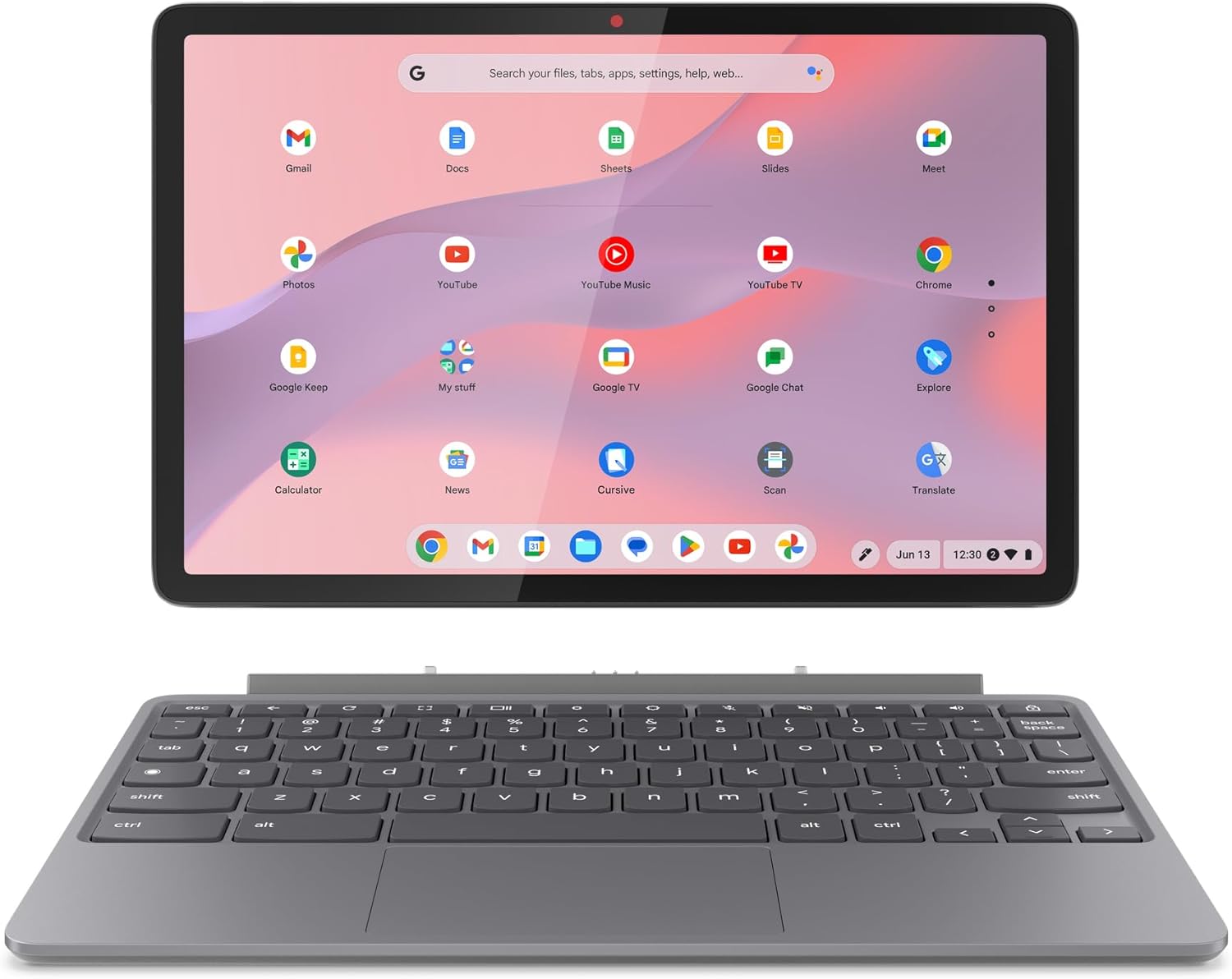
The Lenovo IdeaPad Slim 3 Chromebook 14M868 is a machine that knows exactly what it is and doesn’t try to be anything else. If you want a light, silent, hassle-free device for browsing, email, streaming, and Google Workspace tasks — and you’re not emotionally attached to Windows — this earns a genuine recommendation. The headline strength is the combination of 8GB of LPDDR4X RAM, a 47Wh battery rated at 13.5 hours, and ChromeOS’s near-zero maintenance overhead. The headline weakness is the display — a TN panel at 250 nits brightness with a 45% colour gamut that will disappoint anyone expecting decent viewing angles or accurate colours out of the box.
Under the lid: a MediaTek Kompanio 520 chip running at 2.05GHz, paired with that 8GB LPDDR4X and 128GB of eMMC storage. The GPU is integrated MediaTek graphics — no dedicated card here. The 14-inch FHD 1920×1080 display is anti-glare, which helps outdoors, but the TN tech limits colour accuracy and viewing angles more than most people notice in product photos. Connectivity is decent for the class: Wi-Fi 6 (802.11ax), Bluetooth 5.1, USB 3.2 Gen 1 Type-A, USB-C 3.2 Gen 1 with DisplayPort 1.1a and Power Delivery 3.0, plus a microSD card reader and 3.5mm audio jack. No HDMI, no Ethernet, no fingerprint reader.
Buy it if you’re after a budget laptop for light daily use, you’re not dependent on Windows desktop apps, and weight matters — at 1.3kg and 18.6mm thin, it genuinely is easy to carry around all day. Skip it if you need Microsoft desktop software, do anything remotely graphics-heavy, or care about screen quality for photo editing or media production.
See the current listing and availability for the Lenovo IdeaPad Slim 3 Chromebook 14M868 on Amazon.
Pros and Cons
Pros
- 8GB of RAM is the right call for ChromeOS — buyers specifically flag this as essential, and they’re right, ChromeOS alone can chew through 3GB+
- Wi-Fi 6 connectivity keeps it future-ready on wireless networks without paying a premium for it
- Battery life holds up in real use — one buyer reported over 40% remaining after 12 hours at low brightness
- Fanless design means genuinely silent operation with only gentle warmth under the chassis even during sustained use
- Setup is near-instant if you’re already in the Google ecosystem — multiple buyers mention being up and running in under 15 minutes
- At 1.3kg it’s light enough that buyers specifically comment on barely noticing it on their lap
Cons
- The TN panel is a genuine weak point — washed-out colours, narrow viewing angles, and buyers have resorted to manual colour management tweaks to make it tolerable
- No HDMI port and no Ethernet — if you need a wired connection or an easy external monitor hookup, you’ll need adapters
- eMMC storage is slower than SSD and non-upgradeable — 128GB is workable on ChromeOS but there is no path to more internal storage
Spec Breakdown
- Model: Lenovo IdeaPad Slim 3 Chromebook 14M868 (82XJ0010UK)
- CPU: MediaTek Kompanio 520, 2.05GHz
- RAM: 8GB LPDDR4X (3600MHz, soldered — max 8GB)
- Storage: 128GB eMMC
- GPU: Integrated MediaTek graphics
- Display: 14-inch FHD TN, 1920×1080, 60Hz, 250 nits, 45% colour gamut, anti-glare, no touchscreen
- Battery: 47Wh lithium polymer, rated 13.5 hours
- OS: ChromeOS
- Weight: 1.3kg
- Dimensions: 326 x 222 x 18.6mm
- Ports: USB 3.2 Gen 1 Type-A, USB-C 3.2 Gen 1 (DisplayPort 1.1a, Power Delivery 3.0), microSD card reader, 3.5mm audio jack
- Connectivity: Wi-Fi 6 (802.11ax), Bluetooth 5.1
- Keyboard: UK QWERTY, non-backlit
- Camera: Front-facing webcam with privacy shutter
- Speakers: Front-facing stereo, 2W x2, Waves MaxxAudio
Hardware & Performance Reality Check
The MediaTek Kompanio 520 is an ARM-based chip — not a powerhouse by any metric, but it doesn’t need to be. ChromeOS is built lean, and on an 8GB LPDDR4X platform, this chip handles browsing, email, Google Docs, YouTube, and Android apps without meaningful friction. The important thing to understand about the 8GB RAM here is that on ChromeOS, it matters more than it would on Windows at the same capacity. ChromeOS can consume 3GB+ just running the OS and a handful of tabs — the 8GB gives you genuine headroom. If you want to understand why RAM allocation matters this much on lightweight OS platforms, our guide on how much RAM you actually need covers it clearly. The RAM is soldered — confirmed by the spec sheet showing a maximum of 8GB with one slot — so what you buy is what you’re stuck with forever.
The 128GB eMMC storage is the weakest link on the hardware side. eMMC is slower than a proper NVMe SSD — not dramatically noticeable for app launches on ChromeOS, but measurably slower for file transfers. More practically: 128GB sounds reasonable until you factor in that ChromeOS takes its share, and if you’re using Android apps with local data, it fills up quicker than you’d expect. The microSD slot provides a workaround for media storage, which partially mitigates it. Integrated MediaTek graphics means this is not a gaming machine in any conventional sense — casual Android games will run, browser-based games will run, anything that requires a dedicated GPU won’t even be a conversation worth having here.
In 2026 terms: student work on Google Workspace — absolutely fine. Office tasks via web browser — yes. Video calls — yes, the front-facing camera and dual-array microphone handle it. Light programming in a browser-based environment or Linux terminal — yes, one buyer confirmed Linux app support works on this ARM chip. Video editing — no. Gaming beyond Android or browser titles — no. Running Windows desktop software — categorically no, and no workaround exists. If your workflow is Windows-dependent, this is the wrong machine regardless of everything else it does well. Our CPU guide has more on what ARM-based chips can and can’t do if you want the longer version.
One hardware detail worth flagging separately: the display panel type is TN, not IPS or OLED. For anyone who hasn’t navigated this before, display panel types make a meaningful real-world difference — TN panels have narrow vertical viewing angles, meaning the image shifts noticeably if you’re not looking at it straight-on. The 250 nit peak brightness is adequate indoors but not great in a sunlit room. The 45% colour gamut is low — colours look muted compared to an IPS panel. It’s functional, the anti-glare coating helps, but buyers have had to adjust colour settings manually to compensate. Know this going in.
Check the full spec sheet and buyer Q&As for the Lenovo IdeaPad Slim 3 Chromebook 14M868 on Amazon.
Everyday Usability: Battery, Build & More
Battery life is the headline usability win here. The 47Wh cell and the efficiency of the ARM chip combine to produce real-world endurance that matches the rated 13.5 hours reasonably closely — one buyer got through 12 hours at low brightness and still had 40% left. That’s a solid result. At 1.3kg and 18.6mm thick, carrying this around is genuinely undemanding. The fanless design is a practical benefit too — no fan noise ever, and the chassis only produces mild warmth under sustained use. The build is plastic, not metal, but buyers don’t report flexing or cheap construction. The chassis feels appropriate for the weight class. The USB-C 3.2 Gen 1 port supports Power Delivery 3.0, so you can charge from any compatible USB-C charger — a minor but genuinely useful flexibility. The keyboard lacks backlighting, which is a real omission for anyone who works in low light.

The screen situation is worth dwelling on because it divides buyers. It’s anti-glare, which genuinely helps in bright environments, and the 1920×1080 resolution is sharp enough at 14 inches. But the TN panel technology means colours are flat, viewing angles are poor, and you’ll need to tilt the screen back further than feels natural to avoid washout. Buyers who adjusted colour settings in ChromeOS were more satisfied — it’s fixable with some tweaking, but it shouldn’t need fixing at all. No touchscreen. There’s no fingerprint reader. No HDMI — if you want an external monitor, you’ll need a USB-C to HDMI adapter via the DisplayPort 1.1a output on the USB-C port. No Ethernet — this is a Wi-Fi or nothing machine, though the Wi-Fi 6 implementation is fast enough that it barely matters for the use case. The front-facing speakers with Waves MaxxAudio tuning are a pleasant surprise — multiple buyers comment they’re better than expected for the class. The 3.5mm audio jack is also noted as genuinely clean output, with one buyer specifically praising the absence of digital noise. The camera privacy shutter is a thoughtful addition. For a full picture of what the port situation means in practice, our ports guide is worth a look before you buy.
Lifespan & Future-Proofing
Chassis longevity: plastic construction with no moving parts — no fan, no spinning storage. Fewer mechanical failure points than a conventional laptop. The build quality feedback from buyers is positive enough that a realistic lifespan of five or more years of light daily use is plausible, provided nothing takes a hard knock. It’s not a tank, but it’s not fragile either.
Spec longevity is a more interesting question on a Chromebook than on a Windows machine, because the hardware ceiling doesn’t determine the software expiry date — Google does. Google has committed to ChromeOS updates on this model for ten years from its 2023 introduction, putting the software support end-of-life well into the early 2030s. That’s substantially longer than most Windows laptops at this spec level would remain viable. The hardware itself — MediaTek Kompanio 520, 8GB RAM, 128GB eMMC — won’t accelerate in performance terms, and ChromeOS demands will gradually creep up, but the combination of efficient ARM architecture and Google’s update commitment means this machine has a realistic useful life that other budget laptops at the same level simply can’t match on software support grounds alone. The RAM is soldered with no upgrade path. The storage is eMMC and equally fixed. If you outgrow either, the solution is a new machine, not an upgrade.
View current stock and availability for the Lenovo IdeaPad Slim 3 Chromebook 14M868 on Amazon.
What Buyers Are Saying (And Potential Dealbreakers)
The Lenovo IdeaPad Slim 3 Chromebook 14M868 holds a rating of 4.3 out of 5 from 291 customer reviews on Amazon — a sample large enough to draw real conclusions from. The overall sentiment is notably positive, with recurring themes around ease of setup, genuine battery performance, and the value the 8GB RAM configuration delivers. Complaints are consistent and specific rather than scattered — the TN screen draws criticism in almost every nuanced review, and the absence of HDMI and Ethernet comes up repeatedly in connectivity discussions.
The setup experience is the most consistent praise point. Buyers who are already in the Google ecosystem — Gmail, Photos, Drive — report being fully operational in 10 to 15 minutes. The ChromeOS onboarding, particularly via Android phone sync, is described as near-automatic. Non-technical buyers specifically mention the absence of the usual Windows setup friction as a genuine relief. Android app support is noted as a practical bonus — most apps work, with occasional quirks. One buyer noted a specific banking app didn’t play ball, which is worth keeping in mind if your bank’s Android app is essential to your workflow.
The screen is the dealbreaker for a certain type of buyer. The washed-out colours and viewing angle limitations are called out specifically in multiple reviews, and at least one buyer had to invest time in ChromeOS colour management settings to reach an acceptable result. If you’re coming from an IPS or OLED display, the drop will be noticeable and will probably irritate you. Audio, by contrast, is a consistent positive surprise — buyers expected laptop-grade mediocrity and got something noticeably better. The 3.5mm output quality is specifically praised. If you want to understand more about how specs translate to daily outcomes before committing, our specs explained guide covers the fundamentals clearly.
Buyer Highlights
“The MediaTek Kompanio 520 with 8GB RAM is fantastic at this price point — a definite improvement on my previous Chromebook in speed and usability.” — Consistent sentiment from buyers upgrading from older Chromebook hardware.
“After 12 hours of use on a dark winter’s day the laptop still had over 40% charge left.” — Real-world battery performance that backs up the rated 13.5-hour figure.
“I had to use colour management settings and choose browser themes carefully to get adequate contrast — the LCD screen is something of an embarrassment.” — The most honest summary of the display situation from any buyer in this sample.
“The setup process was automated and took barely 15 minutes — I was immediately in a familiar desktop environment with Gmail, Photos, and Google Docs accessible.” — Typical experience for buyers already in the Google ecosystem.
“Audio output through the 3.5mm jack is wonderful — full bandwidth, high quality sound, with negligible digital noise.” — Worth noting for anyone who uses headphones regularly with a laptop.
Who Should Buy It (And Who Shouldn’t)
Buy If
- You live in the Google ecosystem — Gmail, Drive, Docs, Sheets — and have no dependency on Windows desktop applications
- Battery life and weight are priorities and you want something you can carry around all day without a charger constantly in hand
- You’re buying for a student, older relative, or anyone who wants a low-maintenance device that just works without ongoing Windows housekeeping
- You want long software support — Google’s commitment extends this machine’s useful life well beyond what most budget laptops can offer at this spec level
Avoid If
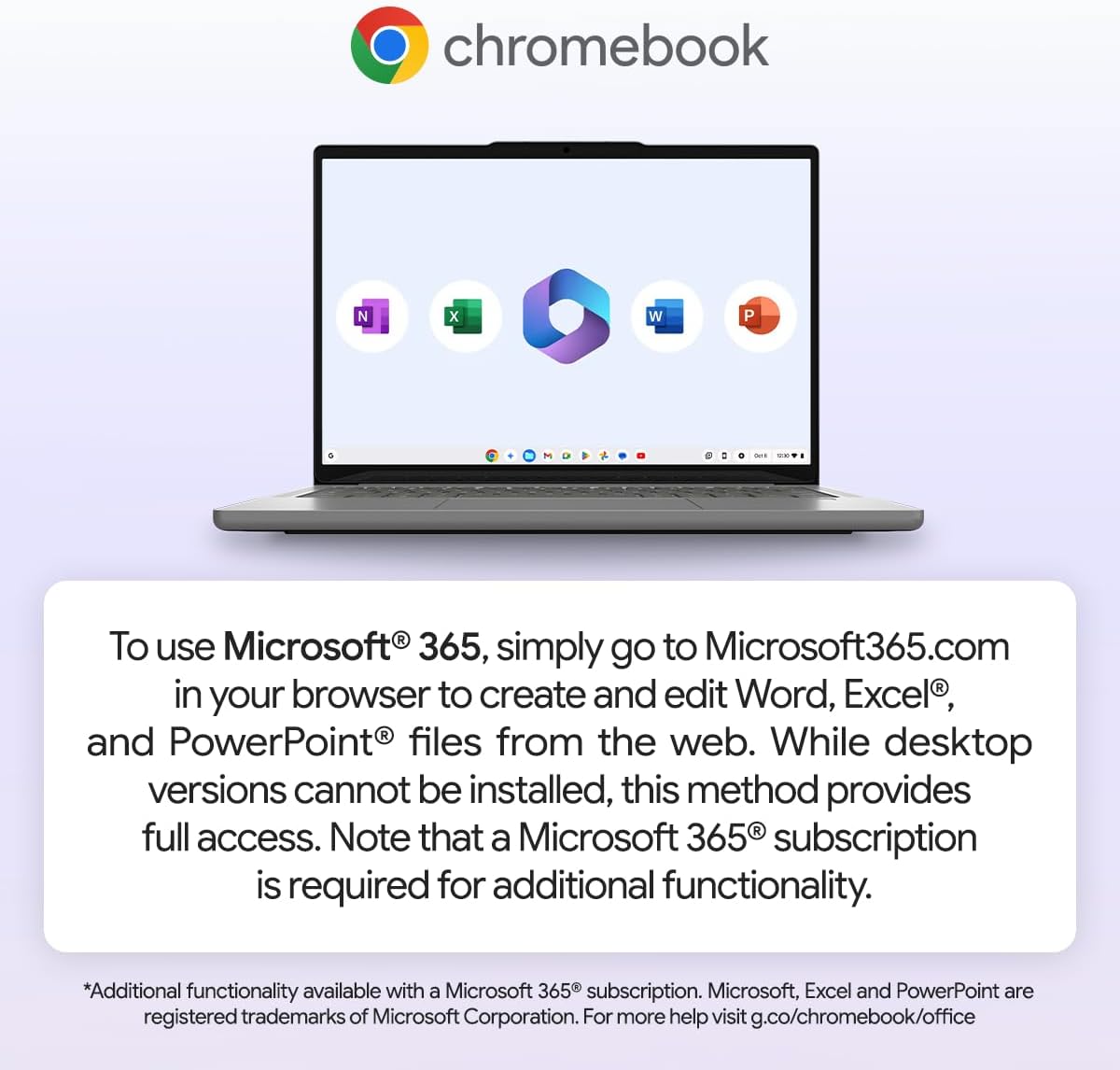
- You need Windows desktop software — Microsoft Office desktop apps, specialist industry tools, or anything that only runs on Windows. There is no workaround; ChromeOS cannot run them
- Screen quality matters to you for any reason — photo work, video, media consumption with accurate colours, or simply not wanting to fiddle with display settings to get a usable image
- You rely on wired connectivity — no Ethernet means you’re Wi-Fi dependent, and no HDMI means external monitor setup requires an adapter
The Bottom Line
The Lenovo IdeaPad Slim 3 Chromebook 14M868 is a genuinely good machine for a specific type of buyer, and a poor match for anyone outside that profile. Get the use case right and it’s hard to fault: light, silent, long battery, solid Google ecosystem integration, and a software support runway that outlasts most of the competition in this bracket. Get the use case wrong — Windows dependency, screen sensitivity, heavy local storage needs — and no amount of battery life or build quality will fix the fundamental mismatch. Know what you’re buying, and this earns its recommendation without hesitation. Our full laptop buying guide can help you work out whether a Chromebook fits your situation before you commit.
At LaptopAdvisorOnline, our methodology is built on data transparency rather than simulated hands-on testing. We rigorously analyse official manufacturer specifications and aggregate verified customer sentiment to provide objective, fluff-free buying advice that helps you cut through the marketing jargon.
As an Amazon Associate, I earn from qualifying purchases.
Browse by Specification
Looking for something specific? Browse our analyses by hardware and feature:
[AMD Processor Laptops] — [Intel Processor Laptops] — [16GB RAM Laptops] — [32GB RAM Laptops] — [Dedicated Graphics] — [Long Battery Life] — [Lightweight Laptops] — [Student Laptops]
Browse by Screen Size
[13-inch Laptops] — [14-inch Laptops] — [15-inch Laptops] — [16-inch+ Laptops]