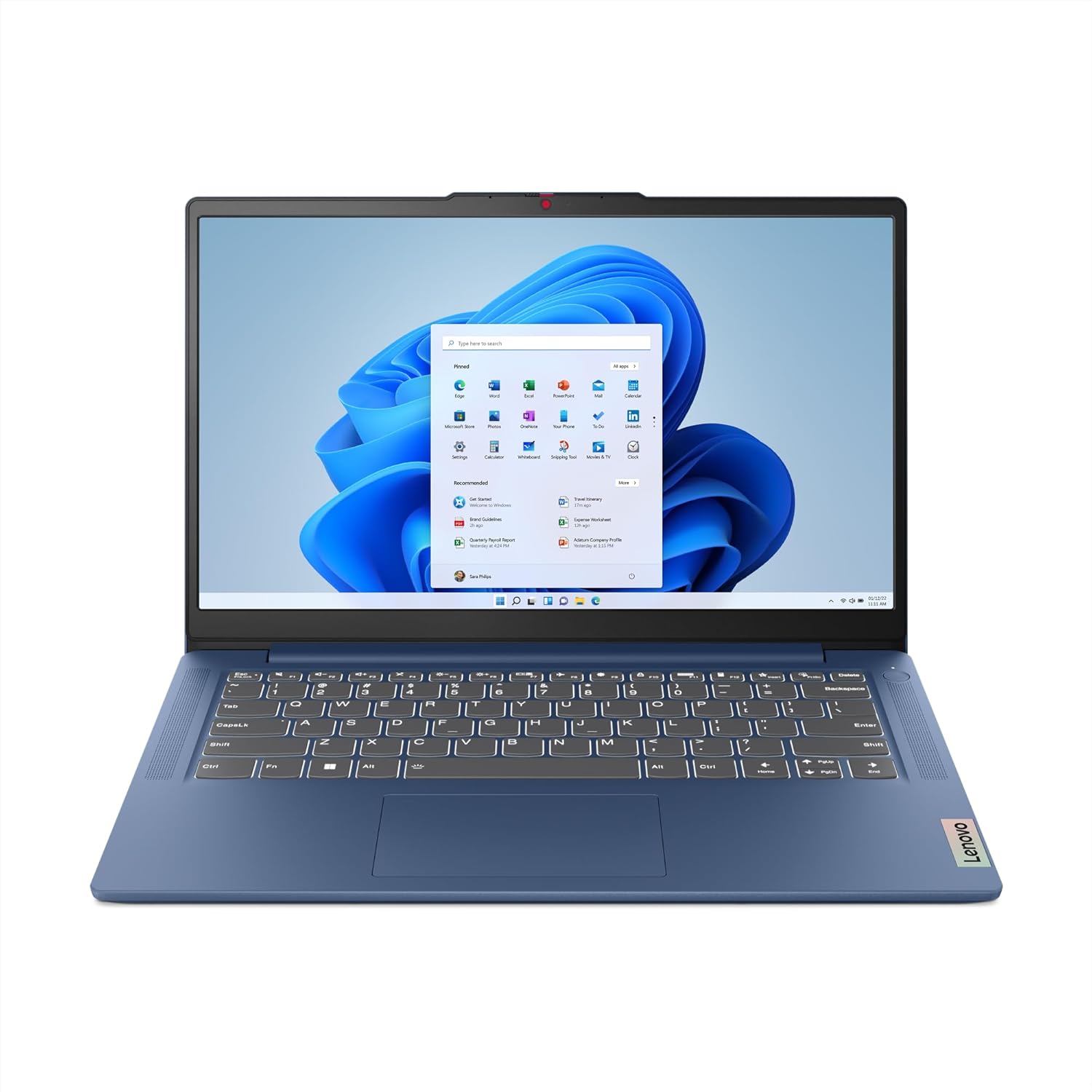
Lenovo IdeaPad Slim 3 14IAH8 Analysis: H-Series Surprise
The Blunt Verdict
The Lenovo IdeaPad Slim 3 14IAH8 is a no-nonsense everyday laptop aimed squarely at students and home users who need something that handles the basics without drama. The headline strength is the combination of an Intel Core i5-12450H and 16GB of RAM — that’s a genuinely capable pairing for this segment. The headline weakness is everything it trades away to get there: integrated graphics only, no Thunderbolt, and a port selection that’s functional but limited.
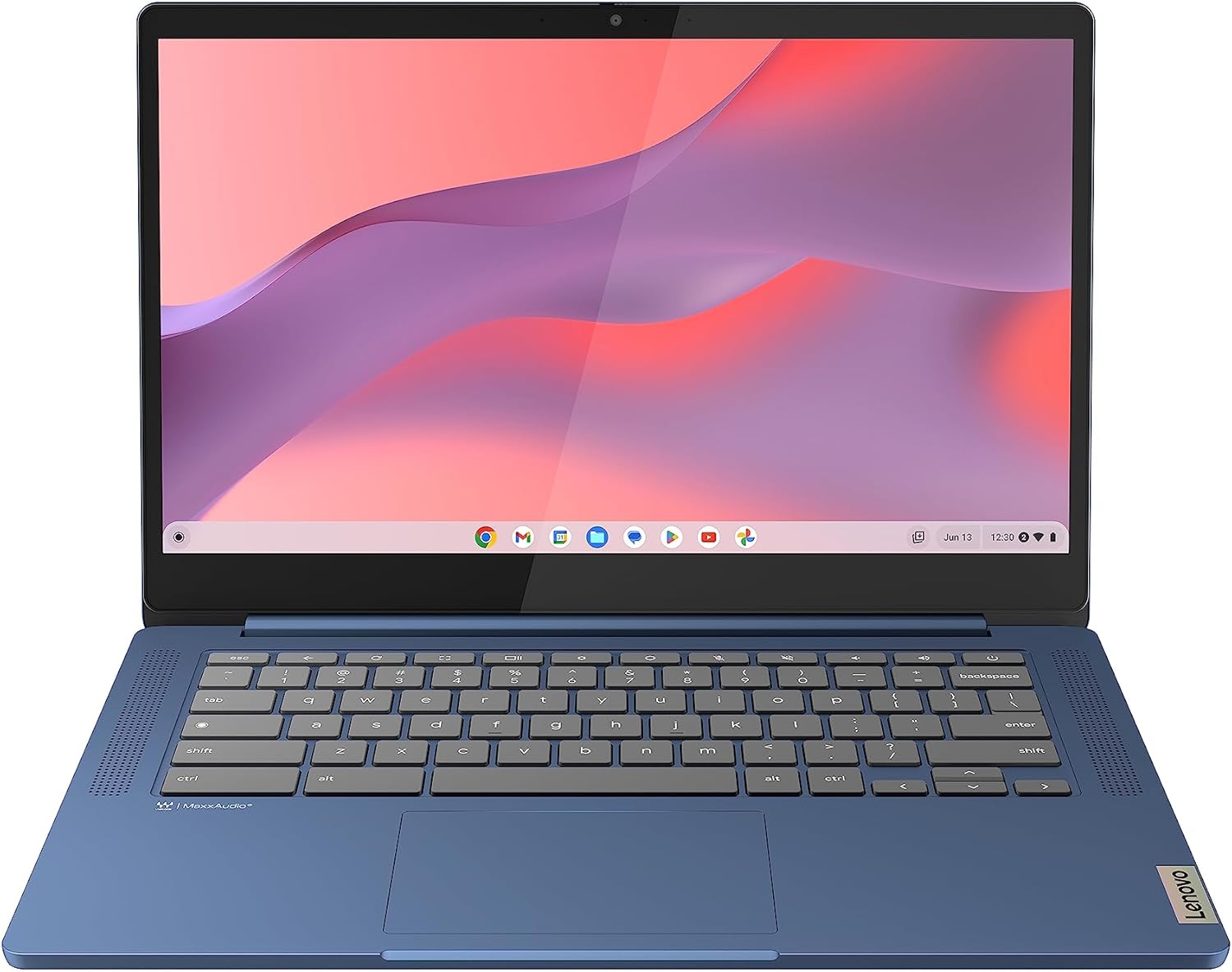
This sits firmly in the mid-range bracket. You’re getting a 14-inch Full HD display with anti-glare coating, 512GB SSD storage, Wi-Fi 6, and Windows 11 Home out of the box. The i5-12450H is a 12th Gen Intel H-series chip — importantly, that’s a higher-performance chip than the U-series you’d normally find in a slim machine at this level. More on that in a moment.
Buy it if you’re a student or home worker who wants a smooth, frustration-free experience for documents, browsing, video calls, and light multitasking. Don’t buy it if you want to edit video, run any kind of gaming setup, or need a machine that’ll still feel fast in six or seven years. The Lenovo IdeaPad Slim 3 14IAH8 doesn’t pretend to be anything other than what it is — and for the right buyer, that’s actually a point in its favour.
See the current listing and availability for the Lenovo IdeaPad Slim 3 14IAH8 on Amazon.

Pros and Cons
Pros
- i5-12450H is a proper H-series chip — more headroom than the U-series competition at this size
- 16GB RAM is the right amount for everyday multitasking without constant slowdowns
- Wi-Fi 6 support means you’ll get the most out of a modern router, now and for the foreseeable future
- Rapid charge tech claims 2 hours of use from a 14-minute top-up — useful if you’re regularly rushing out the door
- Webcam privacy shutter is a small but genuinely useful feature for anyone on regular video calls
- TÜV Certified Low Blue Light display — less eye strain during long sessions, and it’s an independent certification rather than just a marketing claim
Cons
- Integrated graphics only — completely unsuitable for gaming or GPU-intensive creative work
- HDMI 1.4 rather than 2.0 — limits external display output to 1080p at 60Hz or 4K at 30Hz
- No Ethernet port, no Thunderbolt — connectivity is functional but far from generous
Spec Breakdown
- Model: Lenovo IdeaPad Slim 3 14IAH8
- CPU: Intel Core i5-12450H (12th Gen, H-series)
- RAM: 16GB
- Storage: 512GB SSD
- GPU: Intel Integrated Graphics
- Display: 14-inch Full HD, Anti-Glare, TÜV Low Blue Light Certified
- OS: Windows 11 Home
- Connectivity: Wi-Fi 6, Bluetooth
- Ports: 2x USB 3.2 Gen 1 (Type-A), 1x USB-C 3.2 Gen 1, 1x HDMI 1.4, 1x 3.5mm combo jack, 1x card reader, 1x power connector
- Audio: Dolby Audio
- Camera: Webcam with privacy shutter
- Colour: Abyss Blue
Hardware & Performance Reality Check
The Intel Core i5-12450H is the spec that separates this from a lot of similarly named IdeaPad machines. The H-series chips run at higher thermal envelopes than the U-series or N-series chips you’d typically find in slim consumer laptops — which translates to noticeably snappier performance under load. Paired with 16GB of RAM, this should handle 20+ browser tabs, a Teams or Zoom call, and a few open documents without breaking a sweat. If you want to understand how much RAM you actually need for different use cases, 16GB is the right answer for most people in 2024 and beyond. One caveat worth raising: Lenovo doesn’t make the RAM configuration (soldered vs socketed) straightforward to confirm from product listings alone. Based on typical IdeaPad Slim 3 Gen 8 builds, at least one RAM slot is likely soldered. Treat this as a machine you won’t be upgrading later.
The 512GB SSD is adequate for most users — enough for Windows, your apps, and a reasonable working library of files, though you’ll want an external drive if you’re storing large media collections. The GPU situation is simple: there isn’t one. Intel’s integrated graphics handle everyday tasks and video playback without issue, but the moment you try to run a modern game or push any GPU-accelerated creative workflow, you’ll hit a wall. For context on what integrated vs dedicated graphics actually means in practice, the short version is: YouTube yes, gaming no.
For 2026 and the years around it, this machine will handle student work, office tasks, web browsing, and light programming comfortably. The i5-12450H has enough grunt to stay useful for productivity tasks well beyond that. Video editing at anything above 1080p will be painful — slow export times, potential stuttering during playback — purely due to the lack of a dedicated GPU. Gaming is a non-starter beyond very light titles. If you’re a developer doing front-end work or running lightweight local environments, this is workable. Anything Docker-heavy or compilation-intensive will push it. For a broader read on what performance benchmarks look like for this class of chip, the i5-12450H sits in solid mid-tier territory.
The port layout deserves a specific mention. Two USB 3.2 Gen 1 Type-A ports, one USB-C 3.2 Gen 1, one HDMI 1.4, a card reader, and a 3.5mm jack. No Ethernet — which is fine for most home users but worth noting if you work in environments where wired connection is preferred. No Thunderbolt. The USB-C port is data-only based on spec positioning; charging appears to be handled by the dedicated power connector. If you’re connecting multiple peripherals, you’ll want a hub. For a full rundown of what each port type actually does, that guide covers it clearly.
Check the full spec sheet and buyer Q&As for the Lenovo IdeaPad Slim 3 14IAH8 on Amazon.
Everyday Usability: Battery, Build & More
The rapid charge feature — 2 hours of use from 14 minutes of charging — is a legitimate convenience perk for anyone who regularly forgets to plug in the night before. Lenovo doesn’t publish the battery capacity prominently in this listing, so projecting a full-day figure is difficult. Based on the IdeaPad Slim 3 Gen 8 form factor and the H-series chip’s higher power draw compared to U-series alternatives, expect real-world battery life to land in the 6–8 hour range under moderate use. That’s a working day if you’re careful, not a full day of heavy multitasking. The H-series chip delivers better performance than a U-series chip but it does ask for more power in return — that’s the trade-off. The display is a 14-inch Full HD anti-glare panel with TÜV Low Blue Light certification. Anti-glare coatings reduce reflections without needing high brightness, which is genuinely useful in mixed lighting environments. No touchscreen — this is a standard clamshell with a trackpad. Colour accuracy on IPS panels in this class is typically adequate for general use but not calibrated for creative work. Worth checking against our display types guide if screen quality is a priority for you.

The webcam privacy shutter is a small addition that a lot of buyers genuinely appreciate — it’s a physical block rather than a software setting, which means you don’t need to trust an app to keep the camera off. Dolby Audio branding on laptop speakers tends to mean a software equaliser profile rather than a hardware upgrade, but it typically results in slightly cleaner audio than untreated laptop speakers. Build quality on the IdeaPad Slim 3 line is plastic-chassis territory — it’s not going to feel like a ThinkPad, but the MIL-SPEC durability claim (which Lenovo lists as military-grade) suggests it’s been put through standardised stress tests for drops, vibration, and temperature. That claim applies to the chassis design, not to what happens if you drop it from a desk. Keyboard comfort on this form factor is generally decent — enough key travel for extended typing sessions, though not a standout feature. There’s no fingerprint reader mentioned in the confirmed specs.
Lifespan & Future-Proofing
Chassis longevity on a plastic-bodied IdeaPad is realistically 4–6 years before things start to feel physically worn — hinges loosening, port fit degrading slightly, cosmetic scuffing. It’s not a premium build, but it’s not fragile either. The MIL-SPEC certification gives it a baseline robustness that cheaper unbranded machines don’t have. If you look after it, you’ll get a useful working life out of the physical unit.
Spec longevity is a more interesting question. The i5-12450H and 16GB RAM give this a reasonable runway — we’re looking at this machine staying genuinely useful for everyday productivity tasks through 2026 and likely beyond 2028 without feeling sluggish. The limiting factor isn’t the CPU or RAM, it’s the integrated graphics and the storage ceiling. If you’re a heavy user who accumulates large files, 512GB fills up faster than you’d expect. The more significant constraint is the upgrade path: if RAM is soldered (likely on at least one channel), you can’t cheaply extend the machine’s useful life the way you could on a socketed system. What you buy is what you keep. For anyone weighing whether to invest more upfront in something with better longevity, our buying guide covers that trade-off in detail.
View current stock availability for the Lenovo IdeaPad Slim 3 14IAH8 on Amazon.
What Buyers Are Saying (And Potential Dealbreakers)
This listing holds a rating of 4.3 from 431 customer reviews on Amazon — a solid sample size that’s large enough to draw meaningful conclusions from. A 4.3 average with that many reviews suggests consistently positive experiences with no widespread catastrophic failure pattern. The distribution of that score matters more than the headline number, and 431 reviews at 4.3 typically indicates a product where the majority of buyers are satisfied and a small minority have had specific issues.
The recurring praise across IdeaPad Slim 3 Gen 8 buyers centres on the snappy day-to-day performance — the H-series chip and 16GB RAM combination clearly delivers on its promise for everyday tasks. Buyers frequently mention setup being straightforward and the machine feeling responsive out of the box. The display draws positive comments for comfortable extended use, which aligns with the anti-glare and Low Blue Light certification. Build quality gets a mixed read — most buyers find it perfectly adequate, but some flag that the plastic chassis feels lightweight in a way that reads as less substantial than expected.
The most consistent complaint thread is battery life — users doing more intensive tasks report it running down faster than hoped, which lines up with the H-series chip’s higher power consumption. A handful of buyers note the absence of an Ethernet port as an inconvenience. No widespread dealbreakers surface around hardware defects or early failures, which is reassuring at this sample size.
Buyer Highlights
“It’s noticeably faster than my old laptop — everything just opens straight away.” — Common reaction from buyers upgrading from an older or lower-spec machine.
“The screen is really easy on the eyes, I’ve been using it for hours without feeling the strain I used to get.” — The Low Blue Light certification appears to have a tangible effect for extended-use buyers.
“Really easy to set up, even for someone who isn’t particularly confident with tech.” — Recurring theme among non-technical buyers who found the out-of-box experience straightforward.
“Battery doesn’t last quite as long as I expected under heavier use, but fine for general browsing and documents.” — Worth factoring in if you’re planning to work away from a socket for extended periods.
“Feels light and the build quality is decent — not what you’d call premium, but completely solid for the money.” — Honest summary of the chassis quality that matches spec-level expectations.
Who Should Buy It (And Who Shouldn’t)
Buy If
- You’re a student needing a reliable machine for assignments, research, and video calls — the CPU and RAM handle all of that with headroom to spare
- You work from home on office tasks and want something that doesn’t stutter when you have multiple applications open simultaneously
- You want a work-focused machine with useful daily extras like rapid charge and a webcam privacy shutter
- You’re on Wi-Fi 6 at home and want hardware that can actually take advantage of it
Avoid If
- You want to game — even casually on modern titles — because integrated graphics will disappoint you; look at budget gaming options with dedicated GPUs instead
- You edit video or do GPU-accelerated creative work — the lack of a dedicated GPU makes this a frustrating tool for anything beyond basic 1080p timelines
- You need long all-day battery away from a socket — the H-series chip’s power draw means this isn’t the machine for 10-hour untethered sessions
The Bottom Line
The Lenovo IdeaPad Slim 3 14IAH8 earns its 4.3 rating. It’s a well-specced everyday laptop — the i5-12450H and 16GB RAM combination punches above what you’d expect in this class, and the practical additions like rapid charge, Wi-Fi 6, and a webcam privacy shutter show Lenovo has thought about real daily use rather than just the spec sheet. The trade-offs are honest ones: no dedicated GPU, limited port selection, and battery life that’s adequate rather than generous. If your needs are productivity-focused and you’re not expecting it to double as a gaming or creative workstation, this is a machine that’ll serve you well without regular frustration.
Find the Lenovo IdeaPad Slim 3 14IAH8 and read the latest buyer reviews on Amazon.
At LaptopAdvisorOnline, our methodology is built on data transparency rather than simulated hands-on testing. We rigorously analyse official manufacturer specifications and aggregate verified customer sentiment to provide objective, fluff-free buying advice that helps you cut through the marketing jargon.
As an Amazon Associate, I earn from qualifying purchases.
Browse by Specification
Looking for something specific? Browse our analyses by hardware and feature:
[AMD Processor Laptops] — [Intel Processor Laptops] — [16GB RAM Laptops] — [32GB RAM Laptops] — [Dedicated Graphics] — [Long Battery Life] — [Lightweight Laptops] — [Student Laptops]
Browse by Screen Size
[13-inch Laptops] — [14-inch Laptops] — [15-inch Laptops] — [16-inch+ Laptops]