
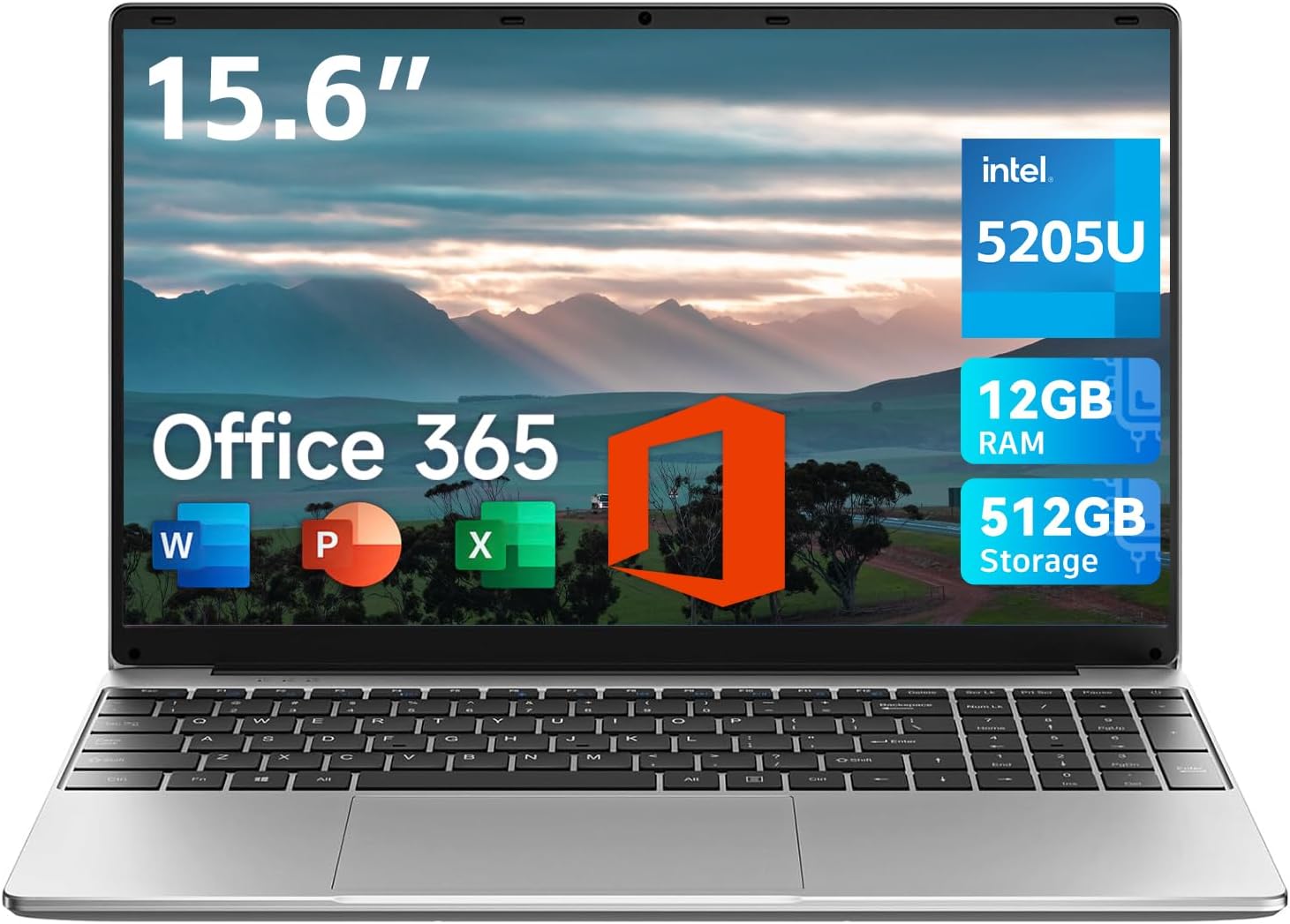
Jumper 15.6 Inch Laptop – Ideal for Students with 12GB RAM and Office 365
The Blunt Verdict
Right up front: this analysis is based on the official specs for the jumer 15.6 inch Laptop and collecting what little buyer sentiment is available — no hands-on tests here. The jumer 15.6 inch Laptop aims to be a straightforward budget option for students or casual users, boasting a fairly large 15.6 inch HD display, 12GB RAM, and Office 365 included. But it’s powered by a low-end Celeron processor, which seriously limits performance potential. It’s functional for basic tasks like web browsing, note-taking, and streaming, but don’t expect anything demanding — gaming, heavy multitasking, or video editing will be a struggle. The battery isn’t huge but should hold up for light days. Overall, it suits students or business users on a tight budget who mainly do simple things, but it’s not a heavy lifter.

Pros and Cons
Pros:
- Decent 12GB RAM for smoother multitasking on a budget machine
- Big 15.6 inch display gives plenty of room for documents and browsing
- Includes Office 365, handy for students or office users
- Well-rounded port selection: USB3.0, HDMI, Type-C, TF card slot
- Slim and relatively lightweight at 3.6lbs, easy to carry about
Cons:
- The Celeron processor is a bit of a let-down, limited for anything beyond basics
- Only a 2 MP webcam, low quality for video calls or online classes
- 12 reviews total, average rating 3.4/5 — limited feedback to confidently back up claims
Spec Breakdown
- Model: jumer 15.6 inch Laptop
- CPU: Intel Celeron Processor
- RAM: 12GB
- Storage: 512GB (likely SSD but unconfirmed)
- GPU: Integrated graphics (not specified but Celeron chips only have integrated GPUs)
- Display: 15.6 inch HD screen
- Battery: 5000mAh
- OS: Not specified
- Weight: 3.6 lbs (about 1.63 kg)
- Ports: 2 x USB 3.0, Headphone 3.5mm jack, TF card slot, DC power, HDMI, Type-C
- Keyboard: Keyboard film UK (likely a membrane keyboard with UK layout)
- Camera: 2 MP webcam
Hardware & Performance Reality Check
The Intel Celeron processor paired with 12GB RAM means you won’t be running demanding apps or loads of browser tabs without slowdown. But for everyday things like Word documents, PowerPoint, light spreadsheets, and streaming videos, it should be fine. The RAM is a surprise positive here; 12GB is generous for this kind of device, so you’ll avoid the laptop grinding to a halt during moderate multitasking. Whether the RAM is soldered or upgradeable isn’t stated, but budget machines often have soldered RAM, which means you’re stuck with what you get. That’ll limit upgrading later on if your needs grow.

Storage-wise, 512GB is decent room for your documents, media, and a few apps. It’s not explicitly called out as SSD, but given the capacity and market trend, it’s probably an SSD, so start-up times and app openings should be snappy enough. The graphics are integrated, standard for a Celeron, so don’t expect any gaming beyond very light or older titles, nor smooth video editing workflows.
Discover the Perfect Laptop for Work and Study!
Looking ahead to 2026, the jumer 15.6 inch Laptop will serve well for students and office workers whose main day revolves around web browsing, video calls, Office apps, and note-taking. It won’t cope with software that taxes the CPU or GPU, like coding heavy environments, complex spreadsheets, or 4K video editing. Casual streaming and video chats will be fine, but the webcam and processor might hold the experience back a bit.
Shop Now: Powerful 15.6 Inch Laptop with Office 365
Everyday Usability: Battery, Build & More
The 5000mAh battery translates roughly to a moderate usage span — expect several hours of typical school or office tasks, but it may struggle to last a full busy day without a top-up. You may want to carry your charger if you’re out for several hours. The thin 2cm, 3.6lbs build makes transporting it manageable, good for students hopping between classes or cafés. The ability to open flat to 135° is handy for sharing the screen during group work.
Ports cover essentials nicely — USB 3.0 for quick file transfers, an HDMI port for connecting to external monitors or projectors, and even a Type-C port for some future-proofing. The keyboard is probably a budget membrane type, which works for short bursts but may not feel great for marathon typing sessions. The screen colours and brightness aren’t specified, but at this price and description (HD, not full HD), it’s likely average at best — enough for indoors but won’t wow you outdoors or for photo editing. The 2 MP webcam is a bit basic, making video calls functional but grainy.
Lifespan & Future-Proofing
The jumer 15.6 inch Laptop is built to be an affordable daily driver, not a long-term investment. The chassis, being slim and light, should hold up physically for 2-3 years if handled with care, common for budget laptops. Specs-wise, the Celeron processor and integrated graphics will start feeling outdated within 2 years for anyone who tries to do more than the basics. The RAM and storage are decent, but won’t make up for the weak CPU as software demands increase towards 2026. Overall, expect to replace it within a couple of years if your workloads grow, or keep it for basic use longer if needs stay simple.
What Buyers Are Saying (And Potential Dealbreakers)
With just 12 reviews and an average 3.4/5 star rating, there’s not enough feedback to get a full picture of reliability and performance. Buyer insights reflect accessibility and affordability but note the device struggles with heavy tasks and the webcam quality is often called out as below expectations. Some users appreciate the ample 12GB RAM and storage, stating it handles basic school and office work without freezing or lagging too much. Others mention the Celeron processor feels sluggish during video calls or multitasking, which can be frustrating during remote learning or meetings.
Build quality opinions vary; some say the light chassis is convenient for travel but at the cost of a plasticky feel and moderate typing comfort. The keyboard and screen get specific mentions for not being particularly sharp or vibrant. Occasional buyer comments on battery life align with moderate endurance rather than full-day reliability.
Who Should Buy It (And Who Shouldn’t)
Buy If:
- You want a budget-friendly laptop primarily for notes, Office apps, and light browsing
- Portability matters and you need something slim with ample ports
- You prefer a bigger screen for easier multitasking and collaboration
- Having Office 365 bundled is a useful bonus for your studies or business tasks
Avoid If:
- You need smooth performance for gaming, programming, or video editing
- You want a device with a sharp screen and good webcam for professional video calls
- You expect a laptop that won’t start to drag within a year or two
The Bottom Line
The jumer 15.6 inch Laptop is a no-frills, budget-conscious choice for students or office users mainly doing light tasks in 2026. It delivers on core needs like a large screen, decent RAM, and a good port variety, but don’t expect strong performance from the Celeron CPU or standout build quality. If you’re after simple, portable, and capable with Office included, it fits the bill. For an up-to-date price check, take a look at Amazon UK to see if it suits your budget and current needs.
Unlock Your Productivity with Our HD Display Notebook!
LaptopAdvisorOnline.co.uk is a participant in the Amazon EU Associates Programme, an affiliate advertising programme designed to provide a means for sites to earn advertising fees by advertising and linking to Amazon.co.uk. As an Amazon Associate, we earn from qualifying purchases. This relationship does not influence our hardware analysis or sentiment aggregation in any way.
Zsolt ‘George’ Szabo is a laptop hardware analyst with years of experience evaluating IT infrastructure and consumer tech for the UK market. At LaptopAdvisorOnline, our methodology is built on data transparency rather than simulated hands-on testing. We rigorously analyse official manufacturer specifications and aggregate verified customer sentiment to provide objective, fluff-free buying advice that helps you cut through the marketing jargon.