HP Victus 15-fb3003sa Analysis: RTX 4050, Real Limits
The Blunt Verdict
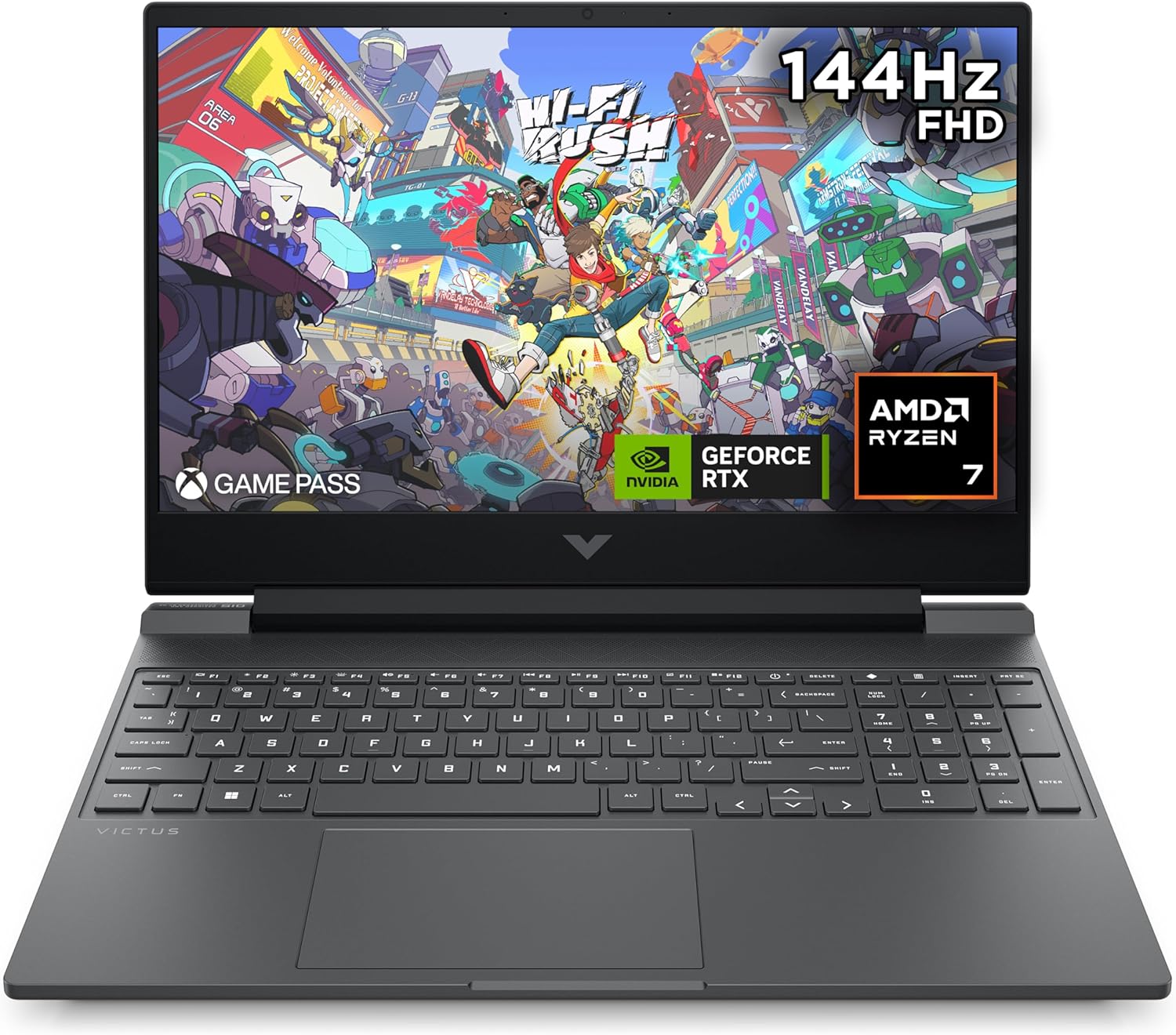
The HP Victus 15-fb3003sa is a mid-range gaming laptop that gets the fundamentals right at a segment where that’s harder than it sounds. An RTX 4050 paired with a Ryzen 7 7445H gives you genuine 1080p gaming capability — not pretend gaming, actual 60fps-plus on demanding titles. That’s the headline strength. The headline weakness? Battery life is genuinely poor under gaming load, and one buyer made it very clear the power lead doesn’t inspire confidence. If you need a laptop that untethers you from the wall while gaming, this isn’t it.
Under the lid you’ve got 16GB of DDR5 RAM, a 512GB SSD, a 15.6-inch IPS display running at 1920×1080 with a 144Hz refresh rate, and a 70Wh battery. The 144Hz panel is the spec that often gets ignored in this category — it makes a genuine difference to how smooth gaming feels compared to the 60Hz panels you’ll find on cheaper machines. The RTX 4050 carries 6GB of GDDR6 VRAM, which is sufficient for 1080p gaming at high settings on most current titles.
Buy this if you want a capable gaming machine for home use and you’re happy to keep it near a socket. Avoid it if you’re looking for something that doubles as a work laptop you can take to meetings or lectures and use off-charge all day. For context on where this sits in the wider landscape, our budget gaming laptops guide covers the full spectrum of options at this level.
See the HP Victus 15-fb3003sa listed on Amazon before reading further.
Pros and Cons
Pros
- RTX 4050 handles 1080p gaming at high settings — multiple buyers confirmed this on demanding titles including No Man’s Sky and World of Warcraft without lag
- 144Hz refresh rate gives noticeably smoother gameplay compared to standard 60Hz gaming panels in this bracket
- DDR5 RAM and a fast-booting SSD mean snappy load times — one buyer specifically noted how much quicker it feels versus an older Acer Nitro
- HP Fast Charge gets you from 0 to 50% in approximately 30 minutes — useful when gaming battery life forces you to top up quickly
- Anti-glare IPS panel reduces reflections in bright environments
- Wi-Fi 6 and Bluetooth 5.4 — current-generation wireless on both counts
Cons
- Battery life under gaming load is genuinely poor — one buyer reported roughly one hour, meaning this machine needs to stay plugged in during gaming sessions
- The power connector reportedly fits loosely, which is an irritation you don’t want on a machine that needs to be plugged in most of the time
- 62.5% colour gamut is on the lower end — the display is functional, not colour-accurate
Spec Breakdown
- Model: HP Victus 15-fb3003sa (BV3F8EA#ABU)
- CPU: AMD Ryzen 7 7445H, up to 4.7GHz, 6 cores, 16MB L3 cache
- RAM: 16GB DDR5
- Storage: 512GB SSD
- GPU: NVIDIA GeForce RTX 4050 (6GB GDDR6)
- Display: 15.6-inch IPS, 1920×1080, 144Hz, anti-glare, 300 nits, 62.5% colour gamut
- Battery: 70Wh, 4-cell lithium polymer, HP Fast Charge (0–50% in ~30 min)
- OS: Windows 11 Home
- Weight: 2.29kg
- Ports: 1× HDMI, Ethernet (10/100/1000Mbps), USB 3.2 Gen 1, headphone jack, memory card slot — 5 ports total
- Connectivity: Wi-Fi 6 (802.11ax), Bluetooth 5.4
- Keyboard: Full-size backlit keyboard with numeric keypad
- Camera: Front-facing webcam with built-in microphone
- Audio: Dual speakers with DTS:X Ultra
Hardware & Performance Reality Check
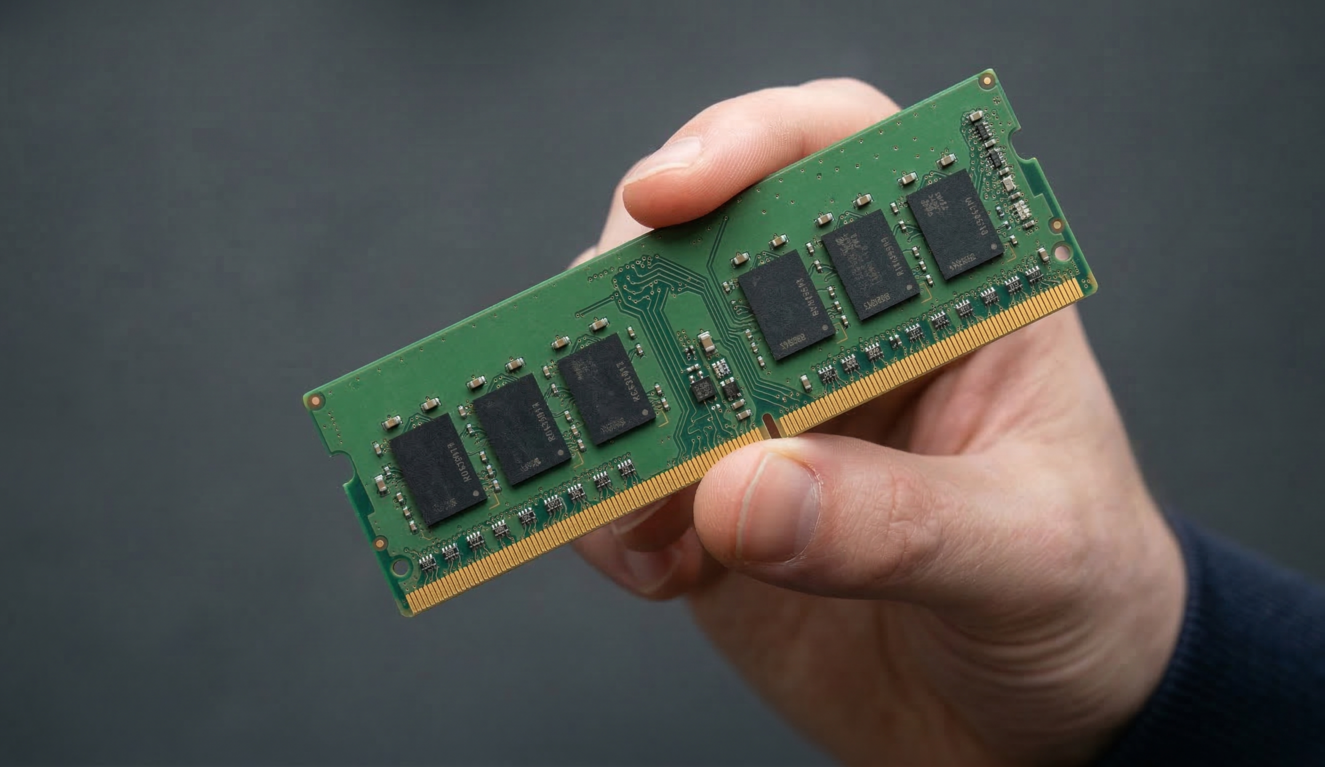
The Ryzen 7 7445H is a six-core chip clocked up to 4.7GHz — solid for gaming and competent for light content creation. It’s not the fastest chip in HP’s lineup, but it’s not a bottleneck for the RTX 4050 either. The 16GB DDR5 is where this machine shows its credentials: DDR5 at this price is still not guaranteed, and it makes a tangible difference to memory bandwidth during gaming and multitasking. What’s less clear from the available data is whether the RAM is soldered or runs on SODIMM slots — HP’s spec sheet doesn’t confirm this for this exact SKU, so if upgradeability matters to you, worth checking the Amazon Q&A section before committing. If you want to understand what these numbers mean in plain English, our laptop specs explained guide breaks it down without jargon.
The 512GB SSD is adequate for a gaming machine if you’re selective about what you install — modern AAA titles routinely eat 80–100GB each, so you’ll be managing storage more actively than you’d like. An external drive is a sensible companion purchase. The star of the show is the NVIDIA GeForce RTX 4050 with 6GB of GDDR6 VRAM. This is a proper dedicated GPU — not integrated graphics dressed up with a fancy name. At 1920×1080 resolution with a 144Hz panel, the RTX 4050 can realistically push high settings on most current titles and high-to-ultra on older or less demanding ones. AMD FreeSync support means screen tearing is managed when frame rates fluctuate. For a full picture of what to expect at this GPU tier, our performance benchmarks guide is worth a look.
In 2026 practical terms: student work and office tasks are handled without breaking a sweat. Programming is fine — nothing here will slow down an IDE. Video editing at 1080p is workable; 4K editing will push the GPU harder and you’ll notice it. Gaming at 1080p high settings is where this machine was designed to sit, and buyer feedback confirms it delivers. This is a mid-range machine doing mid-range things well — don’t expect it to be something it isn’t.
The thermal design includes an updated cooling system per HP’s own marketing, though the specifics aren’t independently verified here. One buyer noted the machine runs quietly — a promising signal, since RTX 4050 laptops can spin fans hard under sustained load. The OMEN Gaming Hub software gives you fan curve control and performance mode switching, which at least means you’re not stuck with whatever thermal profile HP ships by default.
Check the full spec sheet and buyer Q&As for the HP Victus 15-fb3003sa on Amazon.
Everyday Usability: Battery, Build & More
Battery life is the honest problem with this machine. The 70Wh pack sounds reasonable on paper — it isn’t, under gaming load. One buyer reported approximately one hour of battery life during gaming, which is consistent with what you’d expect from an RTX 4050 drawing meaningful power. For light tasks like browsing and document work, you’ll get substantially more than that, but if you bought this to game, expect a short leash. The Fast Charge feature at least means topping up doesn’t take all evening — 0 to 50% in around 30 minutes is genuinely useful damage limitation. The loose power connector one buyer mentioned is more concerning: a power lead that doesn’t seat securely on a machine you’ll be using plugged in constantly is an annoyance that shouldn’t exist at this level. Worth checking when yours arrives.

The display earns qualified praise. The IPS panel at 1920×1080 with a 144Hz refresh rate is genuinely good for gaming — smooth motion, decent viewing angles, anti-glare coating that works as advertised. The 300 nits brightness is enough for indoor use. The 62.5% colour gamut is the caveat: this is not a creative professional display. Colours look fine to most buyers, but if you’re colour-grading video or doing serious photo editing, you’ll need a better-calibrated external monitor. For a detailed breakdown of what these panel specs mean in practice, our display types guide covers the differences. The screen is non-touch — no ambiguity there. The backlit keyboard includes a numeric keypad, which is a practical addition for anything involving numbers. The full-size layout and backlighting are confirmed positives from multiple buyers. At 2.29kg, this isn’t a machine you’ll be carrying between lectures all day without noticing the weight — it’s a desk and sofa machine, not a commuter. Connectivity is solid: HDMI, Ethernet, USB 3.2 Gen 1, a headphone jack, and a memory card slot cover the practical bases. If you want the full picture on port specifications, our ports guide is worth a read. No Thunderbolt or USB-C charging is confirmed from the available data — worth verifying if either matters to you. The dual speakers with DTS:X Ultra tuning are a step above the flat audio on cheaper gaming laptops, though no buyer has commented specifically on audio quality.
Lifespan & Future-Proofing
HP’s Victus range uses plastic-predominant chassis construction — functional and reasonably sturdy for home use, but not built to the same durability standard as business-grade machines. Realistically, you’re looking at a four-to-five-year chassis lifespan with normal use. It won’t feel premium in your hands, but it shouldn’t fall apart either. The hinge and lid aren’t commented on by buyers, which is usually a good sign — people notice bad hinges.
On spec longevity: the RTX 4050 and Ryzen 7 7445H combination will handle 1080p gaming comfortably for three years and remain usable for a year or two beyond that at reduced settings. The DDR5 memory and fast SSD mean the everyday computing side of things stays snappy for longer. The 512GB storage is the limiting factor — you’ll hit that ceiling within a couple of years if you’re gaming regularly. If the storage runs on a replaceable M.2 slot (which is likely but not confirmed for this SKU), upgrading the drive is straightforward. The RAM guide explains why 16GB remains a sensible baseline for this class of machine. What you can’t change is the GPU — and at 6GB VRAM, future titles requiring 8GB will eventually push you into lower settings. That’s two to three years away for most games, not an immediate concern.
View current stock levels for the HP Victus 15-fb3003sa on Amazon.
What Buyers Are Saying (And Potential Dealbreakers)
The HP Victus 15-fb3003sa holds a rating of 4.4 out of 5 from 25 customer reviews on Amazon. Twenty-five reviews is a modest sample — enough to identify themes, but not enough to draw firm statistical conclusions. Treat the sentiment as directional rather than definitive.
The dominant theme across positive reviews is straightforward: it does what it says. Buyers running ETS, No Man’s Sky, and World of Warcraft on top graphics settings report smooth, lag-free gameplay. One buyer specifically compared boot times favourably against an older Acer Nitro. The keyboard backlighting gets repeated mentions as a practical plus. The overall build quality and screen quality draw genuine satisfaction from multiple buyers — nobody’s describing it as a disappointment on first use.
The dealbreaker is clearly flagged and worth taking seriously. One buyer’s experience of roughly one hour of gaming battery life, combined with a power connector that reportedly seats loosely, is a specific and consistent concern for a machine that needs to stay plugged in. This isn’t vague dissatisfaction — it’s a precise hardware complaint. If your gaming setup is at a fixed desk, this matters less. If you’re moving around with it, it matters a lot. One buyer who purchased it purely as a secondary machine noted it did the job without being special — honest feedback that calibrates expectations appropriately for buyers in a similar position.
Buyer Highlights
“It handles top graphics settings on No Man’s Sky and World of Warcraft with no lag or issues whatsoever.” — Direct confirmation from a buyer who games regularly on demanding titles.
“It loads up nearly instantly compared to my older Nitro — it’s super quiet too.” — Worth noting if you’re upgrading from an older gaming machine and expect a step up.
“Amazing graphics and speed — worth every penny.” — Consistent with the majority view from buyers who prioritise gaming over battery flexibility.
“Rubbish battery — only lasts one hour gaming, you have to keep it plugged in. The main lead also falls out easily.” — The clearest negative in the sample and a genuine dealbreaker for buyers who need untethered use.
“Great for gaming and recording and editing videos for my YouTube channel.” — Useful signal that light content creation alongside gaming is manageable on this hardware.
Who Should Buy It (And Who Shouldn’t)
Buy If
- You game primarily at a desk and the machine will stay plugged in — the RTX 4050 and 144Hz display deliver genuine 1080p gaming capability that earns its place in the gaming laptop conversation
- You want a gaming machine that also handles everyday tasks and light video editing without needing a separate work laptop
- You’re stepping up from an integrated-graphics machine or ageing gaming laptop and want a meaningful performance jump without going to the high end of the market
Avoid If
- You need a laptop that runs for more than an hour on battery during gaming — this machine needs a socket, full stop
- You’re a student or professional who needs a machine that can handle a full day of work away from the mains — the buying guide covers what to prioritise if battery life is a genuine requirement
- Colour accuracy matters for your work — the 62.5% gamut display is a gaming panel, not a creative one
The Bottom Line
The HP Victus 15-fb3003sa does one thing well: 1080p gaming at high settings, delivered by a competent RTX 4050 and Ryzen 7 pairing on a smooth 144Hz panel. Buyers who’ve put it through its paces on demanding titles confirm the hardware delivers. The battery is the problem — if you game, you plug in, no negotiation. The loose power connector one buyer flagged is worth checking on arrival. For a fixed desk gaming setup or a home machine that stays near a socket, this is a capable and well-specced option at its tier. For anything that needs genuine battery freedom, look elsewhere.
Browse the HP Victus 15-fb3003sa listing and current availability on Amazon.
At LaptopAdvisorOnline, our methodology is built on data transparency rather than simulated hands-on testing. We rigorously analyse official manufacturer specifications and aggregate verified customer sentiment to provide objective, fluff-free buying advice that helps you cut through the marketing jargon.
As an Amazon Associate, I earn from qualifying purchases.
Browse by Specification
Looking for something specific? Browse our analyses by hardware and feature:
[AMD Processor Laptops] — [Intel Processor Laptops] — [16GB RAM Laptops] — [32GB RAM Laptops] — [Dedicated Graphics] — [Long Battery Life] — [Lightweight Laptops] — [Student Laptops]
Browse by Screen Size
[13-inch Laptops] — [14-inch Laptops] — [15-inch Laptops] — [16-inch+ Laptops]