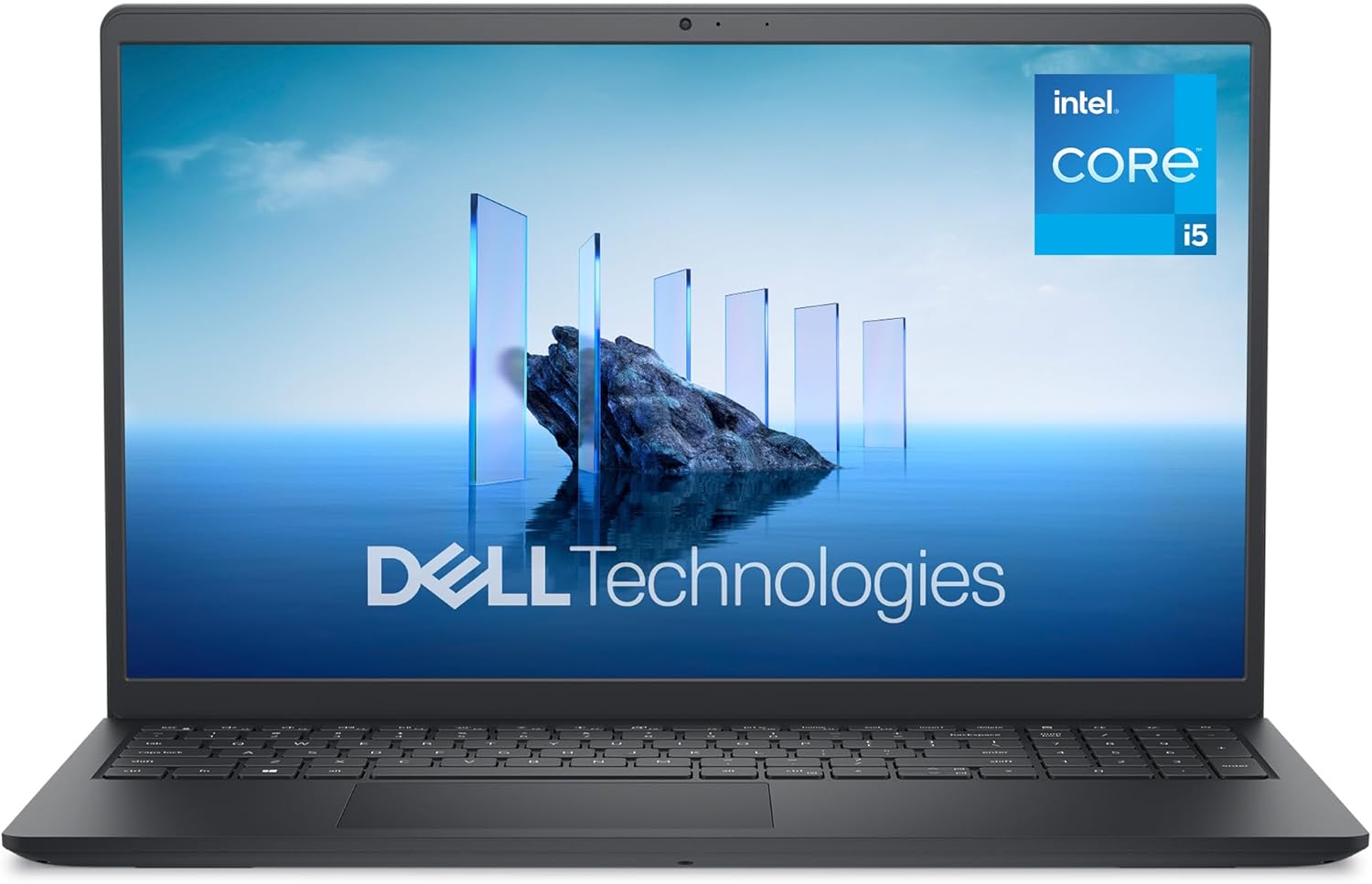
Dell 15 DC15250 Analysis: 120Hz Screen, Weak Battery
The Blunt Verdict
The Dell 15 DC15250 is a no-nonsense everyday laptop aimed squarely at people who need a capable Windows machine for work, study, or home use without anything complicated going on under the hood. It does that job competently. The Intel Core i5-1334U, 16GB of DDR4 RAM, and 512GB SSD form a sensible combination for the target audience, and a 120Hz display panel at this tier is a genuinely pleasant surprise. This is a budget option that mostly holds its own.
What this machine is not is future-proof, particularly expandable, or well-suited to anyone who needs to be away from a power socket for long stretches. The battery capacity is a modest 41Wh across 3 cells, and real-world reports confirm the pain there — multiple buyers flagged three hours or fewer on battery. The build quality also drew some criticism, with at least one reviewer reporting cheap plastic that creaked under normal use. That’s worth taking seriously.
If you’re after a desk-bound family computer or a study machine that mostly lives plugged in, the Dell 15 DC15250 delivers solid fundamentals at a fair ask. If you need to work untethered all day, or you’re putting serious workloads through it, look elsewhere. This is a mid-range contender in ambition but a budget build in execution — and it’s honest about that when you know what to look for.
See the Dell 15 DC15250 listing and current availability on Amazon.

Pros and Cons
Pros
- 120Hz refresh rate on a budget machine is a genuine differentiator — most competitors in this bracket are still stuck at 60Hz
- 16GB DDR4 RAM gives you breathing room for browser-heavy multitasking, spreadsheets, and running multiple apps simultaneously
- 512GB PCIe SSD means fast boot times and snappy app loading — no mechanical drive sluggishness to deal with
- Wi-Fi 6 support keeps wireless connectivity current and futureproofed for modern routers
- 1-year onsite Dell warranty with home/office callout is a meaningful differentiator over some rivals who make you ship the machine
- Numeric keypad included — useful for finance, data entry, and anyone coming from a desktop keyboard
Cons
- Battery life is genuinely poor — 41Wh capacity and real-world reports of under three hours make this laptop heavily dependent on mains power
- Build quality is a mixed bag — creaking plastic and a flimsy keyboard feel have been called out by buyers; not reassuring for daily transport
- RAM is maxed at 16GB with only one available memory slot and a listed maximum of 16GB — there is nowhere to go if your needs grow
Spec Breakdown
- Model: Dell 15 DC15250 (DDC15250-5551BLK-PGB)
- CPU: Intel Core i5-1334U, 13th Gen (Raptor Lake), 10 cores, 12 threads, up to 4.6GHz
- RAM: 16GB DDR4, 2666MHz — 1 slot, maximum 16GB
- Storage: 512GB PCIe M.2 SSD
- GPU: Intel UHD Graphics (integrated, shared memory)
- Display: 15.6-inch FHD (1920×1080), 120Hz, WVA, anti-glare matte coating, non-touch
- Battery: 41Wh, 3-cell
- OS: Windows 11 Home
- Weight: 1.62kg
- Ports: USB 3.2 Gen 1 Type-A, USB 3.2 Gen 1 Type-C, USB 2.0, HDMI 1.4, microSD reader, headset jack, power jack
- Connectivity: Wi-Fi 6, Bluetooth
- Keyboard: UK QWERTY, numeric keypad, non-backlit
- Camera: Front-facing webcam
- Biometrics: Fingerprint reader
- Dimensions: 35.9 × 23.6 × 1.9cm
Hardware & Performance Reality Check
The Intel Core i5-1334U is a 13th Gen U-series chip — efficient rather than outright fast. It’s a 10-core design (2 performance cores, 8 efficiency cores) with a boost clock of 4.6GHz, and it handles browser-heavy work, document editing, video calls, and light multitasking without complaint. Where it starts to groan is under sustained load — encoding, large spreadsheets with heavy formulas, running several demanding apps at once. For a detailed breakdown of what this class of chip actually delivers day-to-day, the CPU performance guide is worth a look. The 16GB of DDR4 at 2666MHz pairs well enough with it for everyday tasks — if you want to understand why RAM speed and capacity matter in practice, this RAM guide covers it plainly. One significant limitation: specs list a single memory slot with a maximum capacity of 16GB. You cannot upgrade this machine. What you buy is what you get, permanently.
The 512GB PCIe M.2 SSD is a solid choice at this tier — fast enough to boot Windows in seconds and keep apps feeling responsive. No mechanical drive means no spinning-disk lag. The GPU situation is less exciting: Intel UHD Graphics is integrated, sharing system memory rather than having dedicated VRAM. Streaming, web browsing, YouTube, and light photo editing are all fine. Anything with a 3D workload — even casual gaming beyond very old or very undemanding titles — isn’t realistic here. This is not a gaming machine by any measure.
In 2026 terms, this hardware sits squarely in everyday-task territory. For a student writing essays, a home user browsing and streaming, or an office worker running Word, Excel, and Teams, it holds up fine. Programming with lightweight tools (Python scripts, web dev with a code editor) is workable, though Node.js or Docker-heavy workflows will feel the pinch. Video editing at 1080p with basic cuts in DaVinci Resolve or CapCut is technically possible but slow on export. For anyone needing consistent sustained performance across complex tasks, check the performance benchmarks page before committing.
One connectivity note worth flagging directly: the USB-C port does not support DisplayPort Alt Mode according to buyer reports, and the HDMI port is version 1.4 rather than 2.0. That caps external monitor output at 60Hz regardless of the display you connect — frustrating if you’re expecting to benefit from the laptop’s own 120Hz panel when mirroring or extending to an external screen. If port configuration matters to your setup, the ports guide explains what to look for.
Check the full spec sheet and buyer Q&As for the Dell 15 DC15250 on Amazon.
Everyday Usability: Battery, Build & More
Battery life is the most significant daily-use weakness here and it needs saying plainly: a 41Wh battery is small for a 15.6-inch laptop in 2025. Dell claims ExpressCharge can hit 80% in an hour from powered-off or hibernate mode, which is useful if you have access to a socket — but that doesn’t solve the core problem of running out of charge mid-afternoon. Multiple buyers reported real-world figures of around three hours under normal use, which is consistent with what the battery capacity suggests. If you work from a fixed desk, this is manageable. If you’re a student carrying this between lectures or working from coffee shops, it’s a genuine daily frustration. The fan noise also came up in reviews — one buyer described it as very loud, and the i5-1334U does push its cooling system when under any meaningful load. Thermal management on thin budget chassis like this is often the weakest link, and the Dell 15 DC15250 appears to be no exception.

The display is a genuine highlight when viewed in isolation. A 1920×1080 matte anti-glare panel at 120Hz gives noticeably smoother scrolling and cursor movement compared to the 60Hz panels that dominate this segment — your eyes notice the difference even if you don’t consciously clock it. WVA panels sit between IPS and TN in terms of colour accuracy: better viewing angles than TN, slightly less punchy than true IPS, but perfectly acceptable for everyday use. For a deeper explanation of how panel types affect what you see, the display types guide is a useful reference. There is no touchscreen. Build quality feedback is split — most buyers report a fine machine out of the box, but at least one reported plastic creaking during normal handling, and the keyboard flex drew comment too. The keyboard is non-backlit, which Dell’s own product listing acknowledges. That’s fine in a bright room, less so in low light. The fingerprint reader is present and adds a small but appreciated login convenience. Webcam is front-facing but no resolution figure is confirmed in the spec data. Bluetooth and Wi-Fi 6 are both present. There is no Ethernet port, so wired network users will need a USB-C or USB-A adapter — worth factoring in if that affects your setup.
Lifespan & Future-Proofing
Chassis longevity is the harder question here. The Dell 15 DC15250 uses significant recycled plastic content — 30% in the palmrest, 50% in the bottom cover — which is commendable environmentally but doesn’t necessarily translate to durability. Budget plastic builds can last years without incident or develop creaks, flex, and fatigue within twelve months depending on how the machine is handled. Based on the buyer feedback available, the build sits somewhere in the middle: solid enough for home use on a desk, less reassuring if it’s going in a bag every day. Dell’s 1-year onsite warranty is a meaningful safety net in that first year, but after that you’re on your own with a chassis that may not age gracefully under daily transport stress.
On the spec side, 16GB DDR4 and the i5-1334U will handle everyday tasks comfortably through 2026 and likely 2027 for the typical use case — browsing, streaming, documents, light productivity. Beyond that, Windows feature updates and increasingly demanding browser tabs will start to apply pressure. The single biggest issue is that there is no upgrade path whatsoever. The RAM is at its hardware ceiling with one slot and a 16GB maximum. The SSD is the only component you might realistically swap if the drive fails, but storage expansion is otherwise limited. If your needs grow — more complex software, larger files, heavier multitasking — this machine cannot grow with you. You’d be replacing it rather than upgrading it, typically within three to five years for anyone with evolving demands. For those with stable, modest requirements, it’ll run longer without feeling the strain. If you want to understand what specs actually matter for longevity before buying anything, the buying guide is a sensible place to start.
View current stock and availability for the Dell 15 DC15250 on Amazon.
What Buyers Are Saying (And Potential Dealbreakers)
The Dell 15 DC15250 holds a rating of 4.3 out of 5 from 79 customer reviews on Amazon UK. That’s a reasonable sample size — enough to identify patterns, though not enough to be definitive. The overall picture is positive with a clear set of recurring complaints from a minority of buyers.
The majority of reviewers are satisfied home users, family purchasers, and people upgrading from ageing machines. Setup ease comes up repeatedly — non-technical buyers found it straightforward to get running. Speed relative to older laptops they’d replaced also draws consistent praise, which is expected given the PCIe SSD and the jump from older processors. The Dell brand name carries weight with this audience too; several buyers specifically cited brand confidence and the onsite warranty as decision factors.
The recurring complaints cluster around two things: battery life and build quality. Battery frustration was flagged by multiple buyers independently — three hours of real-world use was mentioned explicitly. One buyer also flagged the fan noise as unusually intrusive and plastic quality as below expectations, describing the chassis as feeling cheap to handle. That’s a single review but it’s specific and detailed, which tends to carry more weight than vague praise. The non-backlit keyboard was noted by at least one buyer as not matching the product description they’d seen, though they considered it a minor issue in practice. For anyone who regularly types in low light, it’s worth confirming expectations before purchase.
Buyer Highlights
“It’s a great general purpose laptop, well built in most respects — though the keyboard does feel a bit flimsy.” — Keyboard flex appears to be a known quirk rather than a showstopper for most buyers.
“Battery life is really disappointing — three hours maximum, which is actually less than my old Lenovo gave me.” — Consistent across multiple buyers, so treat this as a confirmed limitation rather than a one-off complaint.
“Once I got rid of all the pre-installed garbage apps it runs very well indeed.” — Bloatware on Dell consumer machines is a known quantity; factor in twenty minutes of cleanup on first setup.
“We upgraded two laptops to Windows 11 and have been very pleased with the quality and ease of use.” — Reassuring feedback from buyers making a deliberate platform switch rather than passive upgraders.
“The fan is very loud and the plastic feels cheap — it creaks when you move it around, which was a real disappointment.” — A minority view, but a specific one. Worth reading before buying if build quality is a priority for you.
Who Should Buy It (And Who Shouldn’t)
Buy If
- You primarily use a laptop at a desk or table and aren’t relying on battery to get through a full day away from a socket
- Your workload is everyday computing — web browsing, email, Word, Excel, video calls, and streaming — and you want a reliable name-brand machine with an onsite warranty
- You’re a student or home user coming off a much older machine and want a noticeable speed improvement without complication
- The 120Hz display matters to you — scrolling and general UI responsiveness feel meaningfully smoother than the 60Hz alternatives competing at this tier
Avoid If
- You need reliable all-day battery life away from a charger — three hours under normal use is not workable for a full day of lectures, meetings, or mobile work
- You expect your computing needs to grow over time and want a machine you can upgrade — there is no RAM expansion path and the hardware ceiling is fixed at purchase
- You’re planning to connect an external monitor at higher than 60Hz — HDMI 1.4 and no DisplayPort over USB-C closes that door regardless of what monitor you own
The Bottom Line
The Dell 15 DC15250 is a competent everyday laptop that earns its place in the budget tier without pretending to be more than it is. The 120Hz display and Wi-Fi 6 are genuine strengths that punch above the price point. The battery life is the machine’s defining weakness and it’s not a small one — three hours is hard to work around if you’re not near a socket. Build quality sits in the acceptable-to-mediocre range depending on your luck and handling habits. If you need a desk-bound home or family computer, a study machine that stays plugged in, or a straightforward Windows 11 upgrade from something ancient, this does the job. If you need portability, upgradeability, or serious sustained performance, this is the wrong machine.
Find the Dell 15 DC15250 on Amazon and read the latest buyer questions and answers.
At LaptopAdvisorOnline, our methodology is built on data transparency rather than simulated hands-on testing. We rigorously analyse official manufacturer specifications and aggregate verified customer sentiment to provide objective, fluff-free buying advice that helps you cut through the marketing jargon.
As an Amazon Associate, I earn from qualifying purchases.
Browse by Specification
Looking for something specific? Browse our analyses by hardware and feature:
[AMD Processor Laptops] — [Intel Processor Laptops] — [16GB RAM Laptops] — [32GB RAM Laptops] — [Dedicated Graphics] — [Long Battery Life] — [Lightweight Laptops] — [Student Laptops]
Browse by Screen Size
[13-inch Laptops] — [14-inch Laptops] — [15-inch Laptops] — [16-inch+ Laptops]