

The market for professional laptops has become genuinely crowded in a way that makes comparison harder, not easier. Every machine in this bracket claims to be the ideal choice for the modern professional. Most of them are not lying — they are simply optimising for different kinds of professional, and the differences between them matter considerably more than any marketing summary will tell you.
This guide covers seven machines across the professional laptop bracket. All of them are among the best professional laptops UK buyers can currently find at their respective price points and use-case niches. None of them are the right choice for everyone, and the trade-offs each one demands are named plainly. If you are new to the buying process and want to understand what the processor naming conventions, display specifications, and connectivity standards actually mean before reading further, the Laptop Buying Guide UK provides that grounding first.
The Machines — Specifications at a Glance
| Machine | CPU | RAM | Storage | Display | Weight | Score |
|---|---|---|---|---|---|---|
| LG gram 15Z80T | AMD Ryzen AI 7 350 | 16GB | 1TB | 15.6″ FHD IPS | 1.29kg | 7.9/10 |
| Dell 16 DC16256 | AMD Ryzen AI 7 350 | 32GB DDR5 | 1TB | 16″ 2K IPS Touch | 1.85kg | 8.0/10 |
| HUAWEI MateBook X Pro | Intel Core Ultra 9 185H | 32GB | 2TB | 14.2″ 3.1K OLED 120Hz | 0.98kg | 8.1/10 |
| Samsung Galaxy Book5 Pro 360 | Intel Core Ultra 7 256V | 16GB | 1TB | 16″ AMOLED 3K 120Hz Touch | 1.67kg | 8.4/10 |
| Dell XPS 13 9350 | Intel Core Ultra 7 258V | 32GB | 1TB | 13.4″ FHD+ 120Hz | 1.20kg | 8.7/10 |
| Lenovo ThinkPad P14s Gen 5 Intel | Intel Core Ultra 7 155H | 32GB DDR5 | 1TB | 14.5″ 3K 120Hz IPS | 1.46kg | 8.9/10 |
| Apple MacBook Pro 14 M5 | Apple M5 10-core | 16GB | 512GB | 14.2″ Liquid Retina XDR | 1.55kg | 9.1/10 |
How We Score Professional Laptops
Each laptop receives a score out of ten based on six weighted criteria. Performance — how the machine handles sustained professional workloads, backed by independent benchmark data from NotebookCheck, LaptopMedia, and Tom’s Hardware, not manufacturer claims. Value for money — what the specification and quality level delivers relative to the asking price in its category. Build quality — chassis rigidity, hinge quality, and long-term durability. Display quality — brightness, colour accuracy, panel type, and resolution. Battery life — real-world figures from independent testing, not manufacturer claims. Port selection and connectivity — whether the machine handles the peripherals and workflows professional use demands.
No laptop on this list was selected because a manufacturer paid for placement. Affiliate relationships with Amazon do not influence scores or rankings.
#7 — LG gram 15Z80T | 7.9/10
The most underrated machine in this guide — featherweight portability in a 15-inch form factor
The LG gram 15Z80T is the most underrated machine in this entire guide. At 1.29kg, it is the lightest 15-inch professional laptop available in the UK market — and by a meaningful margin. Most 15-inch machines sit between 1.7 and 2.1kg. The gram achieves its weight reduction through magnesium alloy chassis engineering rather than compromised rigidity, and the MIL-STD-810H military-grade certification covers 15 durability tests including shock, vibration, altitude, and temperature variance. For a professional who needs a 15-inch screen but cannot accept the weight penalty of conventional 15-inch machines, there is simply no equivalent at this price point.
The AMD Ryzen AI 7 350 is AMD’s current-generation Zen 5 chip with a 50 TOPS NPU — it qualifies for Windows Copilot+ AI features and delivers solid productivity performance in single-threaded and moderate multi-threaded workloads. LaptopMedia’s testing of Ryzen AI 7 350 machines places real-world battery life in the 9 to 12-hour range under professional mixed use, which is adequate for a full working day. The 72Wh battery is a reasonable cell size for the chassis.
The display is the area where the gram 15Z80T trails every other machine in this guide. The 15.6-inch FHD IPS anti-glare panel is not a 2K or OLED panel — it is a functional productivity display rather than a premium one. For document work, browser-based workflows, and video calls, it is entirely adequate. For design review, precise colour work, or high-resolution visual content, the limitation is real. The 16GB of RAM also compares unfavourably with the 32GB available on the Dell 16 at a similar price — if you run memory-intensive applications, this is worth considering.
What the gram 15Z80T does that no other machine in this guide can match is put a 15-inch screen in a bag without the weight announcement. For daily commuters, frequent flyers, and professionals for whom the 15-inch real estate is genuinely needed but 1.85kg is genuinely too heavy, this machine is the correct answer.
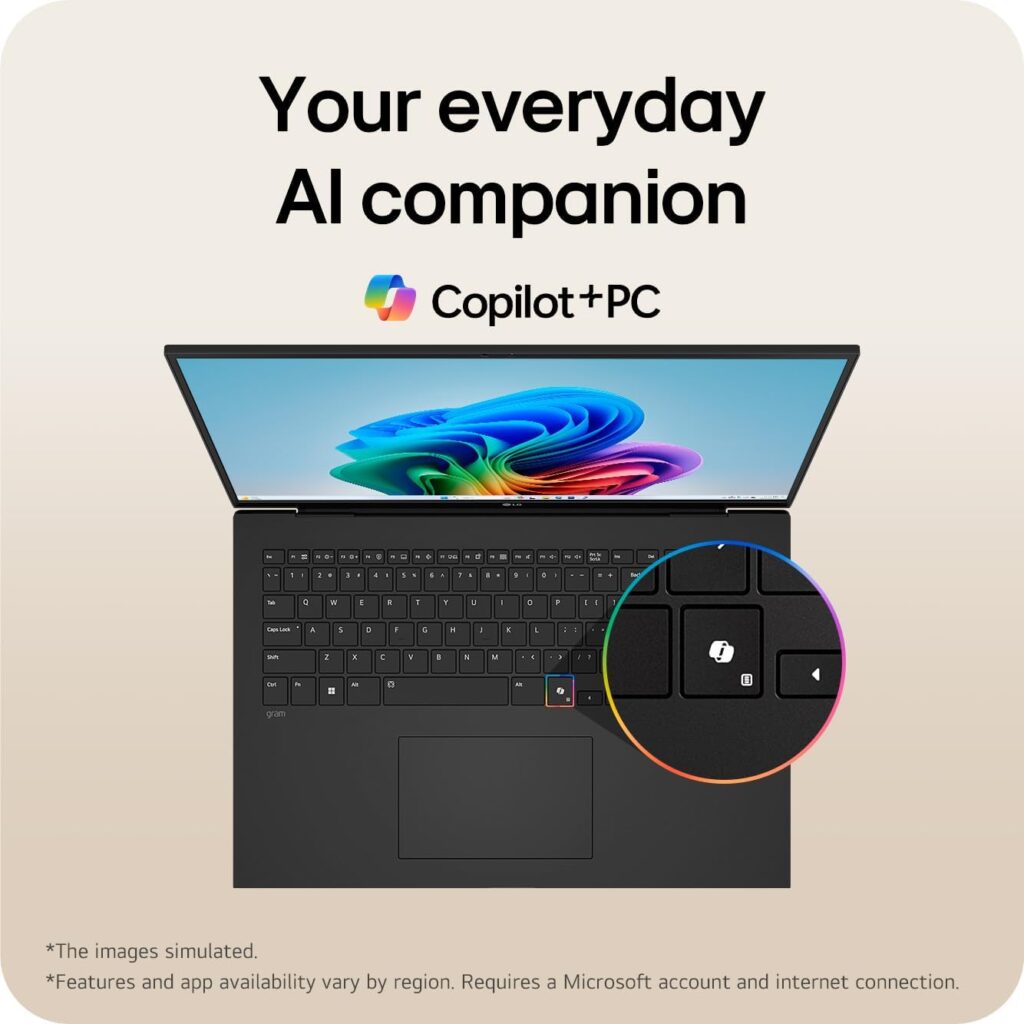
Specs: AMD Ryzen AI 7 350, AMD Radeon 860M | 16GB LPDDR5 | 1TB SSD | 15.6″ FHD 1920×1080 IPS Anti-glare | 1.29kg | Wi-Fi 6E | Copilot+ | MIL-STD-810H | Windows 11 Home
Score: 7.9/10
Pros:
- Lightest 15-inch professional laptop available in the UK at 1.29kg
- MIL-STD-810H military-grade durability certification
- Ryzen AI 7 350 with Copilot+ AI feature support
- Wi-Fi 6E — a step above many machines at this price
- Full-day battery life in real-world mixed professional use
Cons:
- 15.6″ FHD IPS display — functional but not premium, no 2K or OLED option
- 16GB RAM — trails the 32GB available on the Dell 16 at a comparable price
- AMD Radeon 860M integrated graphics — adequate for productivity, not for GPU-accelerated work
- Windows 11 Home — not Pro; no domain join or enterprise management features
Best for: Daily commuters and frequent travellers who specifically need a 15-inch screen and cannot carry 1.8kg or more.

- Hybrid AI laptop with 15.6-inch large screen and 15.4mm thin & 1,290g lightweight body
- Experience Hybrid AI that combines cloud and on-device AI to deliver professional results, enhanced by the powerful capabilities of the Copilot+ PC and gram AI for elevated productivity
- Powered by AMD Ryzen AI 7 Processor with up to 50TOPS NPU, the LG gram delivers exceptional performance for professional-grade graphics work and video editing
#6 — Dell 16 DC16256 | 8.0/10
Excellent large-screen value — honest about what it is not
The Dell 16 DC16256 is the best professional laptop UK buyers can find if the requirement is a well-specified large-screen machine at the more accessible end of this price bracket. At this specification — 32GB DDR5, 1TB SSD, and a 16-inch 2K 16:10 IPS touchscreen — it delivers meaningfully more than many machines in the professional tier that cost considerably more.
The AMD Ryzen AI 7 350 is the same current-generation chip as the LG gram above, with 50 TOPS NPU for Copilot+ AI certification. NotebookCheck’s benchmark data on the Ryzen AI 7 350 shows it trading blows with Intel’s Lunar Lake Core Ultra 7 in most real-world productivity tasks, with AMD slightly ahead in sustained multi-threaded scenarios. The 16-inch 2K 16:10 IPS touchscreen is a better display than many competitors provide at higher price points — the 16:10 aspect ratio gives noticeably more vertical screen space for document work than the more common 16:9 panels. MIL-STD-810H certification is present, which is unusual and welcome at this end of the range.
Two specifications deserve clear mention. Wi-Fi 6 rather than Wi-Fi 7 is present — in most current UK office and home environments the practical difference is minimal, but over a five-plus year ownership period this is worth knowing. Windows 11 Home rather than Pro is included; if your workplace requires Pro for domain join, BitLocker management, or enterprise device policies, factor in the upgrade cost.
This machine has a clearly defined ceiling. It is not suited to video production, engineering simulation, large-scale data processing, or any GPU-accelerated professional work. For the actual reality of many professional working days — browser, email, documents, spreadsheets, video calls — it is genuinely well-specified and reliable. The large screen adds real working space for multitasking without the portability compromise that would concern a frequent traveller.
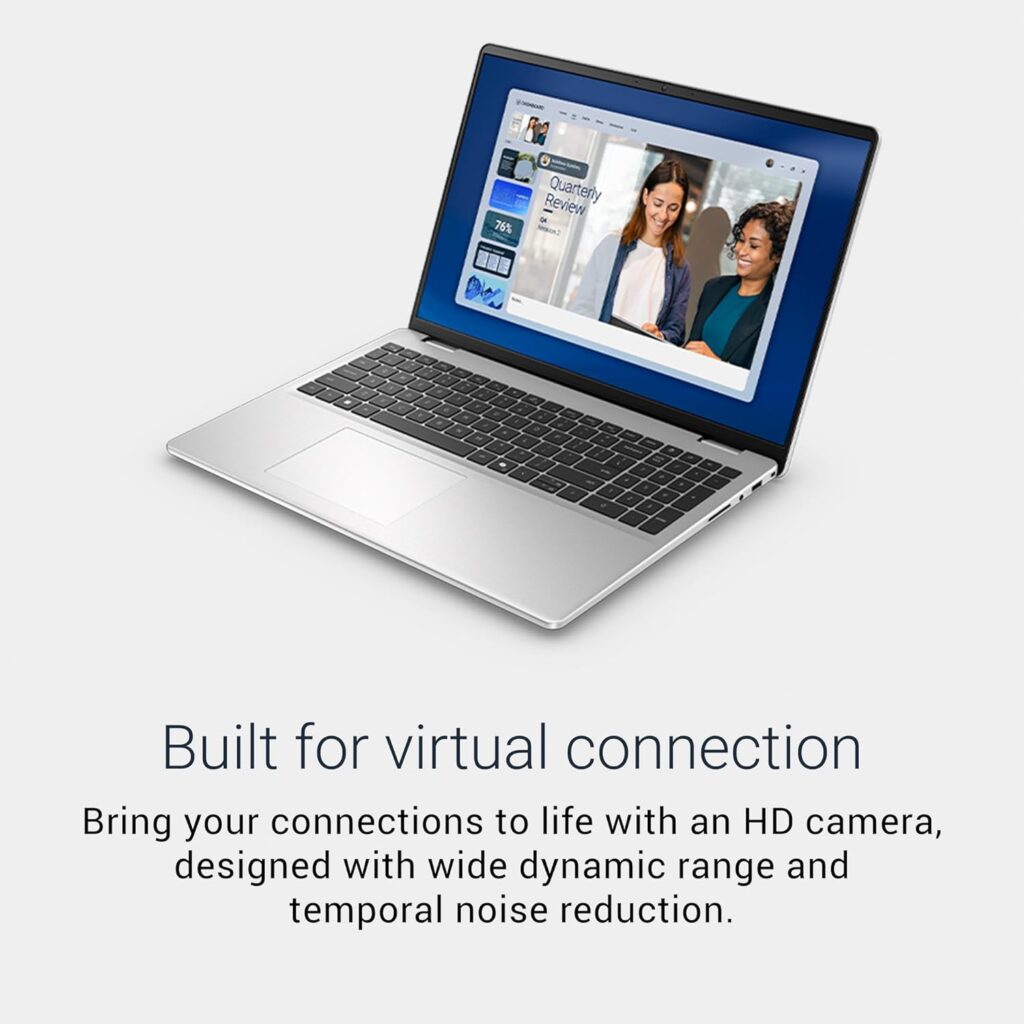
Specs: AMD Ryzen AI 7 350, AMD Radeon 860M | 32GB DDR5 | 1TB SSD | 16″ 2K 16:10 IPS Touchscreen | 1.85kg | Wi-Fi 6 | Copilot+ | MIL-STD-810H | Windows 11 Home
Score: 8.0/10
Pros:
- 32GB DDR5 RAM — properly specified for demanding multitasking
- 16″ 2K 16:10 IPS touchscreen — excellent display for the price
- Ryzen AI 7 350 with Copilot+ AI certification
- MIL-STD-810H durability — unusual at this price point
- Spacious 16-inch working area without excessive bulk
Cons:
- Wi-Fi 6 only — not Wi-Fi 7
- Windows 11 Home — not Pro
- 1.85kg — not a portable machine
- No discrete GPU — not suited to GPU-accelerated workloads
Best for: Professionals with primarily productivity-based workflows who want a well-specified large-screen machine without stretching to the premium tier.

- LARGE AND BRIGHT DISPLAY 16-inch 2K (1920×1200) WVA IPS anti-glare screen with 300 nits brightness and ComfortView delivers sharp, vibrant visuals for work, streaming, and study.
- HIGH-PERFORMANCE AMD PROCESSOR Powered by AMD Ryzen 7 350 processor with 8 cores (up to 5.0 GHz) and AMD Radeon Graphics, ensuring smooth multitasking, productivity, and multimedia experiences.
- EXPANSIVE MEMORY AND STORAGE 32GB DDR5 RAM and 1TB PCIe NVMe SSD provide ultra-fast boot times, efficient multitasking, and plenty of space for large files and projects.
#5 — HUAWEI MateBook X Pro | 8.1/10
An exceptional personal ultrabook — two important caveats before you continue
Before discussing the MateBook X Pro’s considerable strengths, two things need to be stated plainly and early.
Enterprise and government use: Huawei devices are subject to procurement restrictions in UK government departments and a number of regulated enterprise IT environments, due to ongoing NCSC guidance and the company’s relationships with Chinese state entities. This does not reflect on the laptop’s hardware quality, but if you are purchasing this for use in a government role, a regulated industry, or an organisation with a managed device policy, check your IT department’s approved device list before committing. For personal professional use, this is not an issue.
Processor generation: The Intel Core Ultra 9 185H is a Meteor Lake Series 1 chip from 2023, not the current Lunar Lake Series 2 generation. At this price point, you are paying partly for the chassis engineering and display quality rather than the newest silicon. The 185H is a capable 45W processor that performs well in sustained multi-threaded workloads, but its efficiency per watt is meaningfully behind the Lunar Lake chips in the XPS 13 and Galaxy Book5 Pro 360 below. Expect 8 to 11 hours of real-world battery life from the 60Wh cell under professional mixed use — honest rather than exceptional, and behind what the Lunar Lake machines in this guide deliver.
With both caveats stated plainly: the MateBook X Pro is a genuinely outstanding piece of hardware. At 980g it is the lightest machine in this entire guide, lighter than the MacBook Pro 14, lighter than the XPS 13. The 14.2-inch 3.1K flexible OLED display at 120Hz is beautiful — deep blacks, accurate colour, and a panel that TechRadar’s review describes as one of the finest available on any ultrabook. The chamfered magnesium alloy chassis is among the most impressive engineering on any laptop at any price. The 2TB SSD is generous at this tier and useful for professionals who maintain large local file stores.
If you are buying this for personal professional use, you are unconcerned with enterprise policy, and prestige build quality with a 3.1K OLED in a sub-1kg form factor is worth the premium — eyes open on battery life relative to the Lunar Lake alternatives.
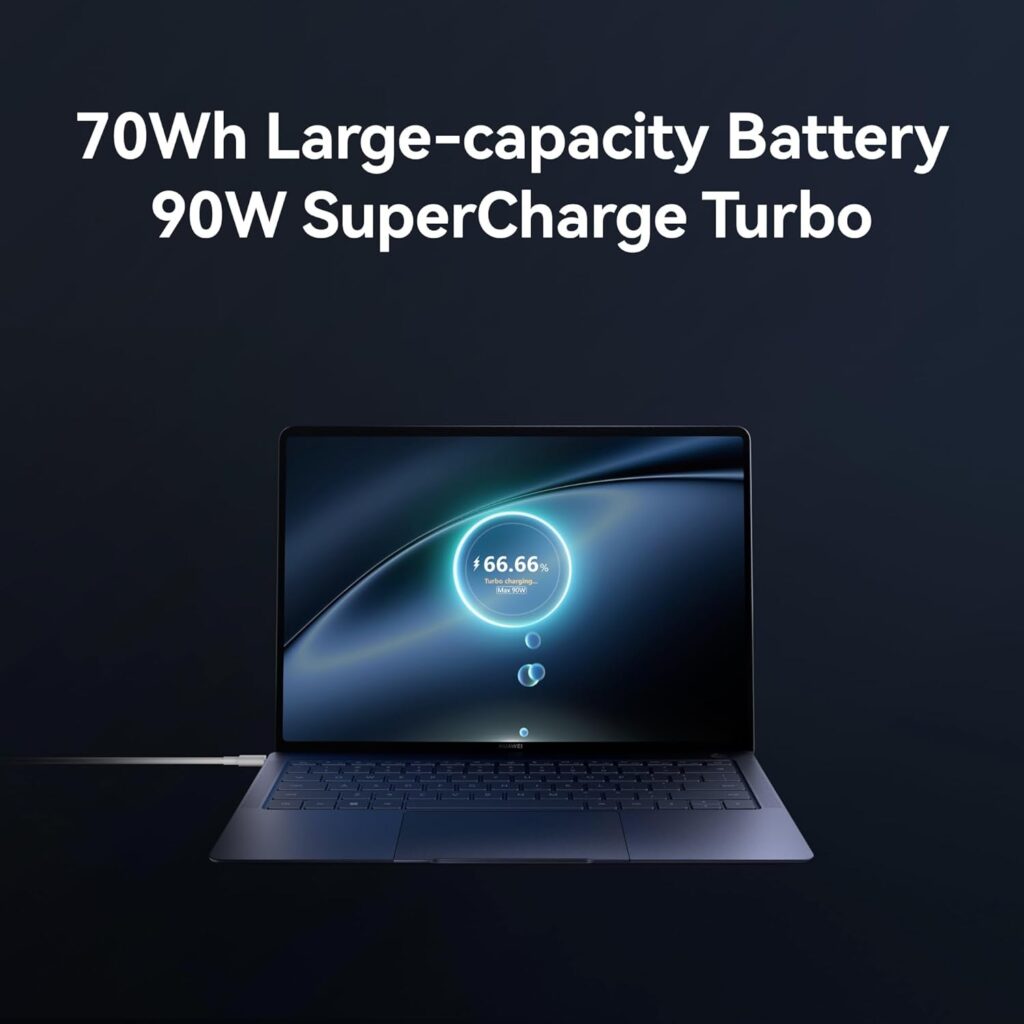
Specs: Intel Core Ultra 9 185H (Meteor Lake, Series 1) | 32GB LPDDR5 | 2TB SSD | 14.2″ 3.1K OLED Flexible 120Hz | 0.98kg | Wi-Fi 6E | Windows 11 Pro
Score: 8.1/10
Pros:
- Lightest machine in this guide at 980g
- 14.2″ 3.1K OLED display — among the finest panels on any ultrabook
- 2TB SSD — generous local storage at this tier
- Windows 11 Pro included
- Exceptional build quality — chamfered magnesium alloy chassis
- 32GB RAM
Cons:
- Core Ultra 9 185H is a 2023-generation chip — not current Lunar Lake architecture
- Battery life 8–11 hours — behind Lunar Lake machines in this guide
- Huawei enterprise procurement restrictions apply in some UK environments
- Wi-Fi 6E — not Wi-Fi 7
- No Thunderbolt 4
Best for: Personal-use professionals who prioritise build quality and portability above all, and for whom the enterprise caveats do not apply.
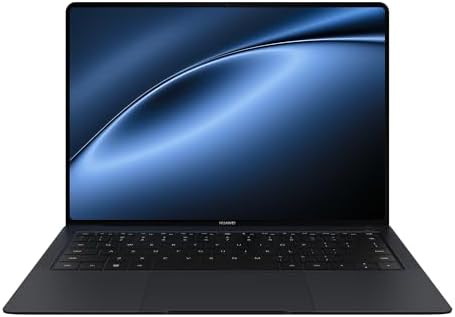
- 【980 g Ultralight】 MateBook X Pro’s Skyline Design offers an innovative design approach, with its 18° inscribed curves along the edges. It’s as easy to hold with one hand as it is to marvel at, and as effortless to store as it is to stare at!
- 【Intel Core Ultra 9 Processor】 Powered by the Intel Core Ultra 9 processor and Intel Arc Graphics, this sleek marvel boasts 32 GB of memory and a whopping 2 TB SSD, making intensive tasks a breeze. And with the 40 W TDP release, you can ramp up performance to meet your needs.
- 【3.1K Flexible OLED Display】 The 14.2-inch flexible OLED Real Colour Display with a screen-to-body ratio 93% brings you a wide immersive view. 120 Hz high refresh rate works with 3.1K high resolution, gives you a clearer perspective for your work and daily needs. And with its TÜV Rheinland Eye Comfort 3.0 Certification, it ensures a soothing experience for your eyes.
#4 — Samsung Galaxy Book5 Pro 360 | 8.4/10
The best professional convertible in the UK — with a build quality issue you need to know about
The Samsung Galaxy Book5 Pro 360 occupies a specific and well-defined niche: the best Windows convertible for professionals who regularly present, annotate, or sketch as part of their working day. The combination of a 16-inch 3K AMOLED touchscreen, a 360-degree hinge, and an included S Pen is a package that suits architects, designers, consultants presenting client-facing material, and any professional whose work benefits from handwritten annotation directly on screen.
The display is the strongest in this entire guide on a pure colour and contrast basis. AMOLED’s per-pixel illumination, deep blacks, and high colour volume make this panel visibly superior to every IPS alternative in this guide for content review, design work, and presentation use. Battery life testing is exceptional for a 16-inch machine — Trusted Reviews recorded 17 hours and 45 minutes, TechRadar reached over 20 hours in looped video playback, and Consumer Reports measured over 16 hours of light browsing. The Intel Core Ultra 7 256V is Lunar Lake Series 2 — current-generation architecture with the efficiency advantages that delivers.
There is a build quality issue that must be stated plainly. Multiple Samsung community forum reports and verified Amazon UK buyer reviews document instances of the AMOLED display cracking under what users describe as normal transport and use, without obvious physical impact. This appears to be a consequence of how thin the chassis is relative to the screen size. Samsung’s warranty response has been inconsistent across reported cases. Major publications including PCWorld, TechRadar, and Trusted Reviews have reviewed this machine positively — this is not a universal failure. But at this price point, the pattern is real enough to name directly. If you carry your laptop in a bag with other items, invest in a padded sleeve. If your role involves frequent travel with a tightly packed bag, weigh this carefully.
RAM is 16GB at this specification level. For the convertible creative and presentation use case this machine serves, 16GB is generally adequate. For heavier creative production workflows — large video timelines, extensive Photoshop files, virtual machines — it is a limitation worth acknowledging.
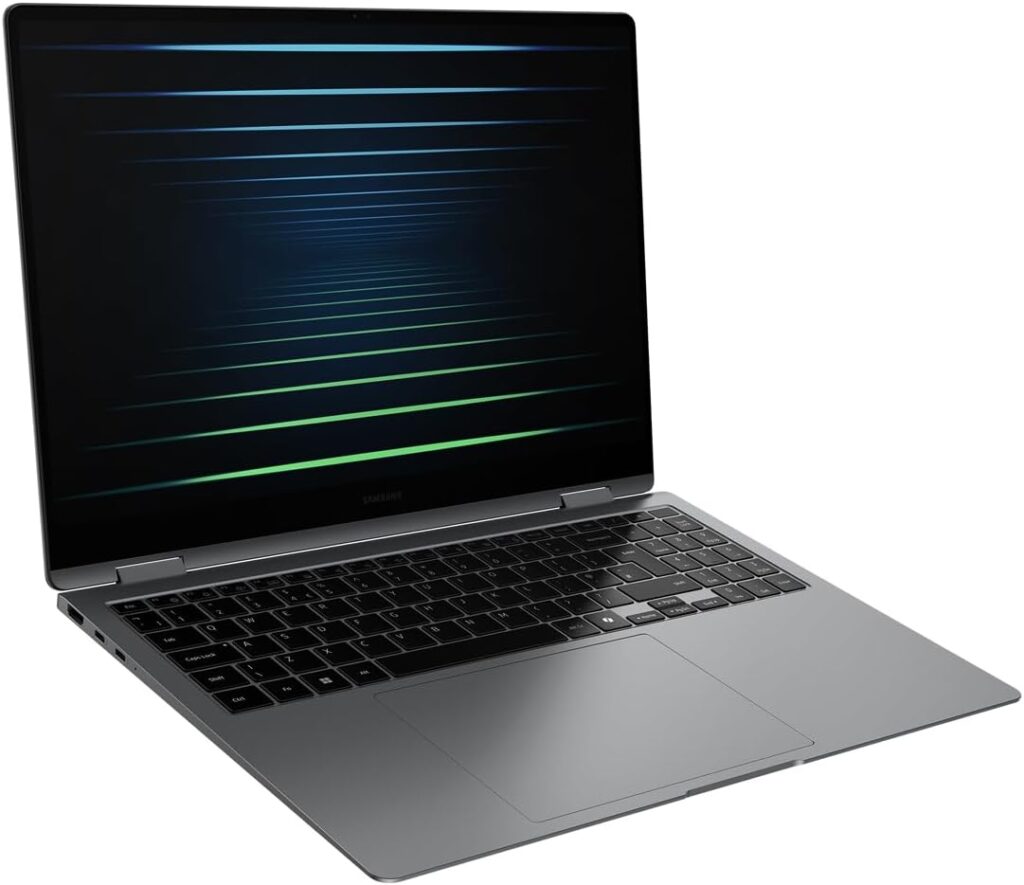
Specs: Intel Core Ultra 7 256V (Lunar Lake, Series 2) | 16GB LPDDR5X | 1TB SSD | 16″ Dynamic AMOLED 2X 3K 120Hz Touch + S Pen | 1.67kg | Wi-Fi 7 | Thunderbolt 4 | Windows 11 Home
Score: 8.4/10
Pros:
- Best display in this guide — 16″ 3K AMOLED, outstanding colour and contrast
- Exceptional battery life for a 16-inch machine — 17 to 20 hours independently tested
- S Pen included — genuine value for annotation and creative professionals
- 360-degree hinge — versatile presentation and creative modes
- Wi-Fi 7 and Thunderbolt 4
- Lunar Lake Series 2 efficiency
Cons:
- Display cracking under normal use reported by multiple verified buyers — handle with care
- 16GB RAM — limiting for heavy creative production workloads
- Windows 11 Home — not Pro
- Samsung’s warranty response to screen damage has been inconsistent
Best for: Design professionals, architects, and consultants who present, annotate, and sketch regularly; Samsung ecosystem users who benefit from deep cross-device integration.

- Performance meets intelligence: The Galaxy Book5 Pro 360, powered by the Intel Core Ultra 7 processor Series 2 and its 47 TOPS NPU, redefines what’s possible with blazing-fast speeds and intelligent AI ¹ ² ³
- Stay powered with all-day battery: Enjoy up to 25 hours of video playback with long-lasting 76Wh battery, Power up quickly with the compact fast charger, reaching 35% in just 30 minutes ⁴ ⁵ ⁶ ⁷
- See, touch, create: Enjoy vivid colours, smooth motion, and reduced reflections on the 16″ Dynamic AMOLED 2X touchscreen with Corning Gorilla Glass with DX, Use included S Pen for precise navigation⁸ ⁹ ¹⁰
#3 — Dell XPS 13 9350 | 8.7/10
The finest portable daily driver in the Windows world
The Dell XPS 13 9350 is the best professional laptop UK buyers can find when portability and battery life are the primary constraints. At 1.2kg it is among the lightest 13-inch professional machines available. The Intel Core Ultra 7 258V is Intel’s Lunar Lake Series 2 chip — the same generation as the Samsung Galaxy Book5 Pro 360, but applied here to a more compact form factor and smaller display, producing outstanding efficiency results.
Independent battery life testing is consistently strong. TechRadar’s review recorded the XPS 13 9350 outperforming the Samsung Galaxy Book5 Pro 360 on battery despite the latter’s larger 76Wh cell — a direct consequence of Lunar Lake’s efficiency paired with a smaller panel. Tom’s Hardware and HotHardware testing consistently placed real-world mixed-use battery life at 15 to 20 hours. For Windows professionals who want MacBook-comparable battery performance without the macOS commitment, this is the machine that gets closest.
The 13.4-inch FHD+ display at 500 nits is honest professional brightness — genuinely usable outdoors in UK conditions. It is not an OLED panel, and colour volume is behind AMOLED alternatives in this guide, but 500 nits on a 120Hz IPS panel is a practical display for daily professional work. The build quality is premium — the machined aluminium chassis is in the same conversation as the MacBook Pro for construction quality among Windows machines.
The XPS 13’s most important caveat is screen real estate. At 13.4 inches, professionals who work with multiple windows simultaneously — document comparison, spreadsheet review, design work — will notice the constraint. A good external monitor resolves this entirely when desk-based. Connectivity is Thunderbolt 4 only — there are no native USB-A ports, requiring a dongle or hub for legacy devices. 32GB RAM and 1TB storage are properly specified for this tier.
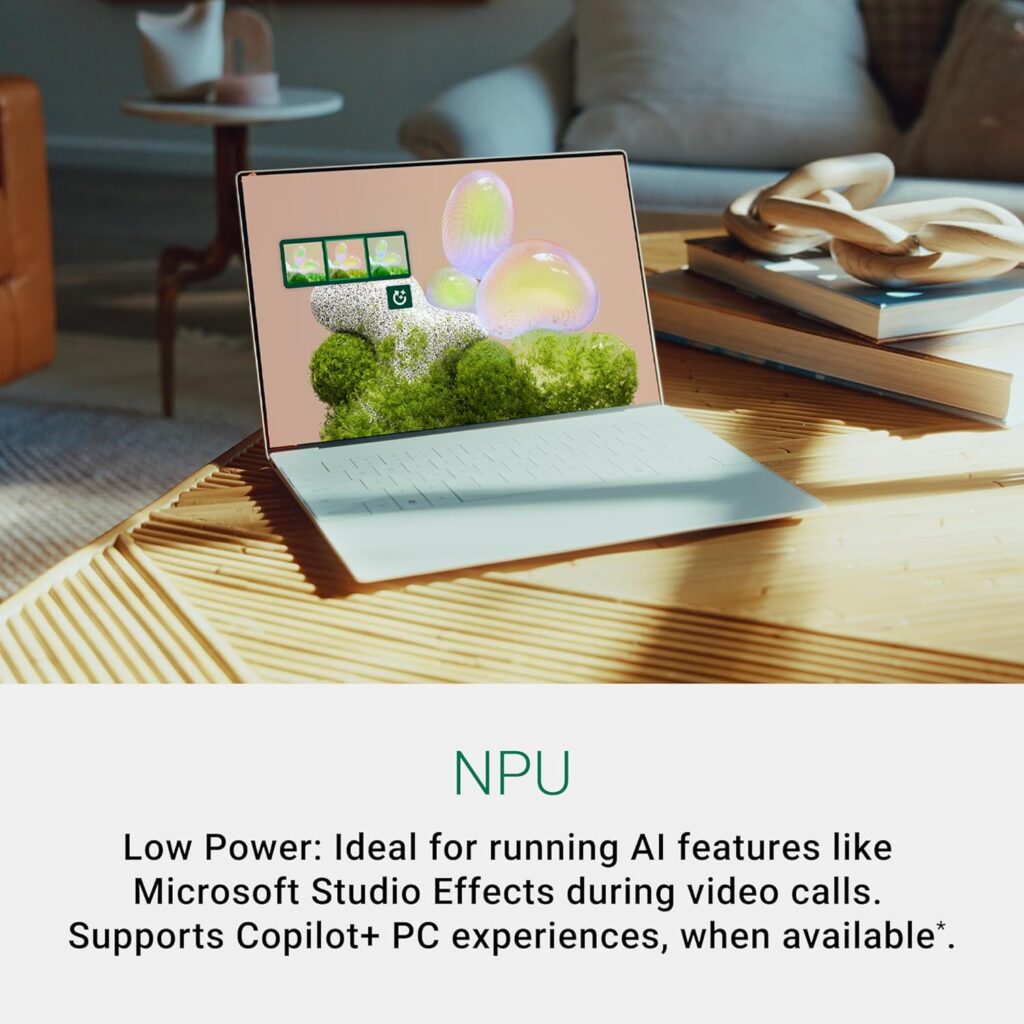
Specs: Intel Core Ultra 7 258V (Lunar Lake, Series 2) | 32GB LPDDR5X | 1TB SSD | 13.4″ FHD+ 1920×1200 120Hz IPS, 500 nits | Intel Arc Graphics | 1.20kg | Wi-Fi 7 | Thunderbolt 4 × 2 | Copilot+ | Windows 11 Home
Score: 8.7/10
Pros:
- Best-in-class battery life for a Windows professional laptop — 15 to 20 hours independently tested
- 1.2kg — exceptional portability for the specification level
- 32GB RAM — properly specified for demanding professional use
- Core Ultra 7 258V Lunar Lake — current-generation architecture
- Premium machined aluminium build quality
- Wi-Fi 7 and Thunderbolt 4
Cons:
- 13.4-inch display — real estate limitation without an external monitor
- No USB-A ports natively — dongle required for legacy peripherals
- FHD+ IPS panel — not OLED; colour volume behind AMOLED alternatives
- Windows 11 Home — not Pro
Best for: Frequently travelling professionals for whom portability and battery life are the governing constraints; desk-based workers who pair the laptop with an external monitor.
- INTEL EVO PLATFORM: Intel Evo Edition laptops are co-engineered and verified to deliver superior performance and a fast-charging battery that lasts all day and is packed with the latest technologies, so you won’t have to sacrifice a thing. And because Intel Evo Edition laptops are powered by the latest Intel Core Ultra processors, you’ll enjoy an accelerated AI experience across hundreds of apps to make everything you do faster, easier and better.
- EXCEPTIONAL DISPLAY QUALITY: 13.4″ FHD+ (1920 x 1200) resolution with 120Hz refresh rate, non-touch anti-glare screen with 500 nits brightness and InfinityEdge design, providing an immersive viewing experience with sharp visuals and vibrant colors.
- POWERFUL PERFORMANCE: Powered by the Intel Core Ultra 7 258V processor, featuring 8 cores, 12MB cache, and a max speed of 4.8 GHz, delivering high responsiveness and speed for demanding tasks and multitasking.
#2 — Lenovo ThinkPad P14s Gen 5 Intel | 8.9/10
The only machine in this guide with a discrete GPU — and that distinction matters considerably
Every other machine in this guide relies on integrated graphics. The Lenovo ThinkPad P14s Gen 5 Intel is the exception, and if your professional work includes GPU-accelerated tasks — 3D modelling, engineering simulation, DaVinci Resolve rendering, or machine learning inference — it is the only machine on this list that should be in your consideration set.
The NVIDIA RTX 500 Ada Generation GPU with 4GB GDDR6 is an entry-level professional workstation card, not a gaming GPU. It will not run demanding games at high settings and that is not its purpose. What it provides is CUDA acceleration for applications that use it, ISV certification eligibility for professional CAD and simulation software, and GPU-accelerated export in video applications meaningfully faster than any integrated chip in this guide. NotebookCheck’s comprehensive ThinkPad P14s Gen 5 review confirms the RTX 500 Ada delivers legitimate workstation-class GPU performance in a mobile form factor, noting its suitability for remote workstation and ISV-certified application environments.
The Intel Core Ultra 7 155H is a Meteor Lake Series 1 chip from 2023 — not the current Lunar Lake generation. This is the explicit trade-off: you gain the dedicated GPU at the cost of the latest CPU architecture. In the ThinkPad P14s Gen 5 Intel’s specific use case, that trade-off is well-justified.
The keyboard remains the best available on any Windows laptop in this guide — ThinkPad’s heritage produces a typing experience that is genuinely superior for long-document and code-centric work. The 14.5-inch 3K 120Hz IPS display at 430 nits is honest professional-grade brightness and resolution. Windows 11 Pro is included, which matters for IT-managed enterprise environments with domain join requirements, BitLocker mandates, and enterprise device management policies.
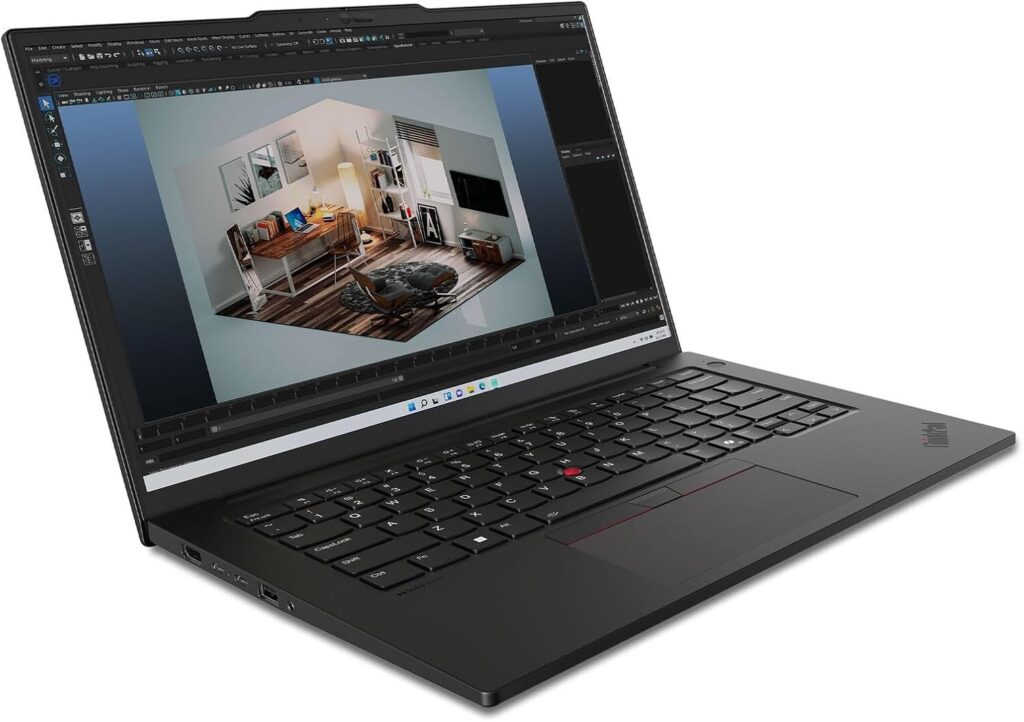
Specs: Intel Core Ultra 7 155H (Meteor Lake, Series 1) | NVIDIA RTX 500 Ada Generation 4GB GDDR6 | 32GB DDR5 | 1TB SSD | 14.5″ 3K 2880×1800 120Hz IPS, 430 nits | 1.46kg | Wi-Fi 6E | Thunderbolt 4 | Windows 11 Pro
Score: 8.9/10
Pros:
- Only machine in this guide with a discrete GPU — NVIDIA RTX 500 Ada 4GB GDDR6
- Windows 11 Pro included — essential for IT-managed enterprise environments
- Best keyboard in this guide — ThinkPad heritage, excellent for extended typing
- 32GB DDR5 RAM and 1TB SSD
- 14.5″ 3K 120Hz IPS display — well above average panel quality for this tier
- Wi-Fi 6E and Thunderbolt 4
Cons:
- Core Ultra 7 155H is 2023-generation Meteor Lake — not current Lunar Lake architecture
- Battery life behind the Lunar Lake machines in this guide
- 1.46kg — heavier than most professional ultrabooks
- RTX 500 Ada is entry-level workstation GPU — capable but not suited to demanding real-time 3D
Best for: Engineers, architects, and design professionals who need ISV-certified GPU support; video editors who use GPU-accelerated export; IT-managed Windows enterprise environments requiring Windows 11 Pro.

- Processor: Intel Core Ultra 7 155H Processor (E-cores up to 3.80 GHz P-cores up to 4.80 GHz)
- Memory: 32 GB DDR5-5600MHz (SODIMM) – (2 x 16 GB); Storage: 1 TB SSD M.2 2280 PCIe Gen4 Performance TLC Opal
- Display: 14.5″ 3K (3072 x 1920), IPS, Anti-Glare, Non-Touch, 100%DCI-P3, 430 nits, 120Hz; Graphic Card: NVIDIA RTX 500 Ada Generation Laptop GPU 4GB GDDR6
#1 — Apple MacBook Pro 14 M5 | 9.1/10
The professional benchmark — with one honest caveat about memory
The MacBook Pro 14 M5 is the best professional laptop UK buyers can find in 2026, provided two conditions are met: your workflows are Mac-compatible, and 16GB of unified memory is sufficient for what you actually do day-to-day.
The second condition is not a minor footnote. Apple’s unified memory is shared between CPU and GPU, which is architecturally more efficient than traditional designs — but it is not unlimited. For professionals working with large Lightroom catalogues, Final Cut Pro projects with heavy effects, Parallels running a full Windows virtual machine alongside Mac applications, or large dataset manipulation, 16GB will generate memory pressure that becomes visible in Activity Monitor before you feel it in daily use. The M5 Pro starts at 24GB for a reason, and upgrading carries a significant price premium. For document-centric work, software development, moderate photo editing, spreadsheet analysis, and communication-heavy days, 16GB on the M5 platform remains very capable. Know your workload before committing.
With that caveat stated plainly: the M5’s performance credentials are unambiguous. Geekbench 6 single-core scores from M5 testing place it at the front of the mobile laptop market. Its sustained multi-core performance is excellent relative to its thermal envelope. The Liquid Retina XDR display — 3024×1964, 1000 nits sustained, 1600 nits peak, ProMotion 120Hz — is the finest professional display available on any laptop in this guide, and among the finest on any laptop at any price. NotebookCheck’s MacBook Pro review series consistently identifies the XDR display as a class-defining panel for colour accuracy, brightness, and peak HDR performance.
Battery life under light-to-mixed professional use consistently reaches 17 to 19 hours in independent testing. MagSafe charging is retained alongside dual Thunderbolt 4 ports. Build quality is the benchmark against which every other machine in this guide is implicitly measured. The 1.55kg weight is genuinely portable for a 14-inch professional machine.
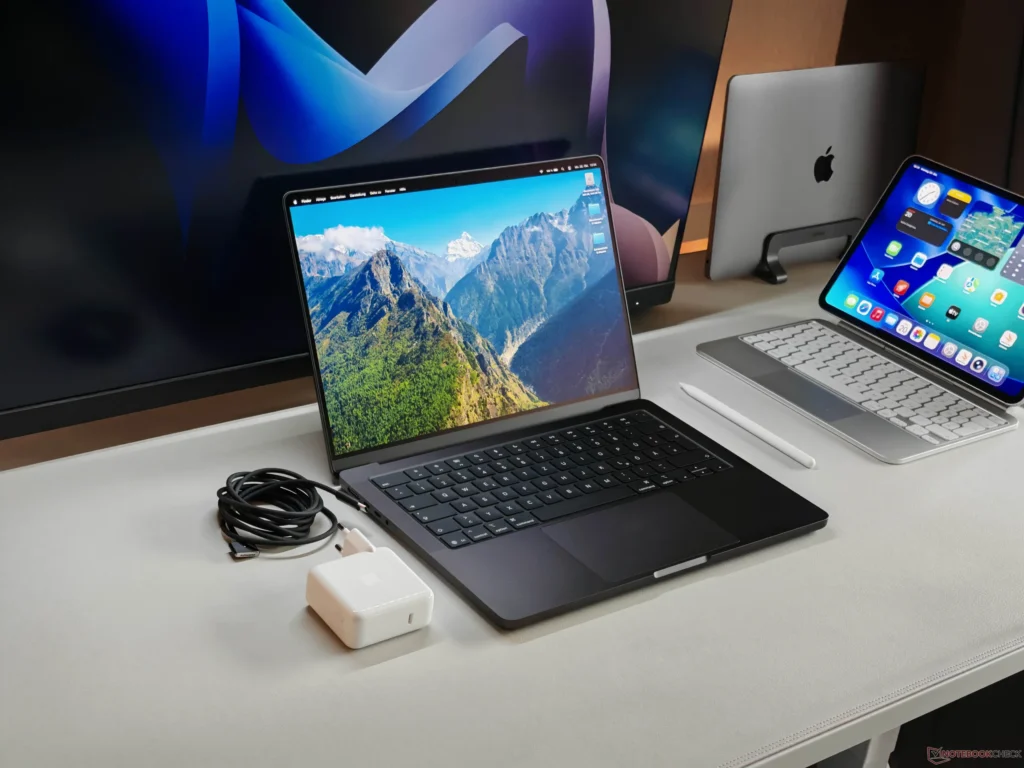
Specs: Apple M5 (10-core CPU, 10-core GPU, 16-core Neural Engine) | 16GB Unified Memory | 512GB SSD | 14.2″ Liquid Retina XDR 3024×1964 ProMotion 120Hz, 1000 nits sustained | 1.55kg | Wi-Fi 6E | Thunderbolt 4 × 2 | MagSafe 3 | macOS
Score: 9.1/10
Pros:
- Best sustained CPU performance in this guide
- Best display in this guide — Liquid Retina XDR, 1000 nits sustained, ProMotion 120Hz
- 17 to 19 hours real-world battery life in independent testing
- Industry-benchmark build quality
- Silent operation under light and moderate workloads
- MagSafe charging retained
Cons:
- 16GB unified memory — limiting for heavy video, large datasets, or virtual machine workloads
- macOS — verify all required applications are Mac-compatible before purchasing
- 512GB SSD — consider upgrading to 1TB if local storage is important to your workflow
- No USB-A ports — requires adapter for legacy peripherals
- Significant price premium to step up to M5 Pro if memory needs change
Best for: Mac-native professionals in development, design, writing, analysis, and communication-heavy roles who have confirmed 16GB is sufficient for their workloads.
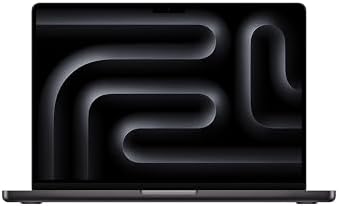
- SUPERCHARGED BY M5 — Along with its faster CPU and unified memory, M5 features a more powerful GPU with a Neural Accelerator built into each core, delivering faster AI performance. So you can blaze through demanding workloads at mind-bending speeds.
- BUILT FOR APPLE INTELLIGENCE — Apple Intelligence is the personal intelligence system that helps you write, express yourself and get things done effortlessly. With groundbreaking privacy protections, it gives you peace of mind that no one else can access your data — not even Apple.
- UP TO 24 HOURS OF BATTERY — The 14‑inch MacBook Pro delivers the same exceptional performance whether it’s running on battery or plugged in.
How to Choose — A Decision Framework
The right machine from this list depends on what you actually do day-to-day, not on a generalised headline recommendation.
Choose the MacBook Pro 14 M5 if: Your workflows run natively on macOS, you have confirmed 16GB is sufficient for your typical applications, and display quality and battery life represent a genuine daily working improvement.
Choose the ThinkPad P14s Gen 5 Intel if: Your work involves GPU-accelerated applications, ISV-certified CAD or simulation software, or you operate in an IT-managed Windows enterprise environment that requires Windows 11 Pro.
Choose the Dell XPS 13 9350 if: You travel frequently and portability and battery life are the primary constraints; or you work desk-based with an external monitor and treat the laptop as a portable terminal.
Choose the Samsung Galaxy Book5 Pro 360 if: You present, annotate, and sketch regularly as part of your professional role, the AMOLED convertible experience is genuinely valuable to your work, and you will invest in protecting the screen during transport.
Choose the HUAWEI MateBook X Pro if: You are purchasing for personal professional use, enterprise procurement restrictions do not apply to your situation, and the combination of 980g weight, 3.1K OLED, and 2TB storage justifies the premium — with honest expectations on battery life.
Choose the Dell 16 DC16256 if: Your workflow is primarily productivity and communication-based, a large screen improves your working experience, and your budget does not stretch to the machines above it.
Choose the LG gram 15Z80T if: You specifically need a 15-inch screen and cannot accept the weight penalty of conventional 15-inch machines — this is the only machine in this guide that solves that problem.
For context on the processor generations referenced throughout this guide — including why Lunar Lake Series 2 differs from Meteor Lake Series 1 in practical terms — our Laptop Buying Guide UK covers the relevant detail. For buyers considering a step down in tier, our Best Mid-Range Laptops UK guide covers the bracket below this one with the same approach.
External Resources
For independent benchmark data and technical depth: NotebookCheck and LaptopMedia are the most rigorous independent laptop review sources for detailed benchmark and thermal testing. Tom’s Hardware provides strong CPU and performance hierarchy comparisons across generations. TechRadar UK and Trusted Reviews offer UK-market context and real-world usage assessments. RTINGS provides the most consistent and rigorous display and battery testing methodology available for consumer laptops.
I have spent years working in IT infrastructure and reviewing technology for British buyers. Affiliate relationships with Amazon do not influence the scores or rankings in this guide.
As an Amazon Associate, I earn from qualifying purchases made through links on this page.