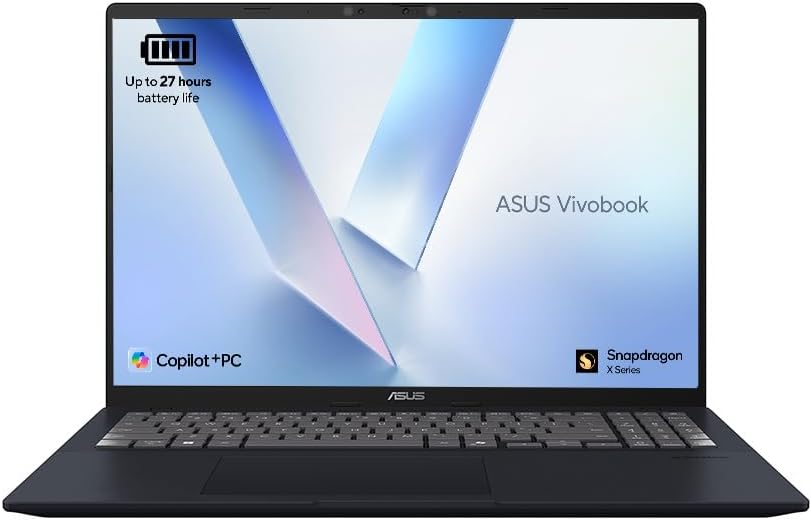
ASUS Vivobook 16 X1607QA Analysis: ARM Tradeoffs Exposed
The Blunt Verdict
The ASUS Vivobook 16 X1607QA is a solid everyday laptop for people who spend most of their time in a browser, a word processor, or on video calls — and who want genuinely long battery life without paying a premium for it. The Snapdragon X1-26-100 chip is a legitimate step forward for ARM-based Windows machines, and the 16.0″ WUXGA (1920×1200) display with its 16:10 aspect ratio gives you more vertical screen real estate than the vast majority of competitors at this level. Those are real advantages.
The headline specs: Qualcomm Snapdragon X1-26-100 processor, 16GB of LPDDR5 RAM, 512GB PCIe SSD, Wi-Fi 6E, and a claimed 70Wh battery. That battery is the headline act. Real-world buyers are confirming all-day usage without stress. The screen is good. The machine is light. The ARM architecture, though, comes with a caveat that matters for some buyers — not all Windows software runs natively on Snapdragon, and if your workflow depends on legacy x86 applications, you’ll hit compatibility walls.
Buy it if you want a well-built, genuinely light machine that handles the daily grind and won’t die before you do. Avoid it if your workflow leans on specialist or legacy software, or if you need anything approaching gaming or serious graphics work. This is a mid-range productivity machine — no more, no less.
See the current listing and availability for the ASUS Vivobook 16 X1607QA on Amazon.
Pros and Cons
Pros
- Battery life is the real deal — buyers confirm it lasts a full working day under normal usage, and the 70Wh cell backs that up on paper
- The 1920×1200 WUXGA display with 16:10 ratio is noticeably better for productivity than cramped 1080p 16:9 panels at this level
- 16GB of LPDDR5 RAM is the right amount for 2025 — you’re not being sold short on memory here
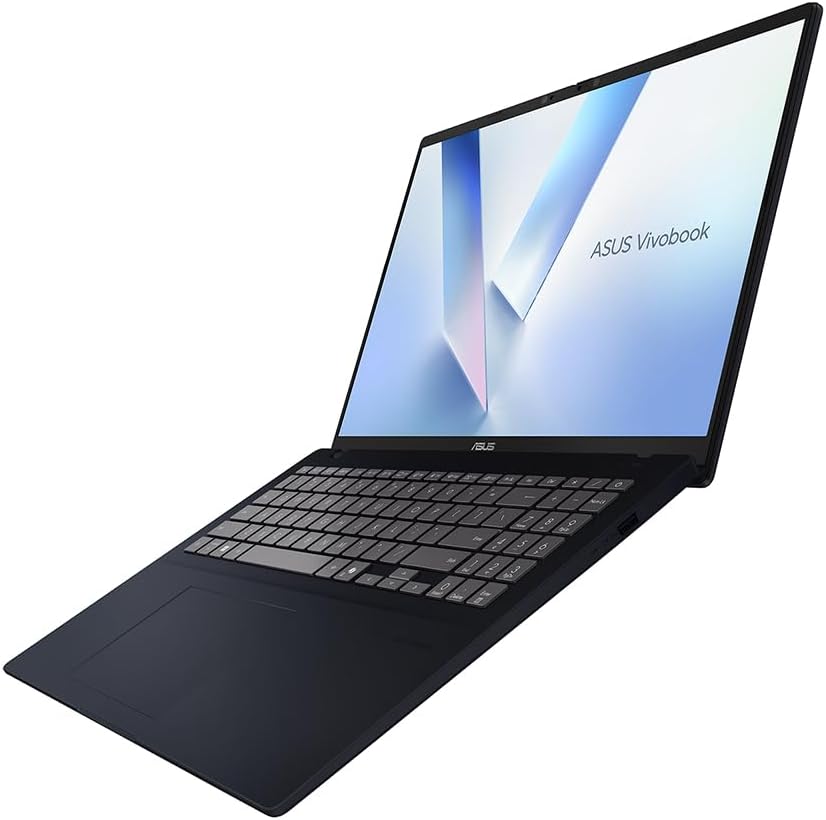
- Build quality consistently earns praise from buyers — this does not feel like a throwaway machine
- Wi-Fi 6E support keeps the wireless side genuinely future-ready
- CoPilot+ AI integration is functional and accessible, with the dedicated button getting regular use from buyers who want quick AI assistance
Cons
- ARM architecture means some x86 software won’t run natively — a genuine dealbreaker for certain professional or creative workflows
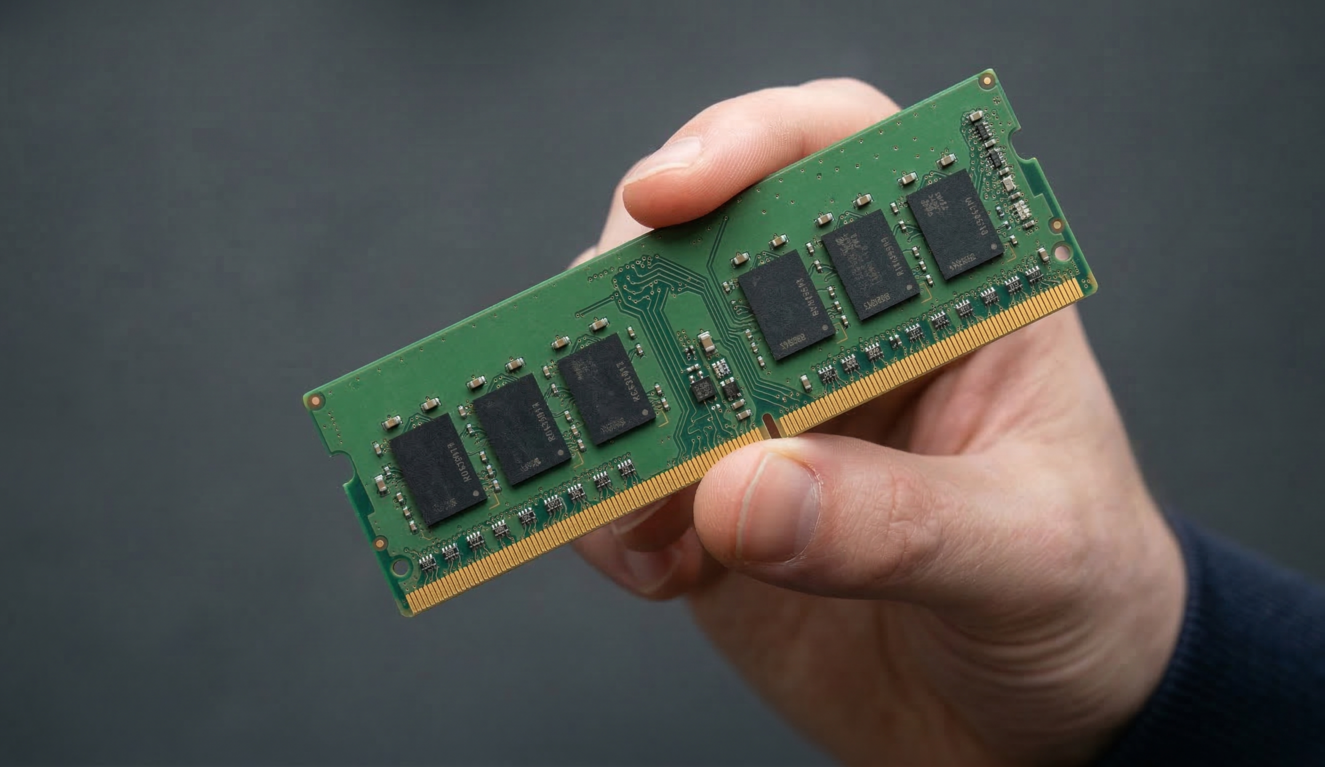
- RAM is soldered; 16GB is what you get, full stop — there is no upgrade path
- One buyer reported a trackpad failure within a few months, and the subsequent returns experience was a mess — a small sample but worth knowing
Spec Breakdown
- Model: ASUS Vivobook 16 X1607QA
- CPU: Qualcomm Snapdragon X1-26-100
- RAM: 16GB LPDDR5 (soldered)
- Storage: 512GB PCIe SSD
- GPU: Integrated (Qualcomm Adreno)
- Display: 16.0″ WUXGA, 1920×1200, 16:10, 60Hz, LED
- Battery: 70Wh Lithium Ion
- OS: Windows 11 Home
- Weight: 1.78kg
- Ports: 4× USB, HDMI output, 6 ports total
- Connectivity: Wi-Fi 6E (802.11ax), Bluetooth
- Keyboard: Backlit QWERTY (note: one buyer disputes the backlight — see below)
- Camera: Yes (webcam included)
Hardware & Performance Reality Check
The Qualcomm Snapdragon X1-26-100 is an ARM-based chip — part of the same family that’s been making a genuine case for Windows on Arm over the past year. It’s not an Intel Core or AMD Ryzen, which matters more than people realise. The performance for everyday tasks — browsing, Office, video calls, email — is responsive and snappy. Multiple buyers describe it as “fast” for daily use, and that aligns with what the hardware suggests. The 16GB LPDDR5 RAM is soldered to the board, meaning you cannot upgrade it later. If you want to understand the implications of that, how much RAM you actually need is worth reading before you commit. For most users, 16GB is enough headroom through the machine’s useful life. Power users pushing VMs or heavy multi-app workloads will feel it eventually.
The 512GB PCIe SSD is adequate for general use. It’s not a tight squeeze if you’re not hoarding large local files, but photographers, videographers, or anyone with a large media library will want external storage sooner rather than later. The GPU is integrated — Qualcomm’s Adreno graphics — which handles display output and light media tasks without complaint. You will not be gaming on this in any meaningful sense. There is no discrete GPU, and none is coming — this is not that machine. For anything beyond casual games or older light titles, look elsewhere. The budget gaming category is a different conversation entirely.
In 2026 terms, this hardware handles student coursework, Office 365, web-based tools, video streaming, and light coding without issue — one buyer specifically calls out Visual Studio Code and Cisco configuration as working well. Video editing is possible at a basic level but becomes frustrating quickly. Professional rendering, CAD, or anything GPU-accelerated is out of scope. The ARM compatibility issue is the variable that determines whether this machine works for you — if your specific software isn’t listed as Arm-compatible, test it before committing. For a broader look at how CPU architecture affects real-world performance, that breakdown is worth your time.
One thing worth flagging: there’s a minor spec inconsistency in the listing data. The product specifications list a backlit keyboard, but one buyer explicitly states theirs did not have backlighting and called it out as a disappointment. This may reflect a variant difference, a listing error, or an individual unit issue — but check the specific listing carefully before assuming backlight is guaranteed.
Check the full spec sheet and buyer Q&As for the ASUS Vivobook 16 X1607QA on Amazon.
Everyday Usability: Battery, Build & More
Battery life is the strongest selling point here, and it holds up under scrutiny. ASUS claims up to 19 hours; the spec sheet lists 70Wh. Real buyers aren’t hitting 19 hours — nobody does in real-world use — but they are consistently getting through a full day without hunting for a plug. One buyer specifically says the long battery changed how they work, moving between rooms and coffee shops without anxiety. That’s the practical outcome that matters. At 1.78kg, this is light enough to carry comfortably in a bag without it being the reason your shoulder aches by 3pm. Portability is genuine here, not just a marketing claim. The buying guide covers battery life trade-offs if you want context for how this compares across categories.

The screen quality gets consistent positive feedback — colour reproduction and brightness are described as genuinely good, not merely acceptable. The 1920×1200 resolution on a 16-inch panel at a 16:10 ratio gives you extra vertical space that makes a real difference when working in documents or with multiple browser tabs. There is no touchscreen on this model. The HDMI output means connecting an external monitor is straightforward — useful if you want to recreate a dual-screen setup at a desk. There is no dedicated Ethernet port listed, so wired network connections require an adapter. A fingerprint reader is not mentioned in the specifications. Speaker quality earns positive mentions from multiple buyers — “great sound” comes up more than once, which is not something you hear often enough about budget-to-mid-range laptops. The webcam is present but no resolution spec is confirmed, so don’t assume it’s anything beyond functional for video calls. The Snapdragon architecture runs cool and the ARM chip generates less heat than comparable x86 processors under load, which means fan noise is less of an issue than on many Intel or AMD machines in this class.
Lifespan & Future-Proofing
ASUS builds the Vivobook line to a reasonable standard for its price tier — not ThinkPad levels of durability, but not disposable either. Buyers mention a quality feel, and ASUS references military-grade durability standards in their product description. Take that with some salt, but the chassis is not a concern for typical daily use. Realistically, expect three to five years of reliable daily use before build-related wear becomes a factor, assuming you’re not rough with it.
The spec longevity picture is more nuanced. 16GB of soldered LPDDR5 RAM cannot be upgraded — ever. What you buy is what you keep. For everyday productivity tasks, that’s fine through 2027 or 2028 without feeling the pinch. Beyond that, software bloat and increasingly RAM-hungry operating system updates will start to show. The 512GB SSD may be replaceable depending on the drive form factor, but confirm before assuming. The ARM architecture is a double-edged sword for longevity: Qualcomm’s Snapdragon platform is getting stronger native app support each year, so compatibility issues may diminish over time — but legacy software that’s never updated will remain a wall. Wi-Fi 6E keeps wireless connectivity relevant for years. There is no upgrade path for RAM or GPU — plan accordingly.
View current stock and availability for the ASUS Vivobook 16 X1607QA on Amazon.
What Buyers Are Saying (And Potential Dealbreakers)
The ASUS Vivobook 16 X1607QA carries a rating of 4.3 out of 5 from 73 verified buyers on Amazon — a reasonable sample size that starts to be meaningful. The overall sentiment is clearly positive, with the majority of buyers landing on 4 or 5 stars. The negative feedback is limited but pointed.
The recurring praise centres on three things: battery life, screen quality, and the build feeling premium for the category. Buyers who moved from older laptops notice the difference in day-to-day responsiveness. The AI CoPilot integration gets genuine use from at least one buyer, not just as a gimmick. Setup is described as easy, though the note about allowing time for Windows updates on first boot is worth filing away — that’s not unique to this machine, but it’s an irritant if you’re not expecting it.
The most significant negative review involves a trackpad failure after a few months of use, followed by what sounds like a genuinely awful returns experience through Amazon — the laptop reportedly went missing during the repair process. That is a logistics failure as much as a hardware one, but it’s a reminder that post-purchase support matters. One buyer flagged the ARM software compatibility issue as a meaningful limitation — specifically that some apps won’t run on the Snapdragon architecture. That’s not a defect; it’s a characteristic of the platform that ASUS and Microsoft are working to address, but it exists right now and it matters if your workflow includes legacy or specialist software. The keyboard backlight discrepancy between one buyer’s unit and the listing spec is also worth noting — contact the seller or check the Q&As before assuming that feature is present. For more on what specs actually mean in practice, the plain-English spec guide is useful context.
Buyer Highlights
“Because of the long battery I am more mobile — I move around the house when working and don’t hesitate to bring it to coffee shops for meetings.” — Direct confirmation that the battery claim holds in real use.
“Quite responsive for a Snapdragon CPU — great for web browsing, word processing, coding with Visual Studio Code and configuring Cisco equipment, but some software isn’t compatible with ARM architecture.” — The most balanced and technically specific summary from any buyer in this set.
“Setup is easy enough, just make sure you have plenty of time to do the necessary updates to the operating system — battery life is very good, will last the day with medium/heavy usage.” — Consistent with what the hardware suggests on both counts.
“It doesn’t have a backlit keyboard, which I forgot to check in the spec before I bought it — entirely my fault, but disappointing.” — Worth double-checking on the specific listing you’re buying from before ordering.
“The screen is able enough not to need a dual monitor setup — I used to dual screen at a desk, but found I don’t need to anymore.” — A meaningful endorsement of the 16:10 display’s practical impact on workflow.
Who Should Buy It (And Who Shouldn’t)
Buy If
- You want a light, well-built 16-inch machine for everyday productivity — browsing, Office, video calls, email — and battery life is a genuine priority
- Your software stack is modern and cloud-based, or you’ve confirmed it runs natively on ARM Windows
- You’re a student or remote worker who moves between locations and can’t always rely on being near a power socket
- You want a larger, better-ratio screen than the typical 15.6-inch 16:9 without stepping up significantly in weight
Avoid If
- Your workflow depends on specific x86 Windows applications that haven’t been updated for ARM compatibility — this is a hard blocker, not a minor inconvenience
- You want any kind of gaming capability beyond very casual or very old titles — the integrated Adreno GPU simply isn’t there for gaming
- You need to expand RAM beyond 16GB at any point — soldered memory means this is a one-way door
The Bottom Line
The ASUS Vivobook 16 X1607QA earns its positive reception for buyers who use it within its natural scope. The battery, the screen ratio, the weight, and the build quality are all genuine strengths. The ARM platform is no longer the liability it was two years ago, but it still requires a compatibility check before you commit. If your daily work runs happily on modern, cloud-connected software, this machine delivers real value. If you’re tied to legacy x86 apps, look elsewhere — no amount of good screen or battery will compensate for a software wall. For performance context across comparable machines, or to see how this sits within the broader professional laptop landscape, those links are worth a look before you decide.
Find the ASUS Vivobook 16 X1607QA on Amazon and read the latest buyer questions before deciding.
At LaptopAdvisorOnline, our methodology is built on data transparency rather than simulated hands-on testing. We rigorously analyse official manufacturer specifications and aggregate verified customer sentiment to provide objective, fluff-free buying advice that helps you cut through the marketing jargon.
As an Amazon Associate, I earn from qualifying purchases.
Browse by Specification
Looking for something specific? Browse our analyses by hardware and feature:
[AMD Processor Laptops] — [Intel Processor Laptops] — [16GB RAM Laptops] — [32GB RAM Laptops] — [Dedicated Graphics] — [Long Battery Life] — [Lightweight Laptops] — [Student Laptops]
Browse by Screen Size
[13-inch Laptops] — [14-inch Laptops] — [15-inch Laptops] — [16-inch+ Laptops]