

There is a problem specific to budget gaming laptops that you don’t encounter nearly as often in any other category: the name on the box tells you almost nothing useful. Two laptops can both carry “RTX 4050” on the spec sheet, sit at similar prices, and deliver genuinely different gaming experiences — because the GPU’s power allocation can vary by as much as 60 watts between models. That is not a footnote. At this end of the market, it is frequently the difference between fluid 1080p gaming and a machine that struggles with anything released in the last three years.
This guide covers six machines across the budget gaming bracket, from around £550 to £899 at the top of the range. Every machine here has been chosen on the basis of what the GPU is actually permitted to do, not just what it’s called. For each machine, the confirmed Total Graphics Power figure is stated — because that number matters more than the GPU model name alone.
If you are new to the buying process and want to understand what the GPU naming conventions, display specifications, and CPU tiers actually mean before reading further, the Laptop Buying Guide UK provides that grounding. For buyers considering machines outside the gaming category at similar price points, the Best Mid-Range Laptops UK guide covers the productivity bracket.
The Machines — Specifications at a Glance
| Machine | GPU | TGP | CPU | RAM | Storage | Display | Score |
|---|---|---|---|---|---|---|---|
| MSI Cyborg 15 A13UDX | RTX 3050 | 45W | i5-13420H | 16GB DDR5 | 512GB | 15.6″ FHD 144Hz | 6.8/10 |
| Acer Nitro V15 ANV15-51 | RTX 4050 | 75W | i5-13420H | 16GB DDR5 | 512GB | 15.6″ FHD 165Hz | 7.1/10 |
| HP Victus 15 fb3003sa | RTX 4050 | 75W | Ryzen 7 7445H | 16GB DDR5 | 512GB | 15.6″ FHD 144Hz | 7.3/10 |
| MSI Katana A15 AI B8VE | RTX 4050 | 105W | Ryzen 7 8845HS | 16GB DDR5 | 512GB | 15.6″ FHD 144Hz | 7.7/10 |
| Lenovo LOQ 15IRX10 | RTX 5050 8GB GDDR7 | ~80W | i5-13450HX | 24GB DDR5 | 1TB | 15.6″ FHD 144Hz | 8.1/10 |
| ASUS TUF Gaming A16 FA608UM | RTX 5060 | ~100W+ | Ryzen 7 260 | 16GB DDR5 | 1TB | 16″ 2K 165Hz | 8.7/10 |
How We Score Budget Gaming Laptops
Each laptop receives a score out of ten based on six weighted criteria:
1. Gaming performance — what the machine actually delivers in frames per second at 1080p on current titles, backed by independent benchmark data from NotebookCheck, LaptopMedia, and Tom’s Hardware, not manufacturer claims.
2. Value for money — what the GPU capability and specification level delivers relative to the asking price.
3. Build quality — chassis rigidity, hinge quality, and overall durability for the price.
4. Display quality — refresh rate, panel brightness, and colour coverage.
5. Thermals and noise — whether the cooling system sustains GPU performance without becoming overbearing in extended sessions.
6. Practicality — battery life, port selection, weight, and everyday usability away from a desk.
No laptop on this list was selected because a manufacturer paid for placement. Affiliate relationships with Amazon do not influence scores or rankings.
#6 — MSI Cyborg 15 A13UDX-1242UK | 6.8/10
The honest entry point — useful for esports, limiting for everything else
The MSI Cyborg 15 earns its place on this list as the cheapest genuine entry point to dedicated GPU gaming with a 13th-generation Intel processor. Its strengths are real: a comfortable keyboard, a distinctive translucent chassis design that looks considered rather than cheap, and a cooling system that holds the GPU stable at its full 45W TDP without the fans becoming unbearable during normal use. For what it is, it functions as advertised.
The problem is what it is. The RTX 3050 running at 45W is an entry-level GPU by any honest measure. Tom’s Hardware’s testing found Cyberpunk 2077 unable to push past 30–40fps regardless of upscaling adjustments, and Total War: Warhammer III dropped to 57fps on medium settings with highest native presets producing results in the mid-20fps range. Shadow of the Tomb Raider at medium 1080p came in at 74fps — decent for lighter titles — but that figure tells the ceiling, not the average. LaptopMedia’s comparative data is direct: a 45W RTX 4050 “scored just a tad better than the 95W version of the RTX 3050,” which places the 45W RTX 3050 here meaningfully below even constrained versions of the next GPU tier. The jump from 45W RTX 3050 to 75W RTX 4050 — represented by the Acer Nitro V15 and HP Victus above — is a genuine performance step, not a marginal one.
The 512GB SSD fills quickly with modern titles. Battery life is unremarkable — expect 1.5 to 2 hours gaming, 4 to 5 hours on lighter tasks. There is no USB-C charging; the machine runs from a proprietary barrel connector.
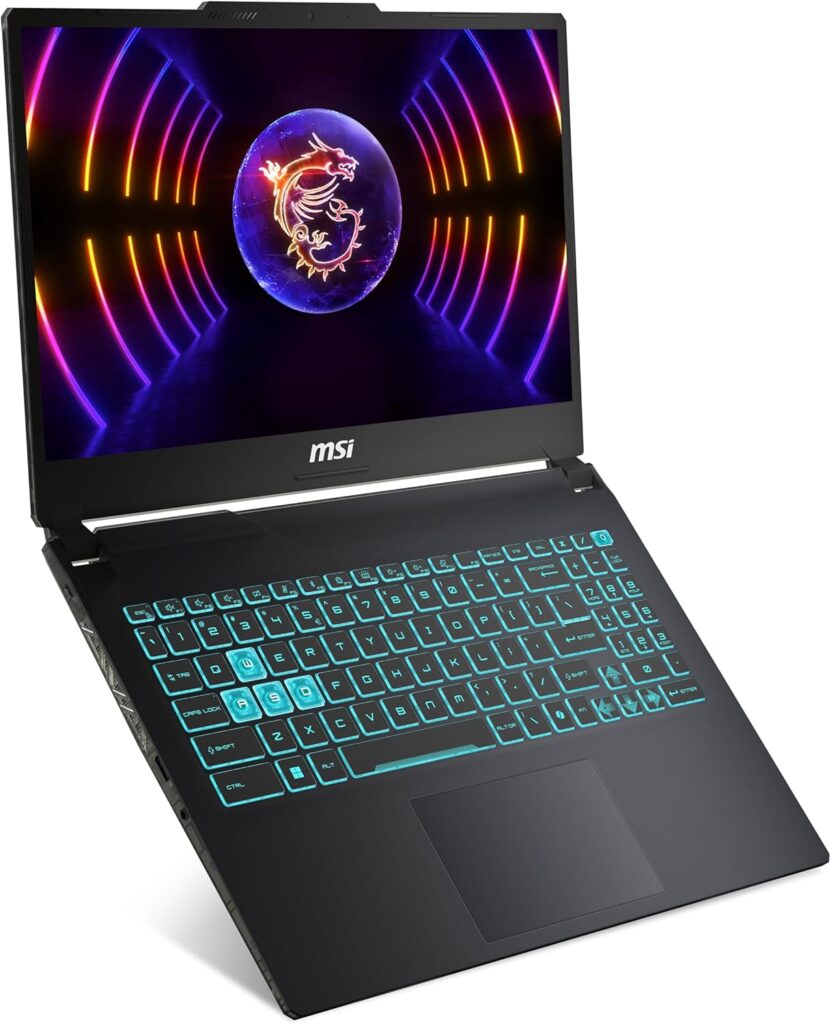
Specs: Intel Core i5-13420H | NVIDIA GeForce RTX 3050 45W | 16GB DDR5 | 512GB SSD | 15.6″ FHD 1920×1080 IPS 144Hz | 1.98kg | Wi-Fi 6 | Windows 11 Home
Score: 6.8/10
Pros:
- Cheapest dedicated GPU gaming laptop in this guide
- Distinctive translucent chassis design — looks better than the price suggests
- Stable thermals at 45W TDP without intrusive fan noise in normal use
- Comfortable keyboard for the price
- 144Hz display — appropriate for the esports titles this GPU handles comfortably
Cons:
- RTX 3050 at 45W — significantly constrained; demanding titles require heavy settings compromises
- 45W TGP sits below the threshold where modern AAA gaming becomes comfortable
- 512GB SSD fills quickly with current games
- No USB-C charging — proprietary barrel connector only
- Battery life unremarkable across all use cases
Best for: Esports titles, older games, and anything pre-2022 at medium settings. Not suited to demanding recent releases at comfortable frame rates.

- Cyborg 15 A12U equips 12th Gen. Intel Core processors, features with performance and efficiency cores, providing an unprecedented boost in multitasking works and heavy games. With improved hybrid core architecture, it’s up to 14 cores including 8 P-cores and 6 E-cores. The processing power has evolved into the next generation for better multitasking works and running demanding games.
- With a 1.98kg weight and 21.95mm thinness, Cyborg 15 A12U is perfect for on-the-go gaming. The integration of aluminium materials in the chassis ensures a smooth, high-quality feel on first contact and keeps it light.
- New CPU-GPU Share-Pipe design enables real-time heat dissipation balancing between CPU & GPU for improved efficiency and ensuring maximum performance under extreme gaming.
#5 — Acer Nitro V15 ANV15-51 | 7.1/10
A meaningful step up — strong cooling let down by software quirks and fan noise
The Acer Nitro V15 represents a genuine capability jump over the Cyborg, and the reason is almost entirely TGP. The RTX 4050 here runs at 75W — considerably more than the Cyborg’s 45W — and LaptopMedia found the cooling system effective enough that the GPU runs “highly competitive with higher-wattage rivals” in sustained gaming sessions, maintaining stable clock speeds without significant throttling over extended play. That is a better thermal result than many machines manage at this price, and it matters in practice.
PCWorld’s testing showed Shadow of the Tomb Raider at 105fps average on Highest 1080p settings — a strong result for this price tier. Tom’s Hardware confirmed the 75W RTX 4050 consistently outperforms the Cyborg’s constrained 3050 across all tested titles, with the gap widening in more demanding games. The 165Hz panel is a thoughtful inclusion that gives the machine headroom to use those smoother frame rates in less demanding titles and esports games.
The weaknesses are real and well-documented. Tom’s Guide noted that NitroSense software prevents most games from launching until the battery reaches 40% charge — an inexplicable default that is fixable in settings but irritating out of the box. Fan noise under load has been flagged consistently across multiple reviews: NotebookCheck measured around 49dB(A) during gaming in Balanced mode, which is clearly audible in any quiet environment. The display’s colour coverage is weak even by budget gaming standards — fast and bright enough for gaming, but not a panel that complements any creative work. The 512GB SSD is a constraint shared by every machine at this tier.
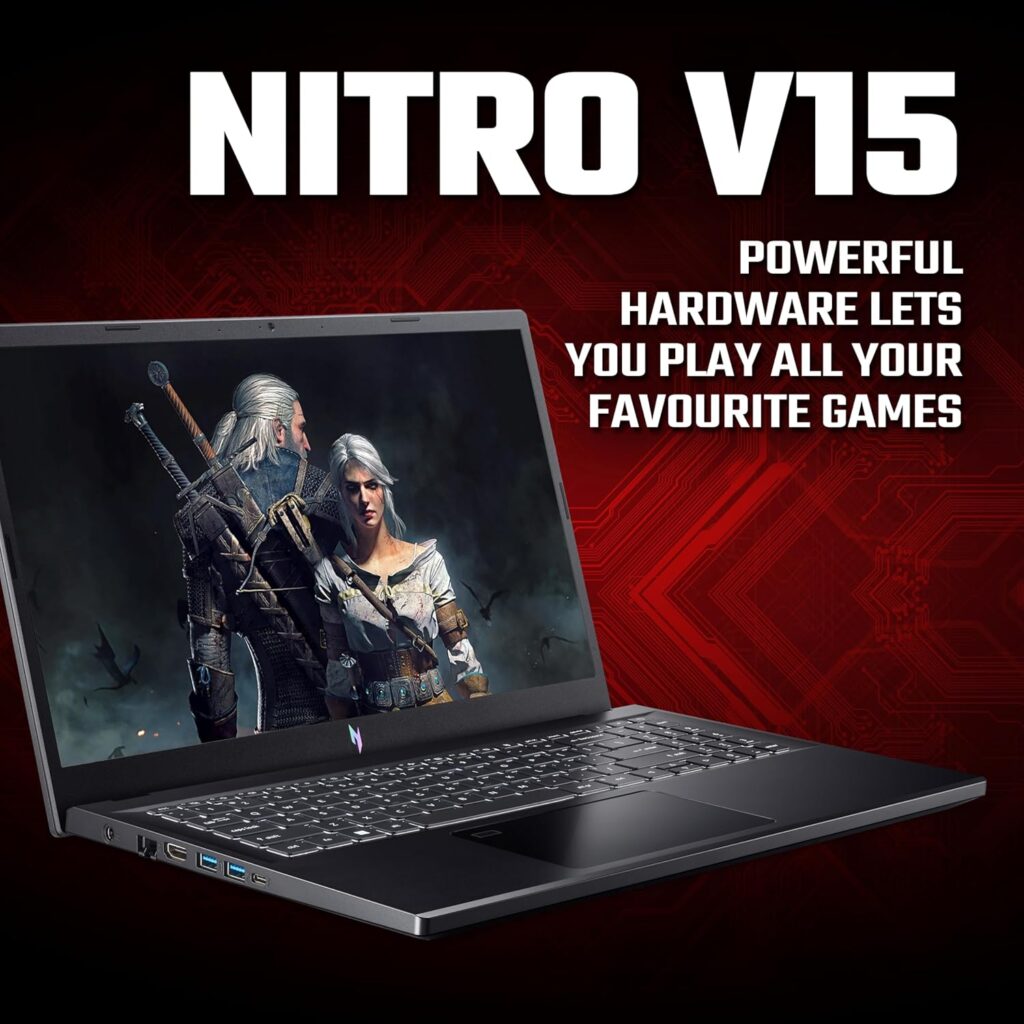
Specs: Intel Core i5-13420H | NVIDIA GeForce RTX 4050 75W | 16GB DDR5 | 512GB SSD | 15.6″ FHD 1920×1080 IPS 165Hz | ~2.3kg | Wi-Fi 6 | Windows 11 Home
Score: 7.1/10
Pros:
- RTX 4050 at 75W — a meaningful step over the 45W RTX 3050 below it
- Exceptional cooling for the price — GPU maintains stable clocks in sustained gaming
- 165Hz display — useful headroom for esports titles and lighter games
- Consistent 1080p gaming at medium-to-high settings across a wide range of titles
- Competitive pricing within the RTX 4050 75W tier
Cons:
- Fan noise under gaming load — around 49dB(A), clearly audible
- NitroSense software restricts game launch below 40% battery by default
- 512GB SSD — insufficient for a modern gaming library
- Display colour coverage is below average even for budget gaming panels
- No Thunderbolt support
Best for: Buyers prioritising GPU cooling efficiency above all else in the RTX 4050 75W tier; the machine that makes the most of a constrained GPU budget through thermal management.

- ACER NITRO V15: Play all your favourite games on this powerful gaming laptop
- BEYOND FAST: Nvidia’s GeForce RTX 4050 GPU offers a quantum leap in both performance and efficiency
- AI FOR GAMERS: Nvidia’s RTX 40-series graphics cards use AI to boost your game’s fps with DLSS Frame Generation
#4 — HP Victus 15 fb3003sa | 7.3/10
The tidier alternative at the same tier — equivalent gaming, cleaner experience
The HP Victus 15 and Acer Nitro V15 are close enough in specification that the choice between them is primarily about experience and aesthetics rather than any meaningful performance gap. Both run an RTX 4050 at 75W. Both carry 16GB of RAM and 512GB of storage. Both deliver broadly similar 1080p gaming results.
PCWorld’s testing placed the Victus at 113fps in Shadow of the Tomb Raider — marginally ahead of equivalent Nitro V15 configurations — and found Metro Exodus averaging 32fps on High settings, within range of what RTX 4060 laptops achieve. The Ryzen 7 7445H is a six-core AMD processor with strong single-core performance and solid power efficiency; in GPU-bound gaming scenarios the CPU difference between this and the Nitro’s i5-13420H is minimal, but for any CPU-intensive work alongside gaming — streaming, video encoding — the Ryzen 7 holds a modest advantage.
Where the Victus genuinely differentiates itself is in presentation. HP has avoided the aggressive gamer aesthetic of the Nitro — no pronounced RGB lighting, no angular vents for their own sake — in favour of a matte black chassis that is presentable in professional settings. UK buyer reviews consistently note the build quality feels solid for the price, and the keyboard is comfortable for extended use. The port selection is a minor frustration: two USB-A, one USB-C at 5Gbps, no card reader. Fan noise under load is present but generally reported as less intrusive than the Nitro V15. The display at FHD 144Hz is equivalent to what you get from competitors at this tier — functional without distinction.
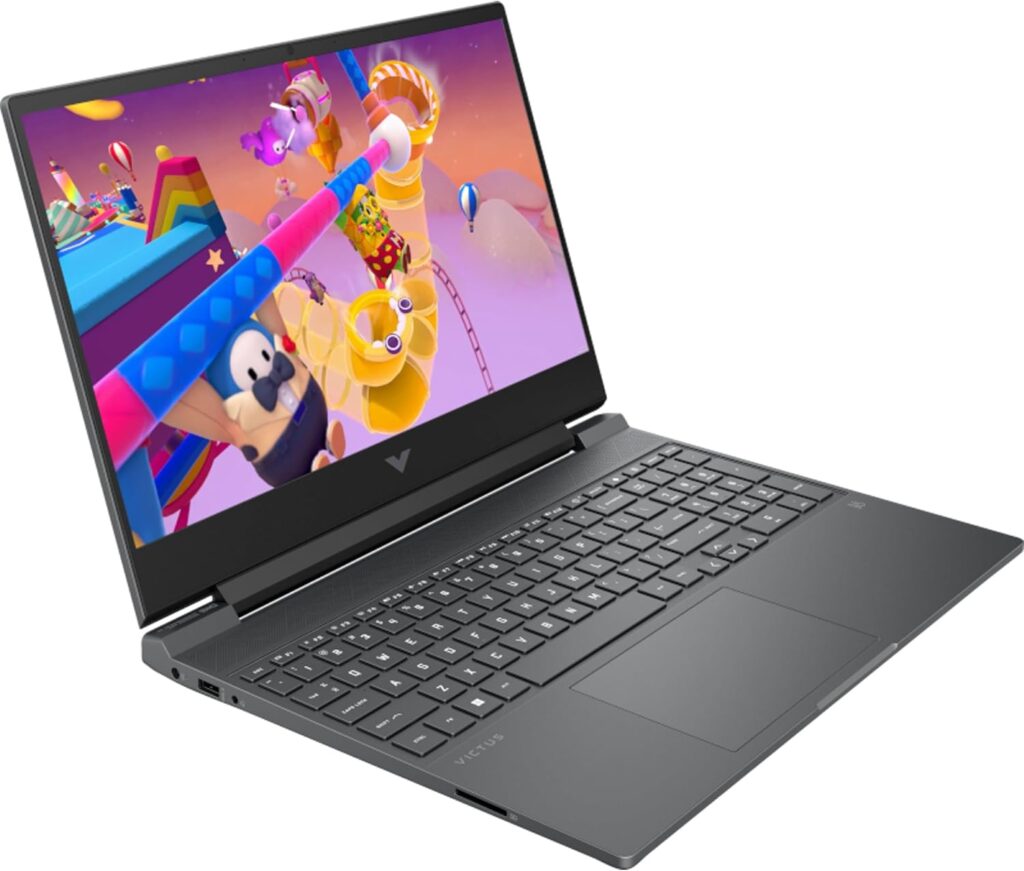
Specs: AMD Ryzen 7 7445H | NVIDIA GeForce RTX 4050 75W | 16GB DDR5 | 512GB SSD | 15.6″ FHD 1920×1080 IPS 144Hz | ~2.3kg | Wi-Fi 6 | Windows 11 Home
Score: 7.3/10
Pros:
- RTX 4050 at 75W — equivalent capability to the Nitro V15
- Understated design — genuinely presentable outside gaming contexts
- Comfortable keyboard for extended use
- Ryzen 7 7445H — stronger CPU than the i5-13420H for non-gaming workloads
- Fan noise generally reported as less intrusive than the Nitro V15
Cons:
- 512GB SSD — the same constraint as every machine in this tier
- Port selection is limited — two USB-A, one USB-C, no card reader
- 144Hz vs 165Hz on the Nitro V15 — minor but worth noting
- No Thunderbolt support
- Windows 11 Home — not Pro
Best for: Buyers who want the RTX 4050 75W tier without the gamer aesthetic; equivalent gaming performance to the Nitro V15 with a tidier everyday experience.

- SUPERIOR PROCESSING COMPONENTS: Play at your best with a powerful AMD Processor , a modern graphics card, and plenty of memory
- SOPHISTICATED AND REFINED DESIGN: With a smallerfootprint and up to three colors options , this spritely device looks good anywhere
- EVERY FEATURE YOU COULD NEED: From the updated thermal design to the webcam, this laptop has everything
#3 — MSI Katana A15 AI B8VE-480UK | 7.7/10
The strongest RTX 4050 on this list — 105W TGP changes what this GPU can do
The MSI Katana A15 AI makes the jump from positions four and five to third on the basis of one decisive specification: it runs the RTX 4050 at 105W. Not 75W as in the Nitro V15 and Victus. Not 45W as in the Cyborg. The full 105 watts this GPU can accept. LaptopMedia’s GPU tier comparisons place the 105W RTX 4050 considerably higher than the 75W variants, and Tom’s Hardware’s testing of Katana 15 machines running the same GPU at 105W delivered consistent 70–80fps in demanding 1080p titles on high settings. That is a materially different machine from the 75W configurations ranked below it.
The Ryzen 7 8845HS is also a significant upgrade on the CPU side. It is a Zen 4 chip running up to 5.1GHz with strong single-core and multi-threaded performance — considerably ahead of the i5-13420H in the Nitro and a notable step up from the Ryzen 7 7445H in the Victus. For gaming alone, the CPU difference matters less; games are overwhelmingly GPU-bound at this tier. For anyone who streams, renders, or runs CPU-intensive work alongside gaming, the 8845HS is meaningfully better.
The display — 15.6-inch FHD at 144Hz — is consistent with what competitors provide at this price, and NotebookCheck’s testing of Katana A15 AI variants noted colour coverage below 70% sRGB, which is disappointing but typical for budget gaming panels. The 53.5Wh cell produces poor battery life — expect under two hours gaming and 4 to 5 hours for lighter use. The 512GB SSD is the same constraint found at every tier below this one, and it feels particularly stingy given what the CPU and GPU combination can run.
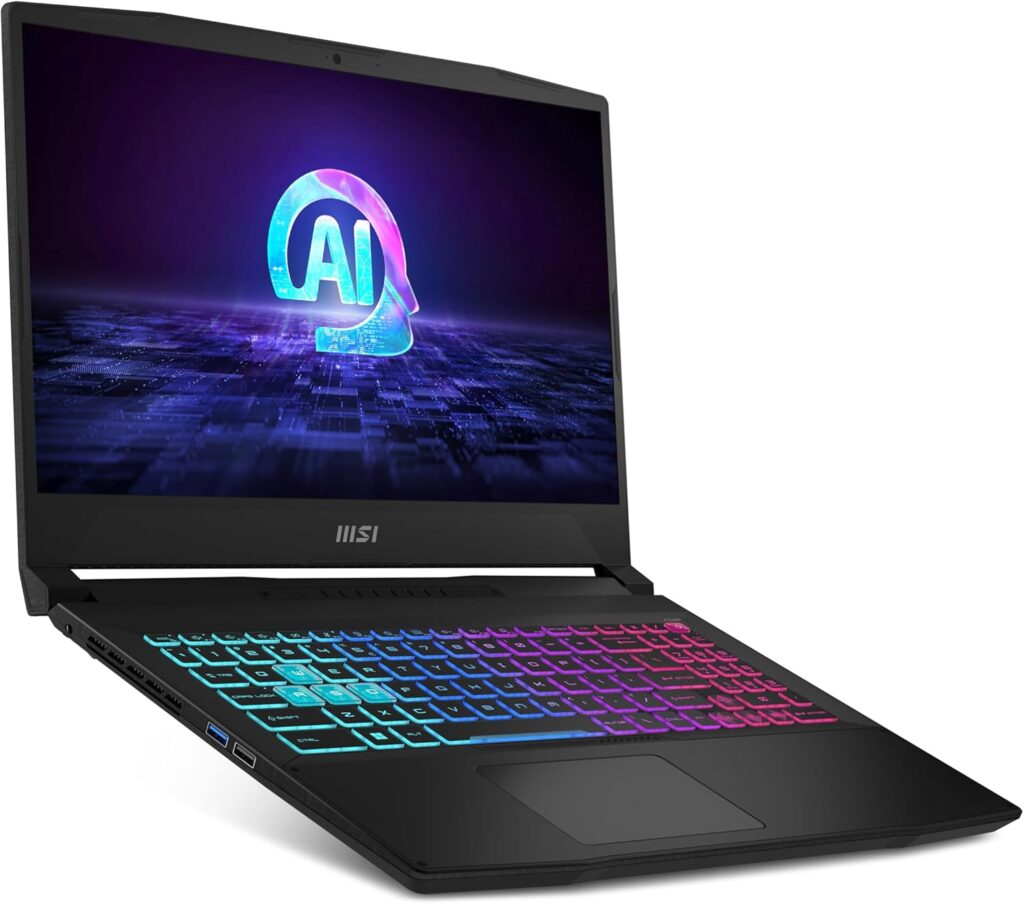
Specs: AMD Ryzen 7 8845HS | NVIDIA GeForce RTX 4050 105W | 16GB DDR5 | 512GB SSD | 15.6″ FHD 1920×1080 IPS 144Hz | ~2.2kg | Wi-Fi 6E | Windows 11 Home
Score: 7.7/10
Pros:
- RTX 4050 at 105W — the most powerful RTX 4050 configuration on this list
- Ryzen 7 8845HS — Zen 4 architecture, significantly stronger than the tier below
- Wi-Fi 6E — a step above most competitors at this price
- Competitive pricing for the GPU and CPU specification combination
Cons:
- 512GB SSD — inadequate given the performance ceiling the GPU can reach
- Display colour accuracy below average even for budget gaming panels
- Battery life is poor — 53.5Wh cell with a 105W GPU draws down quickly
- Windows 11 Home — not Pro
Best for: Buyers who want the best possible RTX 4050 gaming performance under £800 and are prepared to add their own SSD separately.

- 15.6″ FHD (1920*1080) 144Hz 45%NTSC IPS-Level, Ryzen 7 8845HS, Nvidia GeForce RTX 4050 GDDR6 6GB, 4-Zone RGB Gaming Keyboard , Cooler Boost 5
- NVIDIA GeForce RTX 4050 Laptop GPU 6GB GDDR6 powers advanced AI with 194 AI TOPS
- Up to 2355MHz Boost Clock 105W Maximum Graphics Power with Dynamic Boost. *May vary by scenario
#2 — Lenovo LOQ 15IRX10 | 8.1/10
Next-generation GPU, 24GB RAM, 1TB SSD — the best specification per pound on this list
The Lenovo LOQ 15IRX10 does something unusual for a budget gaming laptop: it combines a next-generation RTX 5050 with 8GB of GDDR7, 24GB of RAM, and a 1TB SSD in a single package at a price that would have been implausible for that specification twelve months ago. If raw specification value is the governing criterion, nothing else on this list competes.
The RTX 5050 is Nvidia’s entry-level Blackwell GPU, and the GDDR7 memory provides considerably more bandwidth than the GDDR6 found in every RTX 4050 configuration below it. Real-world testing shows strong 1080p results: Cyberpunk 2077 at Ultra settings without DLSS delivers 70–75fps, with Frame Generation pushing well past 130fps when enabled. Elden Ring at maximum settings with ray tracing holds 60fps. Competitive titles run at over 150fps in CS2. Lenovo’s Hyper-Chamber cooling draws air from the bottom and exhausts from the rear, maintaining reasonable temperatures across sustained sessions.
The 24GB RAM configuration stands out in this tier. Most competitors at this price ship 16GB as standard — the additional 8GB leaves headroom for a browser, streaming software, and Discord alongside gaming without memory pressure. The 1TB SSD means you are not immediately rationing install space across your library. LaptopMedia noted the second M.2 slot runs at PCIe 4.0 x2 rather than x4 despite some documentation suggesting otherwise — a minor finding worth knowing for storage upgrades. The G-Sync-compatible 144Hz FHD display with 100% sRGB coverage is above average for this price bracket.
Battery life is a clear weak point. The 60Wh cell limits gaming to under two hours unplugged and general use to 4 to 5 hours. The chassis design is restrained to the point of drabness, and at 2.4kg it is the heaviest machine in this guide. The LOQ brand sits below Lenovo’s Legion line in overall build quality feel — this is a desk machine by nature.
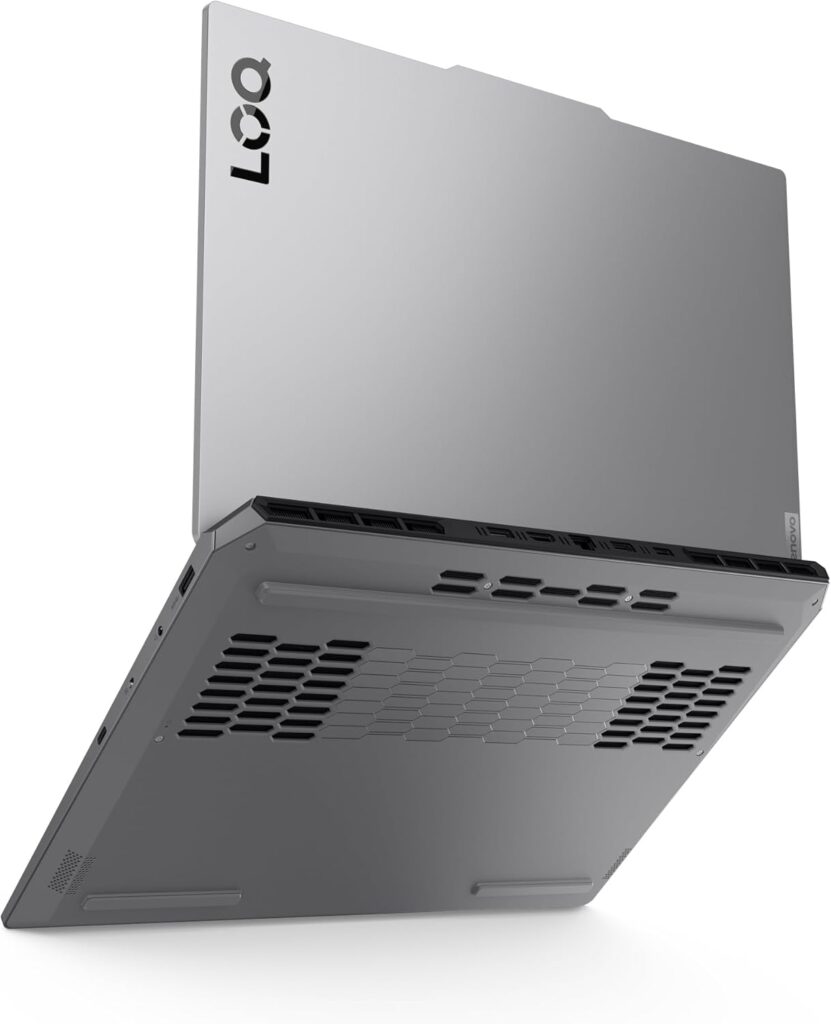
Specs: Intel Core i5-13450HX | NVIDIA GeForce RTX 5050 8GB GDDR7 ~80W | 24GB DDR5 | 1TB SSD | 15.6″ FHD 1920×1080 144Hz G-Sync | ~2.4kg | Wi-Fi 6E | Windows 11 Home
Score: 8.1/10
Pros:
- RTX 5050 with 8GB GDDR7 — next-generation GPU architecture at this price point
- 24GB DDR5 RAM — more than any other machine in this guide
- 1TB SSD — the right amount of storage for a gaming machine
- G-Sync compatible 144Hz display with 100% sRGB coverage
- Strong 1080p gaming across demanding current titles
- Wi-Fi 6E
Cons:
- Battery life is genuinely poor — under 2 hours gaming, 4 to 5 hours lighter use
- Chassis design is purely functional — no aesthetic consideration
- Second M.2 slot runs at PCIe 4.0 x2, not x4
- Heaviest machine in this guide at ~2.4kg
- No Thunderbolt support
Best for: Desk-based gaming where battery life is irrelevant and raw specification per pound is the priority; the machine for buyers who want the best available hardware at this price and will be gaming near a socket.

- Secure your price for 6 months. If it drops, we will level the score (T&Cs apply)
- Step into true gaming with Lenovo LOQ, designed for first-time gamers to experience what they’ve been missing. Powered by 13h Gen Intel Core processors and NVIDIA GeForce RTX graphics, it delivers stunning visuals with ray tracing and AI-enhanced DLSS.
- Lenovo AI Engine+ makes gaming easy by optimizing your laptop’s performance automatically. Powered by the Lenovo AI Core, it tunes your CPU, GPU, and system settings for smoother gameplay and better FPS
#1 — ASUS TUF Gaming A16 FA608UM | 8.7/10
The best budget gaming laptop UK buyers can find — and the battery life is genuinely remarkable
The ASUS TUF A16 earns the top position on this list because it represents a step-change in capability relative to everything below it — in GPU performance, display quality, and in battery life — while remaining within the ceiling of what this guide defines as the budget bracket. At £899 at the time of writing, and occasionally on sale at that price, it is the most expensive machine here. The data justifies the ranking.
The RTX 5060 running at over 100W of TGP is a significantly more capable GPU than the RTX 5050 in the Lenovo LOQ, and considerably stronger than any RTX 4050 configuration on this list. LaptopMedia’s review found the TUF A16’s RTX 5060 to be the fastest they had tested for this GPU at the time of publication — delivering 112fps in Shadow of the Tomb Raider at 2K resolution on Highest settings, and 99fps in Metro Exodus Enhanced Edition on High at 1200p. These are results that compete with laptops costing several hundred pounds more. The Ryzen 7 260 — Zen 5 architecture, functionally equivalent to the Ryzen 7 8845HS — maintained a sustained 4810MHz average in LaptopMedia’s workload testing, outperforming Lenovo Legion 5 and Acer Nitro V comparisons running the identical chip.
The display is the most immediately distinctive feature on this list. A 16-inch 2560×1600 panel at 165Hz is a marked upgrade over the FHD screens found in every other machine in this guide. A 2K panel at this price is unusual, and the 165Hz refresh rate means the machine can actually use the frame rates its GPU produces — particularly in less demanding titles where it has headroom. The panel is PWM-free, which makes it genuinely comfortable for long sessions in a way that many budget gaming displays are not.
And then there is the battery life. LaptopMedia recorded over 14 hours in their standard endurance test — an extraordinary result for a gaming laptop at any price, let alone one under £900. ASUS’s management of the transition between discrete and integrated graphics has produced a machine that works away from a socket for a full working day. The practical implication for students, commuters, or anyone who does not game exclusively at a fixed desk is real and differentiating.
The honest caveats: 16GB of RAM is the right amount but trails the LOQ’s 24GB. Fan noise under heavy gaming load is significant and has been noted across multiple reviews. PC Gamer described the TUF Gaming A16 as a machine whose performance “challenges laptops you’d expect to cost significantly more.” At £899 it is the stretch pick of this guide, and the value calculation only holds if the RTX 5060 and the 2K display are genuine requirements rather than optional extras.
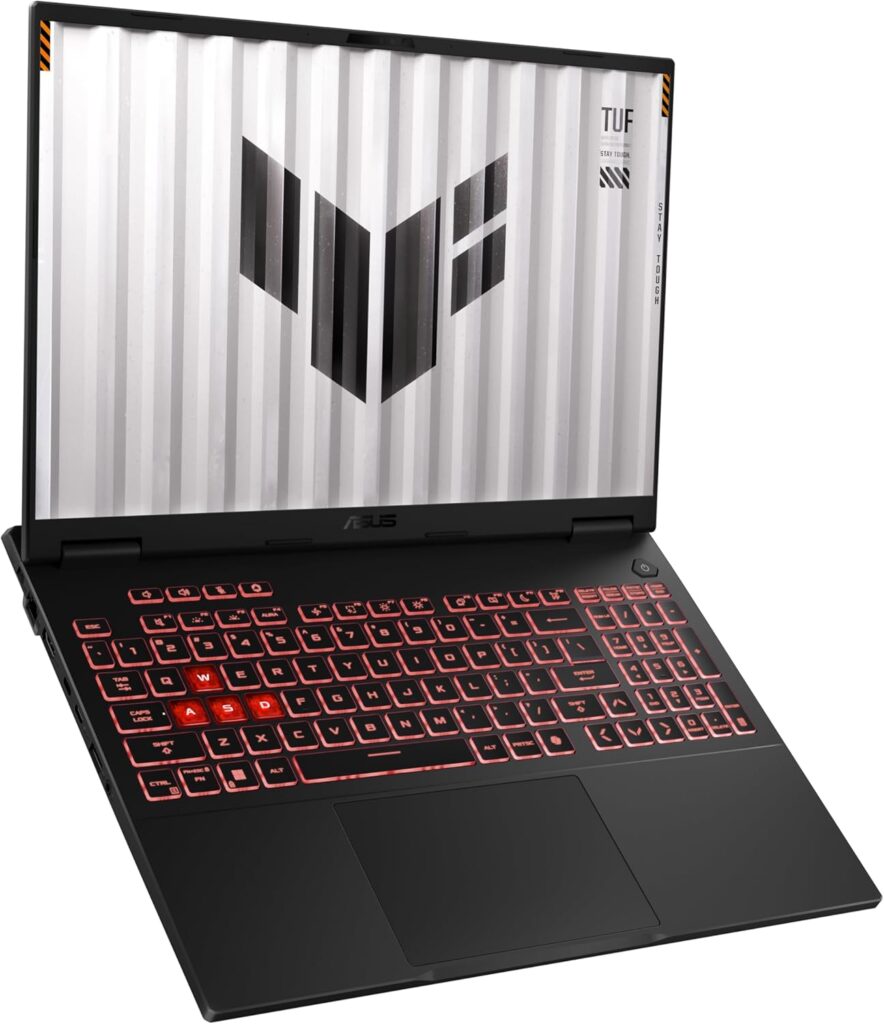
Specs: AMD Ryzen 7 260 (Zen 5) | NVIDIA GeForce RTX 5060 ~100W+ | 16GB DDR5 | 1TB SSD | 16″ 2560×1600 IPS 165Hz, PWM-free | ~2.2kg | Wi-Fi 6E | Windows 11 Home
Score: 8.7/10
Pros:
- RTX 5060 at over 100W — fastest GPU on this list by a meaningful margin
- 16″ 2K 165Hz PWM-free display — the best screen in this guide by a clear distance
- Over 14 hours battery life in independent testing — exceptional for a gaming laptop
- Ryzen 7 260 Zen 5 — strong sustained CPU performance across workloads
- 1TB SSD standard
- Best-in-class RTX 5060 result at time of LaptopMedia’s testing
Cons:
- £899 — at the top of the budget bracket, occasionally on sale at that price
- 16GB RAM — trails the LOQ’s 24GB
- Fan noise under heavy gaming load is significant
- Windows 11 Home — not Pro
- No Thunderbolt support
Best for: Buyers who want a single machine capable of serious gaming and genuine portable use; anyone for whom the 2K display and RTX 5060 performance represent a real improvement over the tier below, and for whom the 14-hour battery life changes what the machine can do day-to-day.

- Powered by AMD Ryzen 7 260 Processor 3.8GHz (24MB Cache, up to 5.1 GHz, 8 cores, 16 Threads), with AMD XDNA NPU up to 16TOPS
- ASUS ProArt 16 OLED ships with the very latest generation NVIDIA GeForce RTX 8GB GDDR7 graphics
- Powered by NVIDIA DLSS 3, ultra-efficient Ada Lovelace arch, NVIDIA Studio and Max-Q Technologie
How to Choose — A Decision Framework
The right machine from this list depends on what you actually play, how you use the laptop beyond gaming, and where your budget sits.
Choose the ASUS TUF Gaming A16 FA608UM if: You want the most capable gaming machine on this list, the 2K display is a genuine requirement, and the 14-hour battery life makes practical sense for your life — student, commuter, or anyone gaming away from a fixed desk.
Choose the Lenovo LOQ 15IRX10 if: You game at a fixed desk, battery life is irrelevant, and the RTX 5050 with 24GB of RAM and 1TB of storage represents the best all-round specification for your money. The desk machine that outspecifies everything else at this price.
Choose the MSI Katana A15 AI B8VE if: You want the strongest RTX 4050 gaming performance available under £800 — the 105W TGP is the deciding factor. Plan to upgrade the SSD separately.
Choose the HP Victus 15 fb3003sa if: You want the RTX 4050 75W tier with a cleaner, more understated design. Gaming performance is broadly equivalent to the Nitro V15; the everyday experience is tidier.
Choose the Acer Nitro V15 ANV15-51 if: You want the RTX 4050 75W tier and cooling efficiency is the priority. The Nitro’s thermal management is the best in class at this price, despite the fan noise and software quirks.
Choose the MSI Cyborg 15 A13UDX if: Your budget is fixed at the bottom of this range and your games are primarily esports titles or older releases. Set expectations on what the 45W RTX 3050 can handle before committing.
For context on the GPU naming conventions and TGP figures referenced throughout this guide, the Laptop Buying Guide UK covers the technical background. For buyers considering laptops with dedicated GPUs above this price range, the Best Premium Gaming Laptops UK guide covers the tier above.
Frequently Asked Questions
Is an RTX 4050 still worth buying in 2026?
At 105W, yes — the MSI Katana A15 AI configuration delivers genuine 1080p gaming capability across modern titles. At 75W, it’s capable with some settings compromises. At 45W, it’s marginal. The GPU name alone tells you almost nothing; the TGP is what matters.
What’s the difference between RTX 4050 and RTX 5050?
The RTX 5050 is Nvidia’s newer Blackwell-architecture entry-level GPU, featuring 8GB of GDDR7 memory compared to the 4050’s GDDR6. The architectural improvements deliver better performance-per-watt and meaningfully better frame generation capabilities (Nvidia’s Multi-Frame Generation is exclusive to 50-series). The 5050 at ~80W is competitive with a well-powered 4050 at 105W in raw rasterisation, but the 8GB GDDR7 and newer feature set give it a longer useful life.
How much RAM do I actually need for gaming in 2026?
16GB is the minimum for comfortable gaming in 2026. Some newer titles are beginning to push against this limit. 24GB — as the Lenovo LOQ 15IRX10 provides — is a more comfortable headroom. 32GB is useful if you run a browser, streaming software, and Discord alongside games, which most people do.
Should I upgrade the SSD on a budget gaming laptop?
If your machine ships with 512GB and you play more than two or three modern games, yes. A second M.2 NVMe drive typically costs between £50–£80 for 1TB and can be installed without voiding warranty on most machines here. Check whether your specific model has a spare slot before buying.
Is 144Hz or 165Hz worth caring about at this price?
The difference between 144Hz and 165Hz is imperceptible in practice. What matters more is whether the GPU can actually hit those frame rates consistently — and in many demanding titles at 1080p, these laptops will be in the 60–100fps range. The refresh rate advantage becomes real in esports titles where the GPU has more headroom.
External Resources
For independent benchmark data and technical depth: NotebookCheck and LaptopMedia are the most rigorous independent sources for detailed gaming benchmarks and thermal testing at each TGP configuration. Tom’s Hardware provides strong GPU hierarchy comparisons across RTX generations. TechRadar UK and Trusted Reviews offer UK-market context and real-world gaming assessments. Digital Foundry provides the most technically rigorous game-specific performance analysis for understanding how particular titles scale with GPU power.
More Budget Gaming Laptops
The machines above are the ones I’d put my own money on, but I’m always evaluating new budget gaming laptops as they hit the UK market. Every laptop in the feed below has gone through the same process: I’ve analysed the raw hardware and vetted the buyer sentiment to see if they’re actually worth a look. If my top picks didn’t do it for you, there might be something here that fits. Browse all budget gaming laptop analyses in the Best Budget Gaming Laptops category achive.
Browse by Specification
Looking for something specific? Browse our analyses by hardware and feature:
[AMD Processor Laptops] — [Intel Processor Laptops] — [16GB RAM Laptops] — [32GB RAM Laptops] — [Dedicated Graphics] — [Long Battery Life] — [Lightweight Laptops] — [Student Laptops]
Browse by Screen Size
[13-inch Laptops] — [14-inch Laptops] — [15-inch Laptops] — [16-inch+ Laptops]
Note: I don’t do lab tests or hands-on reviews. Instead, I tear down the technical specs and aggregate verified buyer reports to see how these laptops actually perform in the wild. As an Amazon Associate, I earn from qualifying links.
-
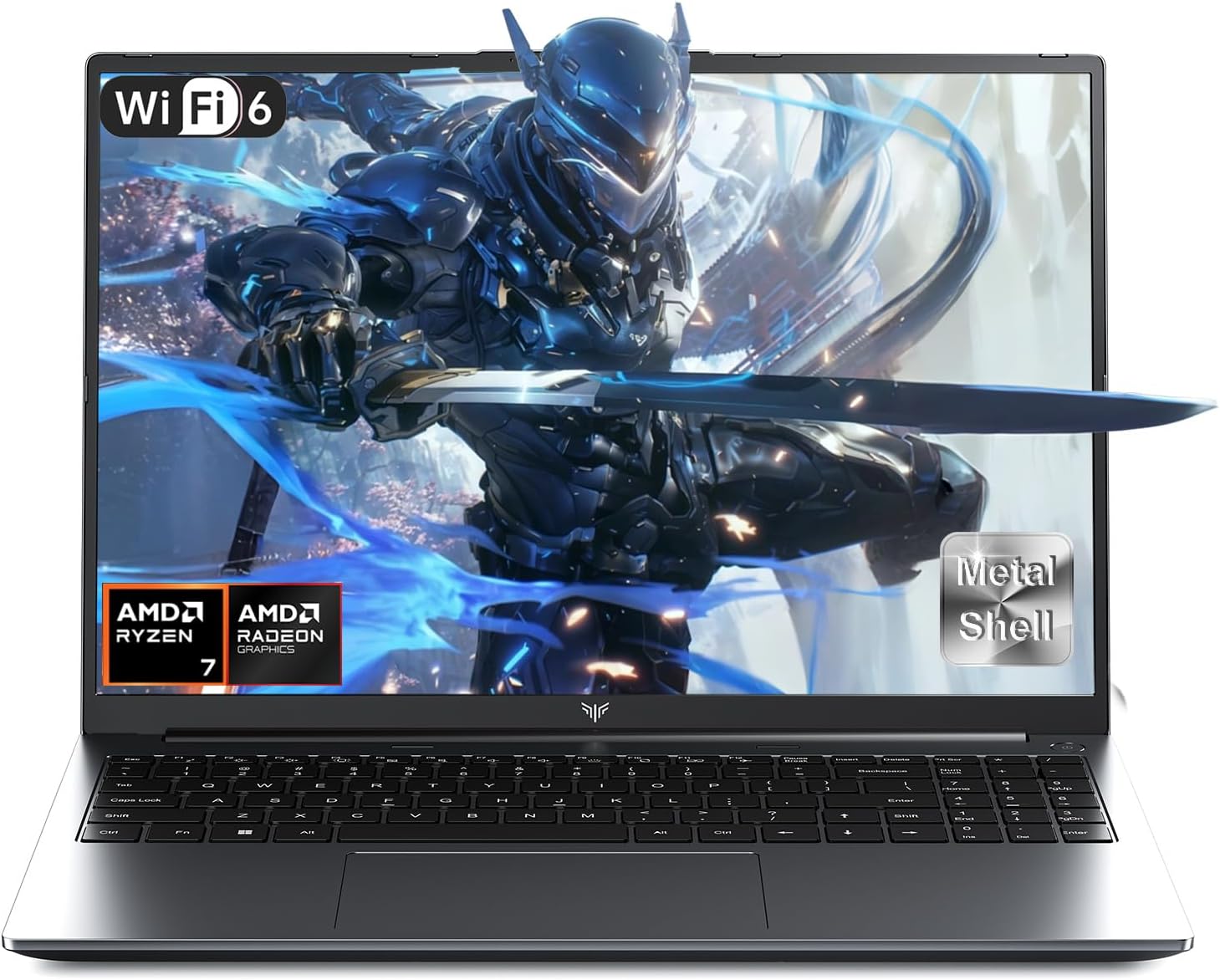
ACEMAGIC RX16 Analysis: DDR5 Without the OS
Reading Time: 9 minutesThe Blunt Verdict The ACEMAGIC RX16 is a budget-tier machine aimed squarely at light gamers and general users who want
-
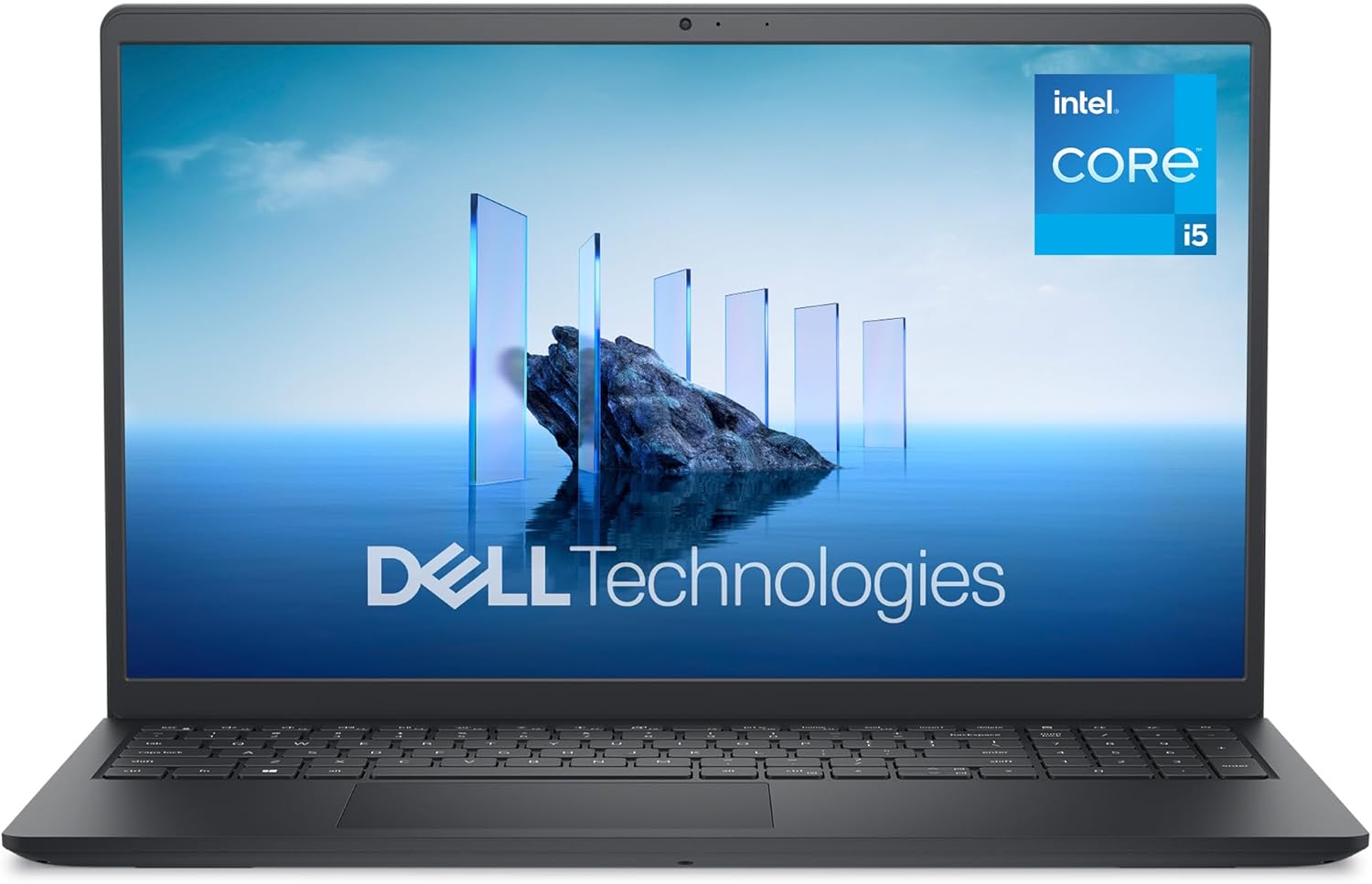
Dell 15 DC15250 Analysis: 120Hz Screen, Weak Battery
Reading Time: 9 minutesThe Blunt Verdict The Dell 15 DC15250 is a no-nonsense everyday laptop aimed squarely at people who need a capable
-
ASUS Vivobook 16 X1605VA Analysis: Large Screen, Real Limits
Reading Time: 10 minutesThe Blunt Verdict The ASUS Vivobook 16 X1605VA is a straightforward everyday laptop that does what most people actually need
-
Lenovo ThinkPad T14 Review — The Business Laptop That Refuses to Age
Reading Time: 8 minutesThis Lenovo ThinkPad T14 review covers a machine with a reputation that precedes it. The ThinkPad T-series has been the