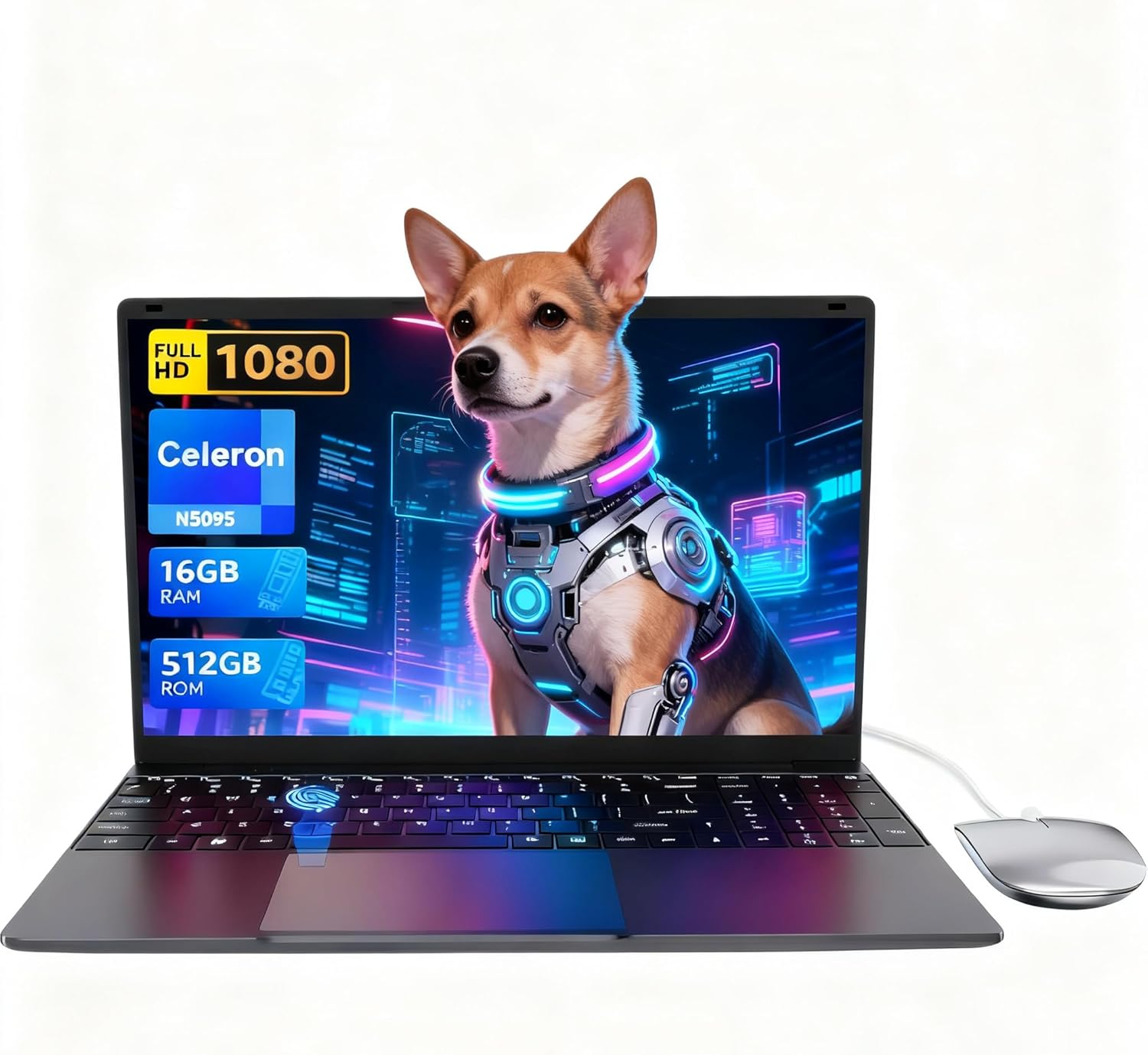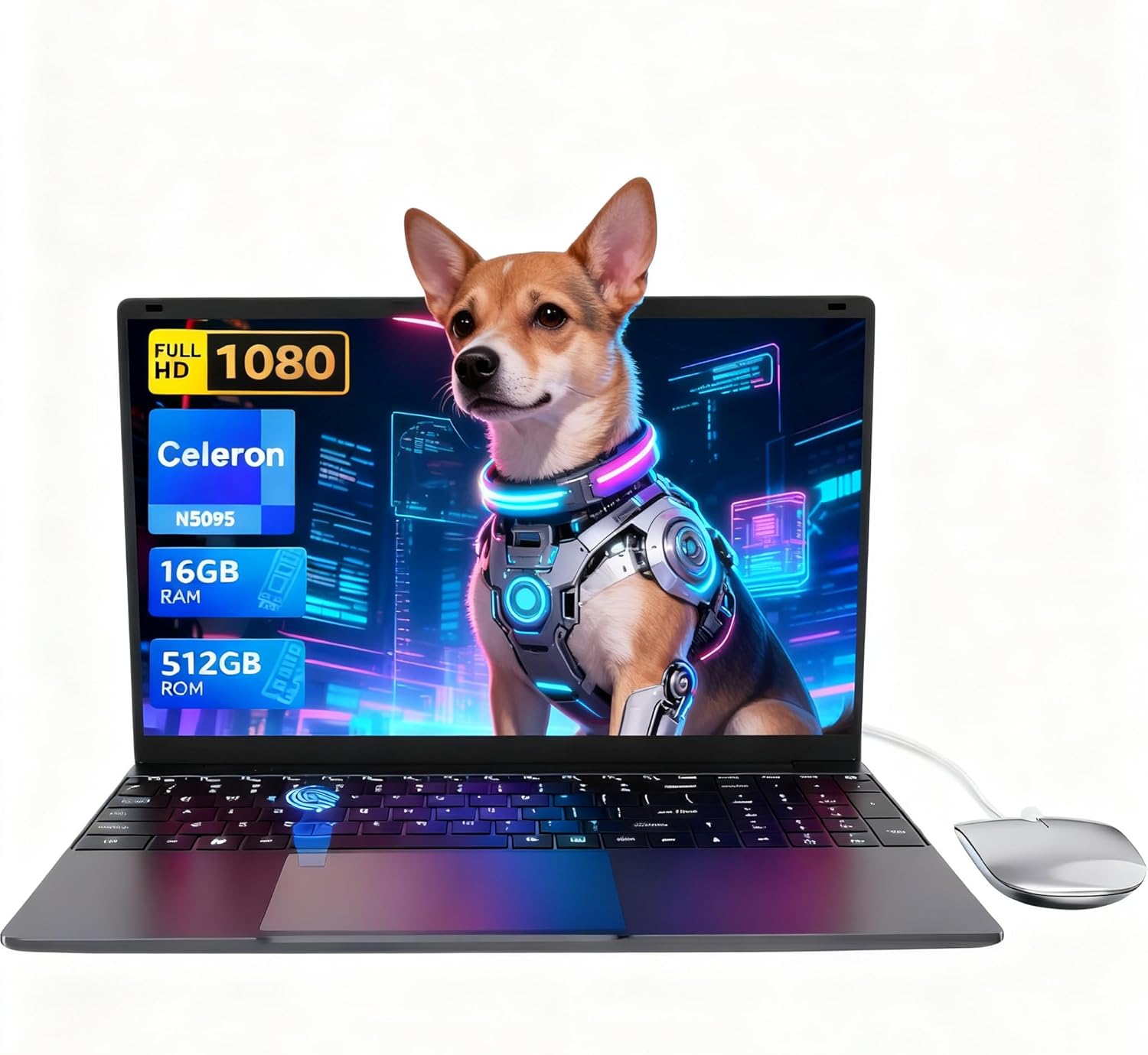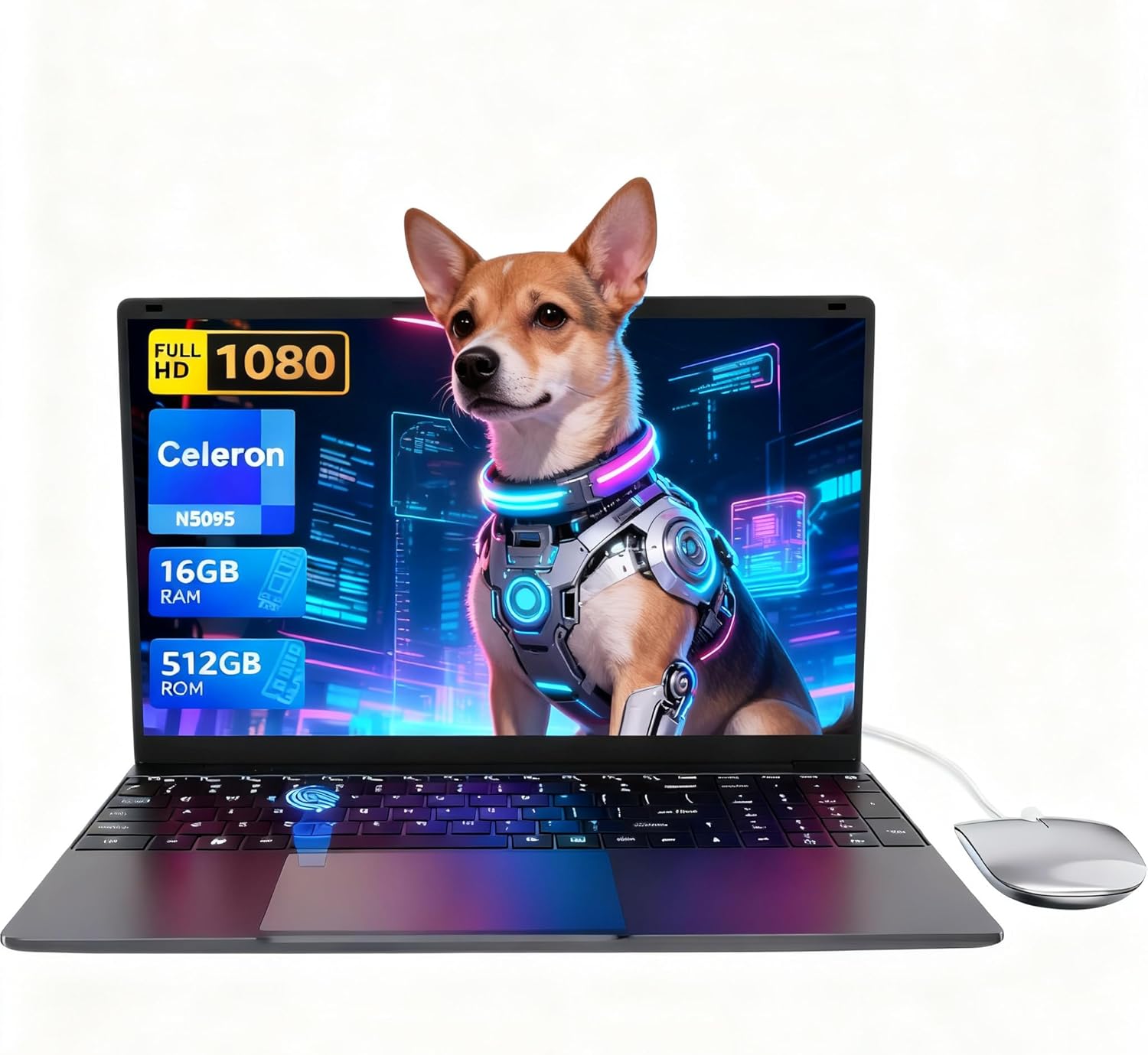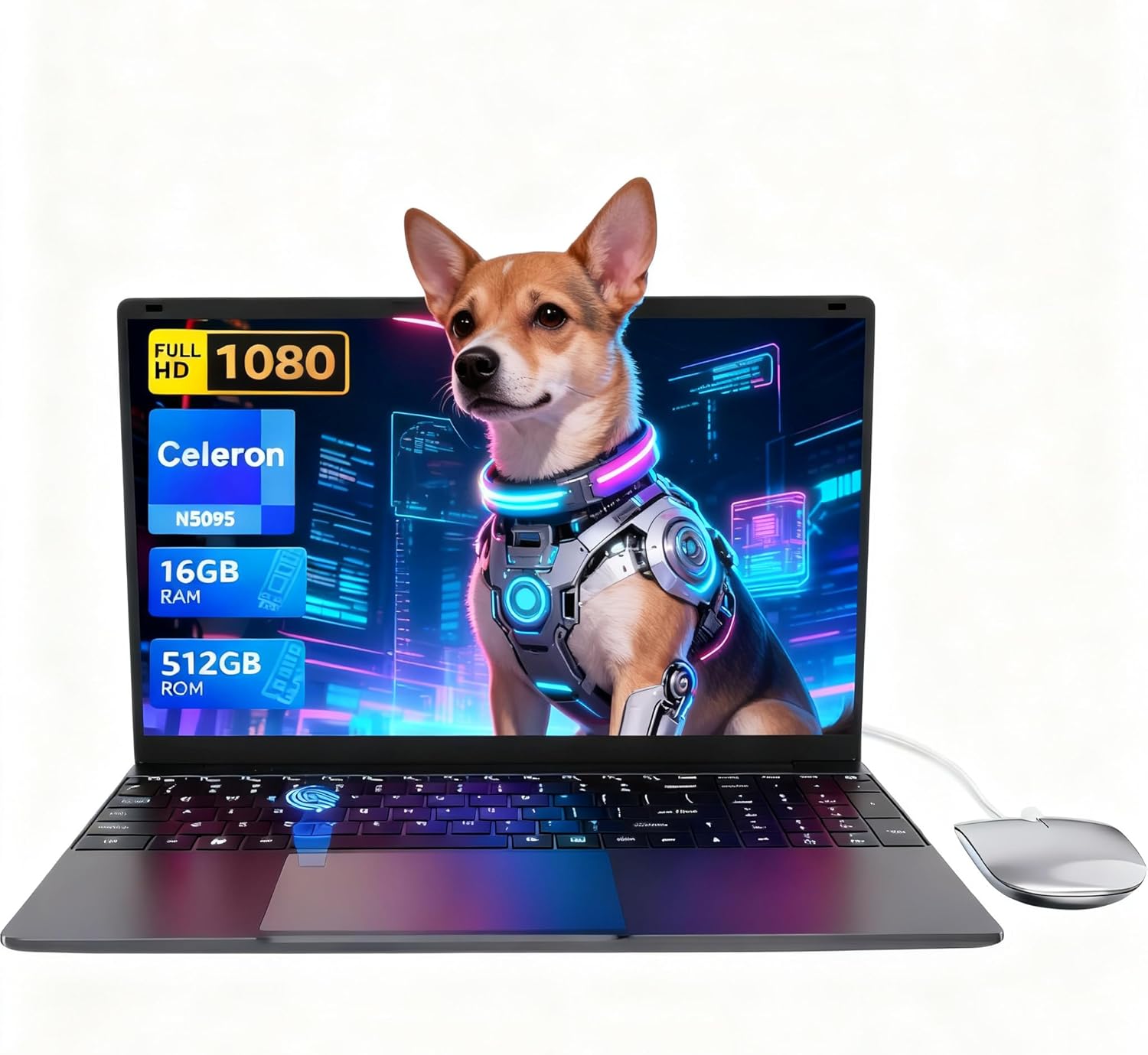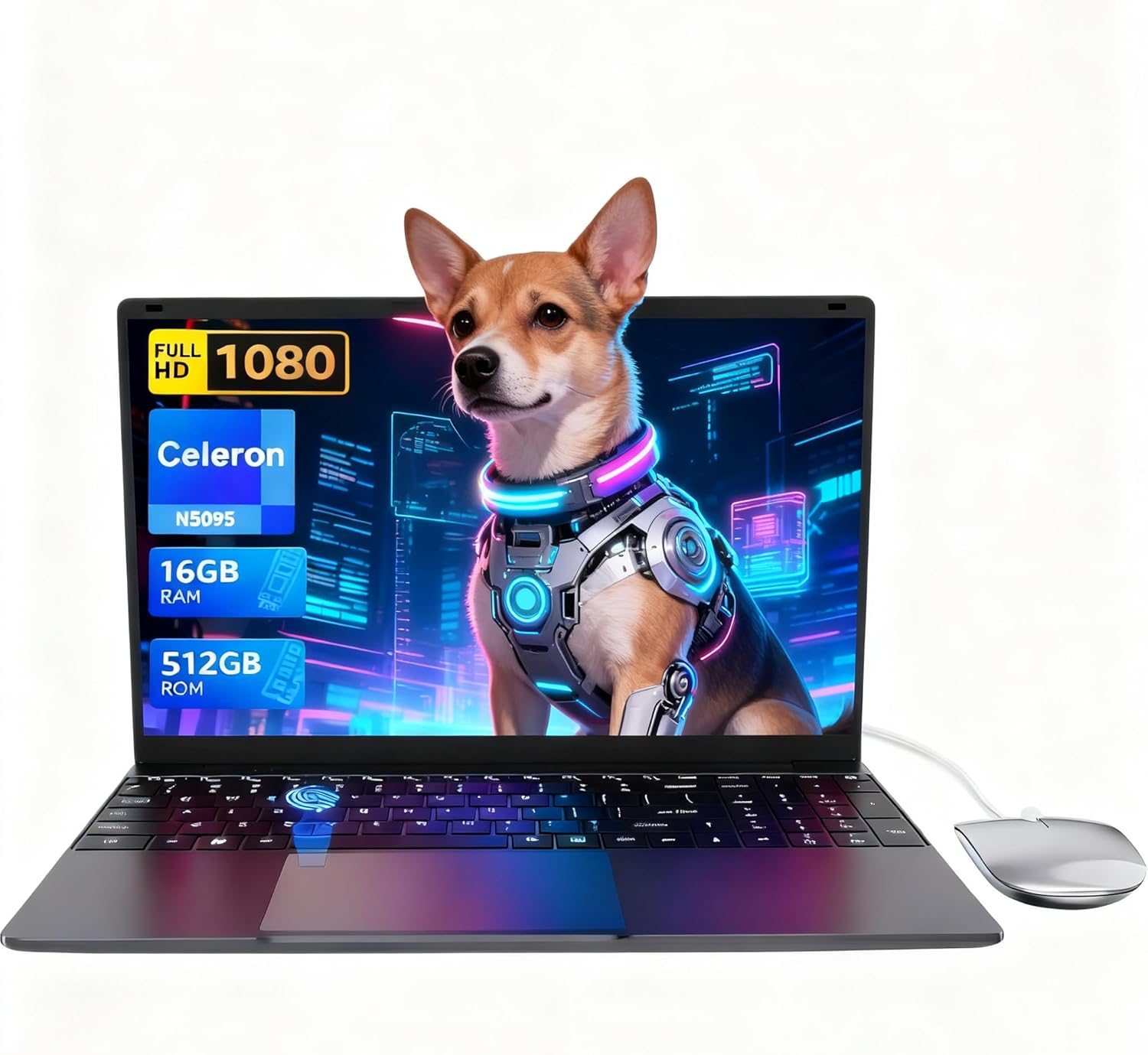
LEEDOW ANL5-N5095 Analysis: Big Specs, Low Ceiling
The Blunt Verdict
The LEEDOW ANL5-N5095 is a no-frills, light-use laptop aimed squarely at students, older users, and anyone who needs basic office capability without spending serious money. It ships with 16GB of LPDDR4 RAM and a 512GB SSD at a spec-to-cost ratio that embarrasses a lot of the competition in the budget segment. The headline weakness? The Intel Celeron N5095 processor is genuinely slow by any modern standard, and the battery life is poor enough that this laptop is tethered to a wall socket in any real working situation.
You’re getting a 15.6-inch 1920×1080 IPS display, a full-size keyboard with numpad, a backlit keyboard, a fingerprint reader, and a reasonably light 1.55kg chassis. The storage and RAM specs look generous for this tier — and they are. But the Celeron N5095 processor running at a maximum turbo of 2.9GHz with a 15W TDP is an entry-level chip that will feel constrained the moment you push beyond browser tabs and document editing.
Buy this if you need a second machine for light daily tasks, a laptop for a younger student doing schoolwork, or a household browsing device. Do not buy it if you need sustained productivity, half-decent gaming, video editing, or anything that demands CPU headroom. This is honest budget territory — understand what you’re getting and it delivers. Expect more and you’ll be disappointed.
See the current listing and availability for the LEEDOW ANL5-N5095 on Amazon.

Pros and Cons
Pros
- 16GB of LPDDR4 RAM is unusually generous for this price tier and keeps multitasking smooth for light workloads
- 512GB SSD storage provides fast load times and plenty of room for documents, photos, and media
- Full-size keyboard with numpad, backlit keys, and a fingerprint reader included as standard
- 1920×1080 IPS display rated well by buyers for brightness and clarity, even in lit environments
- Comes with accessories in the box — a mouse, USB hub, and keyboard cover — which genuinely add value
- At 1.55kg with a 2cm profile, it’s easy to carry for a 15.6-inch machine
Cons
- The Intel Celeron N5095 is a low-power, low-performance chip — expect visible slowdowns under any real workload pressure
- Battery capacity is listed at 38Wh and real-world battery life of 3–4 hours means you’ll need the charger nearby
- One buyer reported charging port failure and USB port errors within a month — early hardware reliability is a concern worth flagging
Spec Breakdown
- Model: LEEDOW ANL5-N5095
- CPU: Intel Celeron N5095 (Jasper Lake), up to 2.9GHz, 15W TDP
- RAM: 16GB LPDDR4 (2933MHz)
- Storage: 512GB SSD (M.2 2280 B-key SATA; expandable with additional 1TB M.2 SATA SSD)
- GPU: Intel UHD Graphics (integrated)
- Display: 15.6-inch IPS, 1920×1080, glossy finish
- Battery: 5000mAh / 38Wh, Lithium Ion
- OS: DOS (Windows 11 reported by buyers; some units shipped with pre-installed OS)
- Weight: 1.55kg
- Ports: 2x USB (USB 3.0), 1x HDMI, MicroSD card slot, Ethernet, headphone jack
- Connectivity: Wi-Fi 5 (802.11ac), Bluetooth 4.2
- Keyboard: Backlit QWERTY with numpad
- Camera: 720p front-facing webcam
- Security: Fingerprint reader
- Warranty: 24 months
Hardware & Performance Reality Check
The Intel Celeron N5095 is a Jasper Lake chip designed for ultra-low-power devices — think entry-level Chromebooks and basic office machines, not anything demanding sustained performance. Its base clock sits at 2.0GHz with a turbo ceiling of 2.9GHz across four threads. That’s enough for browser-based tasks, document editing, video streaming, and light multitasking — especially with 16GB of RAM giving it breathing room. But that RAM advantage is largely architectural: the N5095 shares memory bandwidth with the integrated GPU and runs a single-channel configuration, which caps real throughput below what the headline spec implies. If you want to understand what these numbers actually mean day-to-day, this CPU guide puts it in plain terms. One buyer noted clock speeds dropping to 1–1.5GHz under sustained load — consistent with a low-TDP chip throttling under heat. Whether the RAM is soldered isn’t confirmed in the spec data, but given the form factor and price tier, upgrades beyond the listed 16GB ceiling are almost certainly off the table.
The 512GB SATA SSD is a meaningful positive here. SATA rather than NVMe means it’s not the fastest SSD on the market, but it’s dramatically quicker than any HDD and fast enough to make boot times and app loading feel snappy. Multiple buyers confirmed quick startup. The Intel UHD Graphics integrated into the N5095 is strictly low-demand territory — YouTube, local video playback, and basic photo management are all fine. Minecraft with optimised settings reportedly runs, Roblox gets a pass, but anything 3D-intensive or GPU-accelerated won’t run acceptably. This is not a budget gaming machine — the chip wasn’t built for it and the thermal envelope won’t sustain it.
For 2026 real-world use: student essays, spreadsheets, and video calls — fine. Office 365 and browser-based tools — manageable. Light coding or web development without heavy compilation — usable. Video editing in any meaningful sense — no. Gaming beyond very light titles — no. Running multiple heavy applications simultaneously — expect slowdowns. The N5095 was already behind the curve when it launched, and the gap to current mid-range chips only widens. Buyers looking at more demanding work tasks should consult the performance benchmarks guide before committing to this tier.
Port configuration is worth noting separately. You get two USB 3.0 ports, one HDMI output (confirmed working well by buyers for TV output), a MicroSD slot, and Ethernet. The included USB hub partially compensates for the limited native ports. That’s a workable setup for most light users, though anyone connecting peripherals regularly will lean on that hub. A full breakdown of what port types actually mean is covered in the ports guide if you need it.
Check the full spec sheet and buyer Q&As for the LEEDOW ANL5-N5095 on Amazon.
Everyday Usability: Battery, Build & More
Battery life is the most significant daily limitation here. The 38Wh cell gives a manufacturer-quoted 4 hours, and buyers broadly confirm 3–4 hours under real use — less if you’re actually working rather than idling. One buyer left it on idle and came back five hours later to find it still running, which suggests light workloads stretch it further, but anyone expecting all-day unplugged use will be disappointed. This is a laptop you keep plugged in at a desk more often than not. On the build side, buyers consistently describe the chassis as solid and non-flimsy for the price — the grey metal body makes a better impression than the cost implies. At 1.55kg and 2cm thick, it genuinely is easy to carry. The 180-degree hinge works as advertised for flat screen-sharing, though one buyer flagged it’s slightly wobbly when extended fully.
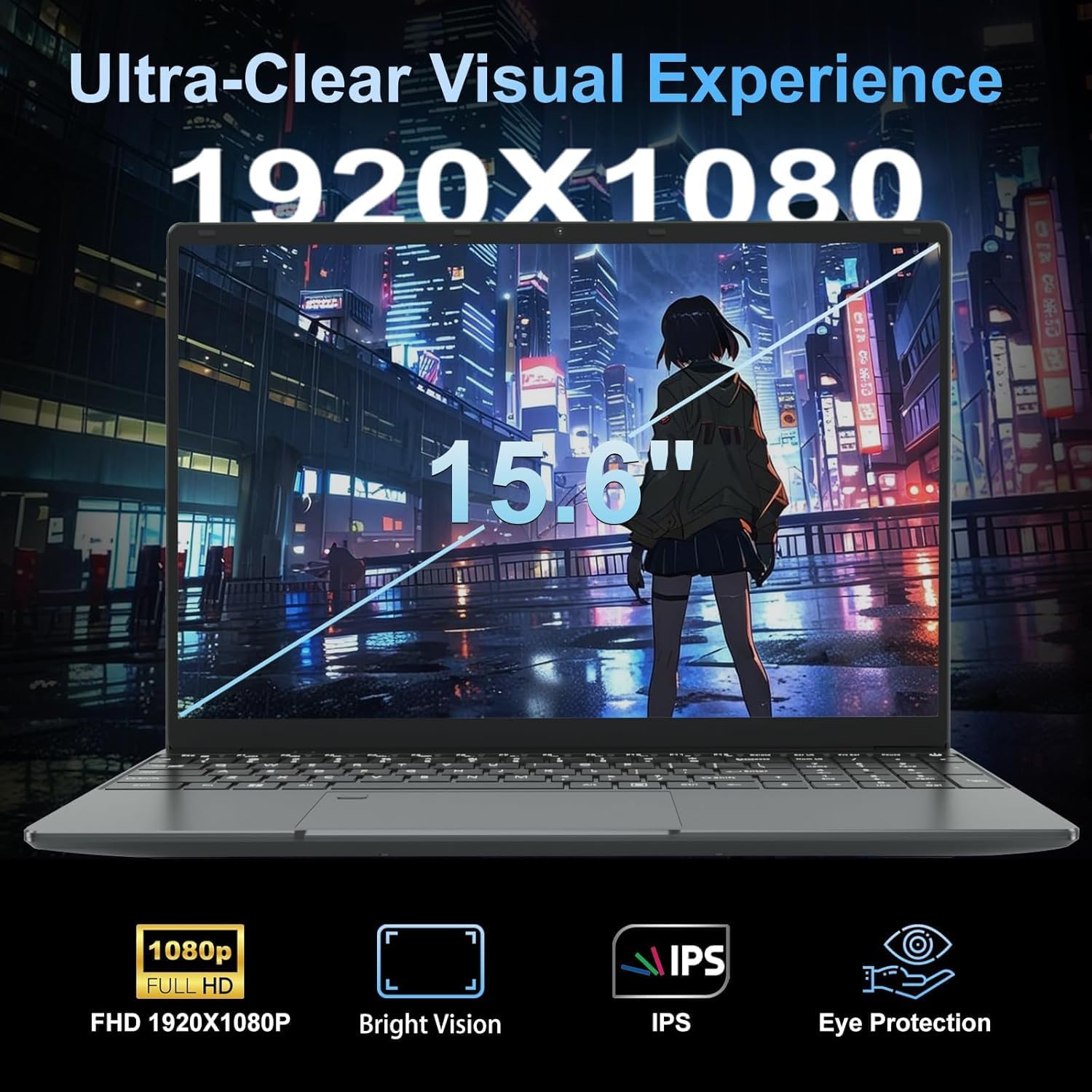
The 1920×1080 IPS display earns genuine praise from buyers — bright, clear, and one buyer specifically noted it performed well outdoors with minimal glare from an anti-reflective coating. The glossy finish does introduce reflections in bright environments, so take that with context. Colours are described as vibrant and sharp by multiple reviewers. No touchscreen on this device — it’s a conventional display. The keyboard is full-size with a numpad, backlit in multiple colours, and generally well-regarded for feel at this price. The included silicone cover doesn’t interfere with typing. The 720p webcam performs adequately in normal light and is reported as acceptable in low light — fine for video calls, nothing more. Speaker volume is surprisingly high according to buyers, though audio quality at that volume is unsurprisingly limited. Thermal performance is the one area where the hardware shows its compromises — under sustained load, heat collects at the base and fan noise picks up noticeably. For light tasks it stays quiet; push it and it doesn’t stay that way. The fingerprint reader works as a login convenience and buyers mention it positively. Wi-Fi 5 and Bluetooth 4.2 cover standard connectivity needs — one buyer clocked 300Mbps+ Wi-Fi speeds, which reflects a well-functioning radio rather than headline Wi-Fi specs.
Lifespan & Future-Proofing
The chassis should hold up reasonably well for light daily use. The metal-finish body is more durable than pure plastic equivalents at this price, and at 1.55kg it won’t be strained by regular carrying. A 24-month manufacturer warranty provides some baseline cover. One hardware reliability concern from customer reviews — a charging port failure within a month — is worth keeping in mind. It’s a single data point from 92 reviews, but it’s the kind of failure that ends a laptop’s useful life abruptly. Budget brands at this tier carry a higher variance in component quality than established names like Dell or Lenovo, and that’s a fair expectation to set. If longevity across professional or heavy daily use is the priority, the professional laptop options are worth a look instead.
On spec longevity, be realistic. The Celeron N5095 was already an entry-level chip in 2021 when it launched. By 2026 it’s running behind the pace of even basic productivity workloads as software overhead increases. The 16GB RAM buys it more runway than you’d expect at this chip tier — if you want to understand how much RAM actually matters over time, this breakdown is worth five minutes. But the CPU is the ceiling here, and that ceiling is low. Realistically, expect two to three years of comfortable use for the tasks this machine is designed for — browsing, documents, video streaming. After that, software demands will start to outpace what the N5095 can comfortably handle. There’s no upgrade path for the processor, and RAM expansion is capped. Buy it knowing you’re buying a short-to-medium term device, not a five-year workhorse.
View current stock and availability for the LEEDOW ANL5-N5095 on Amazon.
What Buyers Are Saying (And Potential Dealbreakers)
The LEEDOW ANL5-N5095 holds a rating of 4.4 out of 5 across 92 customer reviews on Amazon UK. That’s a reasonable sample. The headline pattern is consistent: buyers who approached this as a light-use, affordable machine came away satisfied; the one dissatisfied buyer had a clear hardware failure. That split tells you more than a blanket average does.
Recurring praise clusters around four things: the generous RAM and SSD for the price, the display quality (brightness and clarity specifically), the keyboard feel, and the accessories included in the box. Multiple buyers flagged the mouse and USB hub as genuinely useful additions rather than throwaway inclusions. Boot speed and snappy day-to-day responsiveness were called out several times — that’s the SSD doing its job. One buyer installed Linux Mint instead of the pre-loaded OS and reported everything working without issue, which is useful to know if you prefer an alternative OS. The display getting outdoor use credit is notable — glossy panels and outdoor use don’t usually mix, so the anti-reflective coating appears to be earning its keep.
The dealbreaker is the battery and the thermal situation under load. Buyers who needed portability without a charger found the 3–4 hour real-world runtime limiting. One buyer doing heavier tasks noted fan noise and heat concentrated at the laptop’s base — consistent with the N5095’s thermal ceiling. And one buyer experienced charging port failure within a month. That’s a low-frequency but high-severity issue: if it happens to you just after the return window closes, the 24-month warranty is your only recourse. Worth knowing before you buy.
Buyer Highlights
“Everything looks well packaged and professionally presented — it feels solid and durable, not cheap.” — Build quality consistently beats first impressions at this price point.
“Games like Roblox and Fortnite run smoothly, with graphics that look sharp for integrated graphics — no noticeable lag.” — Worth calibrating: these are light titles, but it’s reassuring for a younger user’s machine.
“I left it on idle by mistake and came back five hours later to find it still had charge.” — Light workloads push battery life further than the headline figure suggests.
“I put Linux Mint on it — browsing, streaming, photo editing, all fast and easy with the 512GB SSD.” — Useful confirmation for anyone who prefers an open-source OS over the pre-installed option.
“The charging port kept saying it wasn’t charging, then it stopped working altogether — a month in and I can’t use it at all.” — A single but serious data point on hardware reliability that prospective buyers should factor in.
“The display is bright and clear even in bright sun — no glare issues at all, and HDMI output to a large TV worked perfectly.” — Screen and video output both performing above expectation for the price.
Who Should Buy It (And Who Shouldn’t)
Buy If
- You need a student or household machine for browser use, documents, streaming, and light multitasking — this spec-to-cost ratio is hard to argue with in the budget laptop tier
- You want a secondary device to keep plugged in at home or in a classroom — the short battery life matters less when you’re near a socket
- You’re buying for a younger user who needs something sturdy enough for daily use but you’d rather not spend heavily in case it gets damaged
- You want a machine that’s ready to run an alternative OS — confirmed working cleanly with Linux Mint
Avoid If
- You need genuine all-day battery life away from a plug — 3–4 hours is a hard limit for a working day, and the mid-range options offer substantially more
- You’re planning to use it for video editing, heavier creative work, programming with compilation, or anything beyond basic gaming — the Celeron N5095 will hit its ceiling fast and won’t recover from it
- You need a machine that will stay relevant for more than two to three years under daily use — the CPU has no upgrade path and is already behind current norms
The Bottom Line
The LEEDOW ANL5-N5095 does exactly what a well-specced budget machine should: it over-delivers on storage and RAM relative to its asking position, keeps the display quality honest, and ships with enough accessories to feel complete out of the box. The CPU is the unavoidable limitation — the N5095 was never a performance chip, and that shapes every boundary this laptop has. If you go in understanding those boundaries, most buyers find this a satisfying purchase. Go in expecting more and you’ll run into them quickly. For light daily use, students, or a low-stakes household device, it’s a credible choice. If you need the full picture on what to look for before buying a laptop, that’s worth reading first.
Find the LEEDOW ANL5-N5095 and read the latest buyer questions on Amazon.
At LaptopAdvisorOnline, our methodology is built on data transparency rather than simulated hands-on testing. We rigorously analyse official manufacturer specifications and aggregate verified customer sentiment to provide objective, fluff-free buying advice that helps you cut through the marketing jargon.
As an Amazon Associate, I earn from qualifying purchases.
Browse by Specification
Looking for something specific? Browse our analyses by hardware and feature below, or check all laptop analyses in the Best Budget Laptops category archive.
[AMD Processor Laptops] — [Intel Processor Laptops] — [16GB RAM Laptops] — [32GB RAM Laptops] — [Dedicated Graphics] — [Long Battery Life] — [Lightweight Laptops] — [Student Laptops]
Browse by Screen Size
[13-inch Laptops] — [14-inch Laptops] — [15-inch Laptops] — [16-inch+ Laptops]