
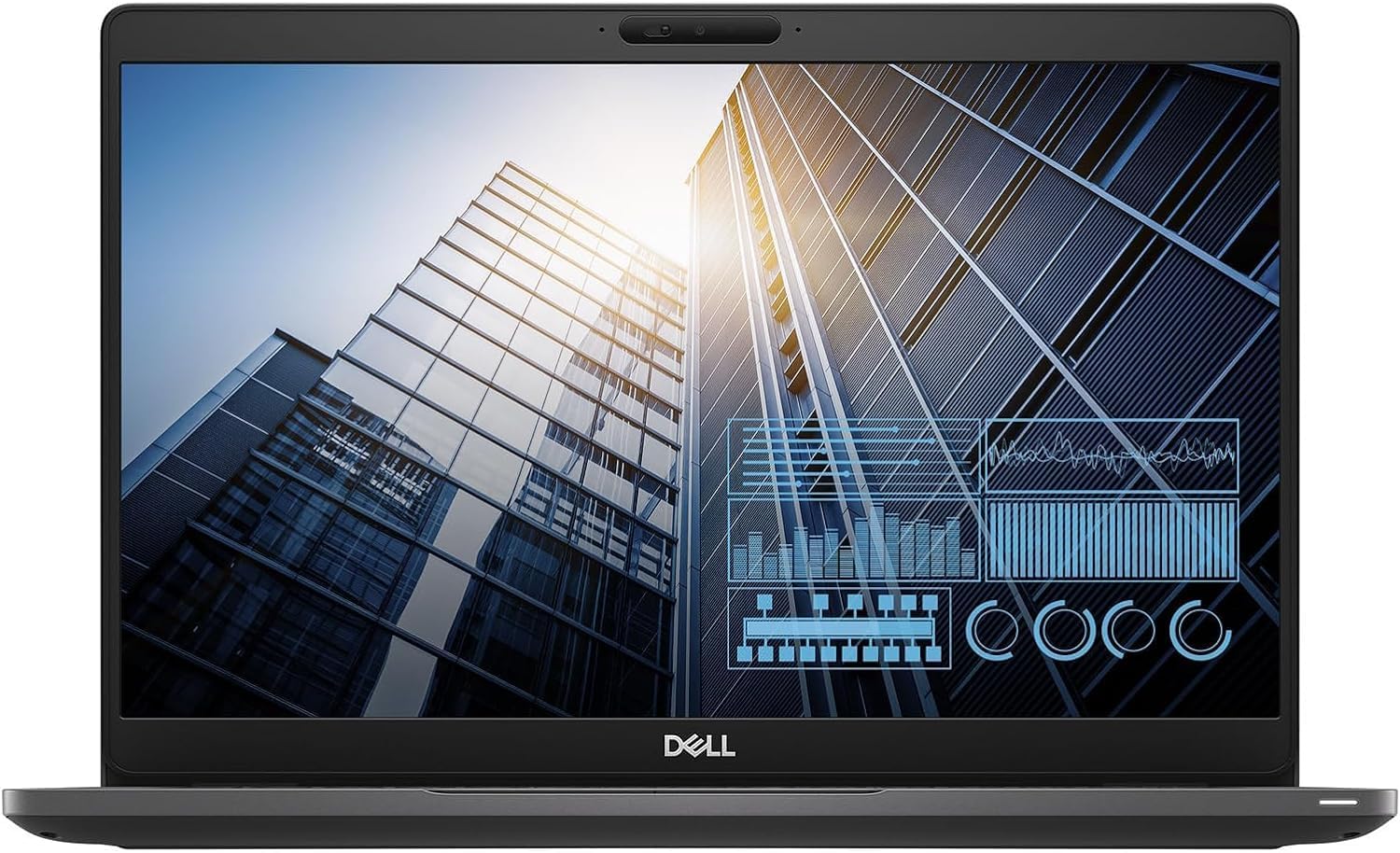
Dell Latitude 5300 Business Laptop Review: Efficient Power for Professionals
Quick Verdict
The Dell Latitude 5300 is a solid choice for professionals seeking a business laptop that balances portability, dependable performance, and durable build quality. Its 8th-generation Core i5 CPU paired with 16GB of RAM and a 512GB SSD delivers smooth productivity across typical office tasks, making it well-suited for multitasking and on-the-go workflows. While the renewed model presents certain risks reflected in mixed customer feedback, this machine represents compelling value for professionals who want a no-nonsense laptop primarily for document handling, video calls, and light multitasking.

Overview and First Impressions
Dell’s Latitude series has long been aimed at business users requiring a reliable and compact machine to navigate demanding workdays, and the 5300 fits squarely into this niche. Targeted at UK professionals in corporate or home office settings, the Latitude 5300 is marketed as a 13.3-inch ultrabook that blends portability with robust business features.
From the moment you handle the Latitude 5300, it feels sturdy without being overly heavy. The chassis is constructed primarily from magnesium alloy, lending a professional matte finish that resists fingerprints better than aluminium while keeping weight down to around 1.4 kilograms. Measuring approximately 311 x 216 x 18 mm, it slots easily into backpacks or briefcases. The hinge mechanism feels firm and steady, providing a comfortable screen angle adjustment without the wobble seen on cheaper alternatives.
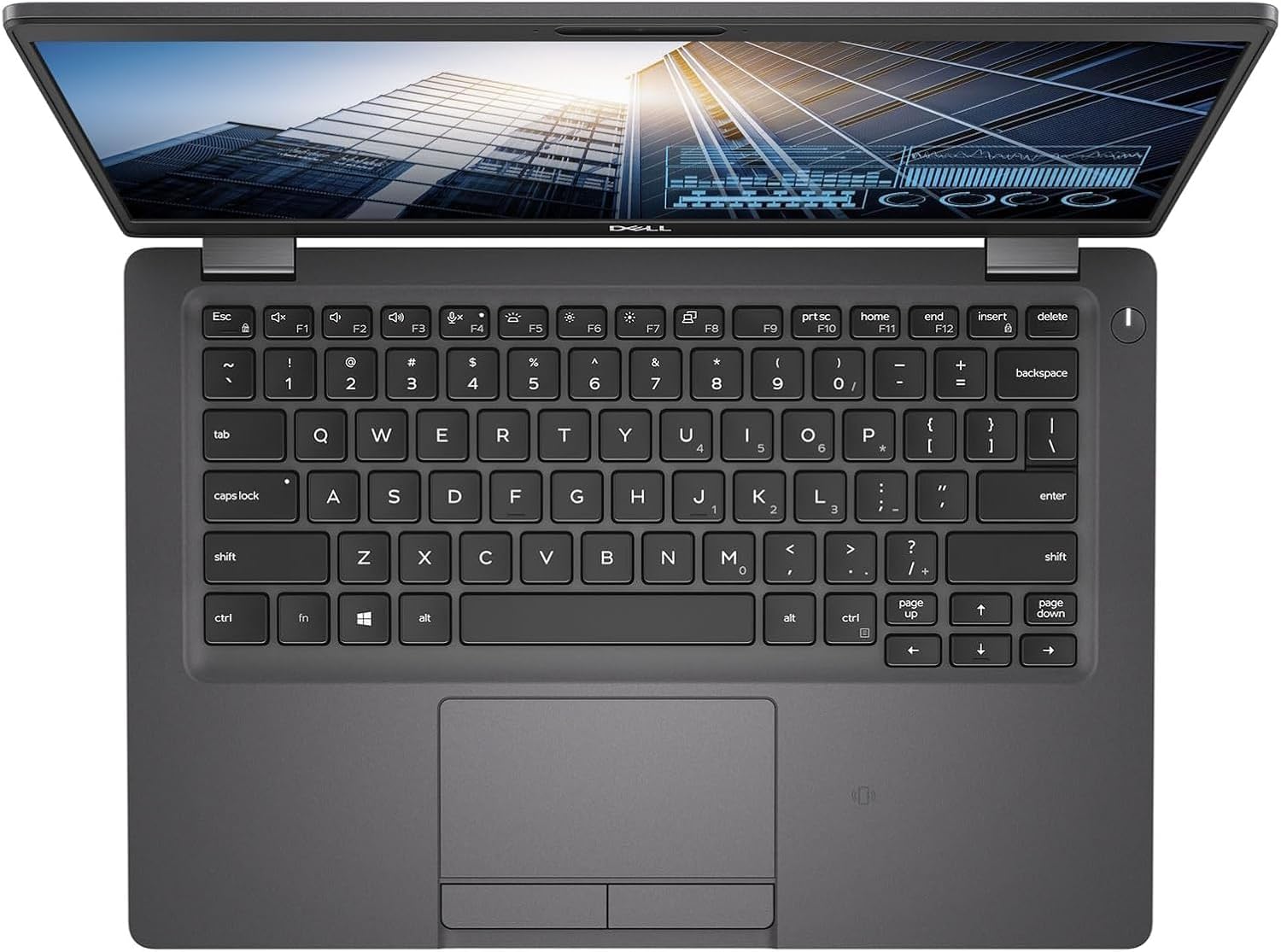
Port selection is pragmatic, reflecting the needs of business users. You get a full-sized HDMI port for external displays, a USB-C port with DisplayPort capabilities, USB 3.1 Type-A ports, and a traditional headphone jack. The inclusion of a smart card reader and optional LTE connectivity on some configurations showcases Dell’s focus on enterprise security and connectivity but may not be relevant for all buyers. On the downside, the absence of Thunderbolt 3 reduces expandability compared to more recent rivals.
Explore More About This Business Laptop
Overall, the build quality and port array signal a machine built with practical, professional use in mind, rather than flashy consumer features.
Performance and Hardware Explained
Diving into the heart of the Latitude 5300, its performance hinges on the Intel Core i5-8365U processor, a quad-core chip from Intel’s 8th generation (Whiskey Lake) lineup. This CPU operates at a base clock of 1.6 GHz but can turbo boost up to 4.1 GHz when required. For 2026 users, this processor remains capable of comfortably handling daily office workloads such as multiple browser tabs, Microsoft Office suites, video conferencing platforms, and even light photo editing. The quad-core design also supports efficient background multitasking, meaning you can juggle apps without noticeable slowdowns. However, this CPU starts to struggle with heavy video editing or demanding 3D tasks, which are better served by newer 11th or 12th gen processors with more cores and threads.
Memory capacity is a standout feature for this refreshed Latitude 5300: 16GB of DDR4 RAM running at 2400 MHz. This amount of memory is above average for laptops in this category and provides fluid multitasking ability — especially handy if you regularly have multiple documents, spreadsheets, and browser windows open while on a video call. The use of DDR4 also ensures efficient power consumption and quicker data transfer than older DDR3 modules.
Storage is handled by a 512GB Solid State Drive (SSD) that uses an NVMe interface, rather than slower SATA or eMMC storage found in some budget rivals. This translates into quick boot times typically under 15 seconds, rapid application launches, and responsive file handling. For professionals dealing with large files or databases, this SSD capacity offers a good balance between speed and storage space, although users working with 4K video editing may find it limiting.
The display deserves detailed attention given its importance for prolonged work. The Latitude 5300 features a 13.3-inch Full HD (1920 x 1080) IPS panel. The IPS technology ensures wide viewing angles with accurate colours, which is crucial for tasks requiring consistent image quality across different screen positions. Brightness peaks around 300 nits, sufficient for indoor use and some sheltered outdoor work but may struggle in direct sunlight. Colour accuracy is decent for general office tasks, though not precise enough to replace dedicated monitors for professional photo or video editing. The anti-glare coating reduces reflections, helping when working near windows or under office lighting.
Integrated graphics come from Intel’s UHD 620 GPU, built into the processor. This GPU handles everyday visuals and HD video playback fluidly but isn’t meant for heavy graphics workloads, 3D modelling, or high-end gaming. For the average business user, it covers all necessary bases efficiently.
Together, the hardware package offers a meaningful setup for professional productivity in 2026 — prioritising responsiveness, multitasking ease, and reliability rather than cutting-edge specs.
Grab Your Renewed Dell Latitude Today!
Real-World Performance — What Customers Say
Customer reports on the renewed Latitude 5300 paint a mixed but largely practical picture. Users frequently praise the laptop’s sturdy build and comfortable keyboard, which features decent key travel and feedback suitable for long typing sessions. The trackpad is responsive with Windows Precision drivers, offering reliable multi-touch gesture support.
The hardware specifications align well with everyday tasks, with many reviewers noting smooth performance across document editing, web browsing, and video calls. The 512GB NVMe SSD is often highlighted as a positive, with users appreciating noticeably fast boot times and quick app launches compared to older laptops with traditional hard drives.
Battery life feedback varies more widely. While the 60Wh battery is rated by Dell to deliver up to 12 hours, real-world conditions show more modest runtimes. Several users report between 6 to 8 hours during mixed use involving office apps and browsing, which is respectable for a business ultrabook but falls short of all-day unplugged use in some cases. Thermal performance generally remains well-controlled, with the chassis only mildly warming under continuous workloads, indicative of efficient cooling.
However, it is important to acknowledge the mixed reviews around functionality—some customers have encountered issues with the device failing to power on or inconsistent system stability. These concerns are not unusual with renewed units and highlight the importance of buying from trusted retailers offering good return policies.
Battery Life and Portability
In terms of portability, the Latitude 5300 shines with its compact dimensions and lightweight chassis. At roughly 1.4 kilograms, it’s light enough to carry comfortably throughout the day, whether between meetings or in a student’s bag. Its slim profile also helps it slip easily into slim cases without bulk.
The battery life claims by Dell suggest up to 12 hours under ideal conditions, yet real-world usage tends to settle closer to 6 to 8 hours depending on screen brightness, peripheral usage, and application demands. Web browsing and document work are less taxing, so you may stretch the battery further in those scenarios. Still, consistent use of video calls or streaming may drain the battery faster.
Charging is facilitated via a traditional barrel connector, not USB-C Power Delivery, which is less flexible in terms of using universal chargers. The 65-watt power adapter replenishes the battery relatively swiftly, charging from empty to 80% in around an hour, making quick top-ups between sessions possible.
Who Should Buy This
The Dell Latitude 5300 renewed model suits business professionals and students who demand a dependable, durable laptop for core productivity tasks. Its hardware configuration effectively supports multitasking, video conferencing, and file management, making it well-suited for office environments, remote work, and academic use.
However, it is less suitable for creators handling intensive video editing, 3D rendering, or gaming due to its mid-range CPU and integrated GPU. Buyers seeking a touchscreen or 4K display for creative work should look elsewhere. Also, cautious consideration is needed when opting for renewed units given some reports of power issues; purchasing from reputable sellers with guarantees is advised.
For alternatives with better modern connectivity, the Lenovo ThinkPad L14 Gen 2 offers comparable performance but incorporates Thunderbolt 4 and USB-C charging. Meanwhile, the HP EliteBook 830 G7 provides an almost identical Core i5, 16GB RAM configuration with an updated chassis and often better battery endurance.
Pros and Cons
Pros:
- 16GB DDR4 RAM allows fluid multitasking, ideal for professional workflows.
- Fast 512GB NVMe SSD ensures rapid boot times and application responsiveness.
- Robust magnesium alloy chassis balances durability and portability.
- Full HD IPS display with anti-glare coating supports comfortable extended use.
Cons:
- Renewed model has mixed reliability reports — some units fail to power on.
- Display brightness (around 300 nits) may struggle under direct sunlight.
- Absence of USB-C Power Delivery limits charging flexibility.
- Integrated Intel UHD 620 GPU lacks the muscle for demanding graphical tasks.
Final Verdict and Recommendation
The Dell Latitude 5300 business laptop delivers a pragmatic and well-rounded package tailored to professional users who prioritise portability, durability, and steady performance for everyday office operations. Its 8th-gen Core i5 CPU paired with 16GB of RAM and speedy NVMe storage makes it a strong contender for 2026 buyers needing a no-frills but capable Windows 11 Pro machine. Despite the occasional reported issue tied to its renewed status, those who acquire this model from trusted sources will appreciate its solid keyboard, lightweight build, and dependable battery life for office and study scenarios.
For those seeking a dependable workhorse laptop without flash, the Latitude 5300 stands out as a balanced choice. Check current availability on Amazon to secure one for reliable business productivity.
Discover the Dell Latitude 5300 Now!
As an Amazon Associate, I earn from qualifying purchases.